
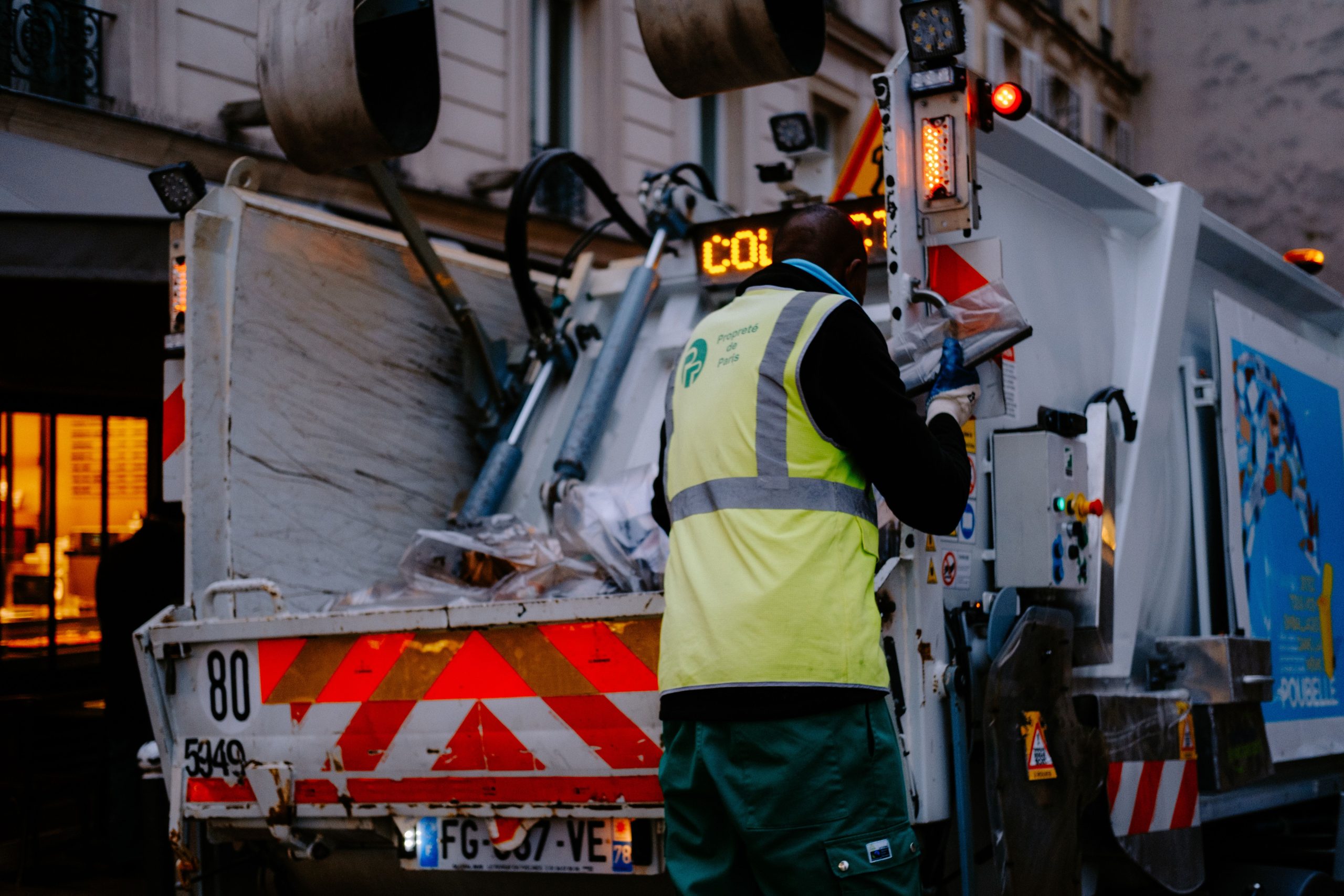
Junk Removal App: 9 Features That Keep Hauling Jobs Organized
A junk removal app gives junk hauling businesses one place to manage customer requests, estimates, schedules, routes, crews, payments, and job records. Instead of switching between calls, spreadsheets, maps, messaging apps, and invoices, a team can manage the full job flow from a connected system. This matters because junk removal work often involves tight pickup windows, changing job details, heavy items, multiple crews, and disposal decisions. In this article, we’ll explain how a junk removal app works, the features that matter most, how it supports a junk removal service, common mistakes to avoid, and what to consider before choosing or building one.
What Is a Junk Removal App?
A junk removal app is business software designed to help hauling companies manage the operational side of pickup and disposal jobs. Depending on the platform, it can handle customer inquiries, quotes, bookings, scheduling, dispatch, routing, crew communication, invoicing, payments, and reporting.
In practice, the app connects different stages of the job. A customer request can become an estimate, the estimate can become a scheduled pickup, and the completed pickup can trigger an invoice or payment request. As a result, employees spend less time entering the same information into different tools.
For example, imagine a customer requests furniture removal from a home. The office team records the address, items, preferred time, and estimated load size. Next, the dispatcher assigns a crew and places the job on the route. The crew then receives the job details on a mobile device, completes the pickup, records the final information, and closes the job.
The main purpose of a junk removal app is to connect customer management, job management, field operations, and billing in one workflow.
Why Junk Removal Businesses Need Dedicated Software
A junk removal service has several moving parts. Crews must arrive at the right location, vehicles need enough capacity, customers need clear arrival information, and office staff must keep track of payments and job status.
When teams rely on separate spreadsheets, calendars, phone calls, and messaging tools, information can become scattered. Therefore, a centralized system can make daily operations easier to coordinate.
Software can also help managers see what is happening across active jobs. Instead of calling each driver for an update, the office can review schedules, assigned crews, job notes, and customer information from a central dashboard.
For businesses handling many pickups each day, this visibility becomes especially useful. It helps managers identify schedule conflicts, unassigned jobs, delayed appointments, and incomplete records before they create larger problems.
9 Features to Look for in a Junk Removal App
1. Online Booking and Service Requests
Online booking lets customers submit pickup requests without waiting for an employee to answer the phone. A booking form can collect useful information such as the service address, junk type, preferred appointment window, photos, contact details, and notes.
More importantly, the form can give the operations team structured information from the start. That makes it easier to review the request, estimate the work, and assign the right crew.
A booking workflow can also reduce unnecessary back-and-forth communication. For example, customers can select an available time window instead of asking the office to check several calendars manually.
2. Estimates and Quote Management
Pricing junk removal jobs can depend on factors such as load size, item type, labour requirements, access conditions, disposal costs, or special handling. A junk removal app can keep these pricing rules and estimate details in one place.
Teams can create estimates from the customer record and update the quote when the job requirements change. In addition, the system can keep previous estimates available for reference.
This creates a clearer process from initial inquiry to approved job. Instead of creating a quote in one tool and copying the details into a calendar, staff can keep the information connected.
3. Scheduling and Dispatch
Scheduling becomes more complicated as a junk removal service adds customers, crews, and vehicles. A scheduling feature gives dispatchers a central view of upcoming jobs and available resources.
For example, a dispatcher can assign a pickup to a specific crew, set an arrival window, add job notes, and update the appointment when circumstances change. If a customer reschedules, the team can adjust the calendar without rebuilding the entire schedule manually.
Good dispatch software should also make job status visible. Labels such as scheduled, confirmed, en route, in progress, completed, and cancelled can help office staff understand the day’s workload.
4. Route Planning and Optimization
Junk removal companies often visit multiple addresses in one day. Therefore, route planning can have a direct effect on how efficiently crews move between jobs.
A junk removal app with mapping and routing tools can help dispatchers organize stops based on location and schedule. It can also give crews a clearer view of their upcoming appointments.
For a deeper look at how routing software can support field teams, see route optimization software features.
However, route optimization should not replace operational judgment. A route also needs to account for appointment windows, truck capacity, access restrictions, disposal facility requirements, and unexpected delays.
5. Customer Communication
Customers want to know when a crew will arrive and whether their booking remains on schedule. A junk removal app can centralize customer communication through texts, emails, notifications, or other supported channels.
For instance, the system can send a booking confirmation, appointment reminder, arrival notification, or completion message. These updates can reduce the need for customers to call the office for basic status information.
Clear communication also gives employees a consistent record of customer interactions. That can help the team review previous conversations when a customer asks about a quote, appointment, or service detail.
Businesses interested in improving this area can also explore customer communication software features and how they support more organized customer interactions.
6. Mobile Access for Crews
Junk removal crews spend most of their working day in the field. Therefore, they need access to job information without returning to the office or relying on printed paperwork.
A mobile-friendly app can show the crew the customer’s address, contact details, job notes, requested items, appointment window, and special instructions. Workers can also update the job status from the field.
Photo capture can provide another useful feature. Crews may use job photos to document items, site conditions, completed work, or other information that the business needs to retain.
Mobile access also helps reduce communication gaps between dispatchers and field workers. Instead of passing updates through several people, the team can record them directly against the job.
7. Invoicing and Payment Collection
Completing the physical pickup does not complete the business process. The company still needs to create an invoice, collect payment, and record the transaction accurately.
A junk removal app can connect completed jobs with billing. Depending on the software, customers may receive invoices digitally and pay through supported payment methods.
This connection reduces duplicate data entry. It also gives office staff a clearer view of unpaid invoices and completed work that still needs financial follow-up.
For businesses that manage customer relationships alongside billing, CRM capabilities can add another layer of organization. Customer records can contain contact details, previous jobs, notes, quotes, and communication history in one place.
8. Job Tracking and Customer History
A customer may use the same junk removal service more than once. Therefore, keeping a history of previous jobs can help the team provide more consistent service.
A job record might include the service address, items collected, quoted price, final price, crew assignment, notes, photos, payment status, and customer communication. Managers can then review the record when a customer books another pickup.
This information can also help businesses identify recurring customers and understand which services generate repeat demand.
For broader field operations, field service management software provides useful context on how scheduling, dispatch, customer information, and field work can connect within one system.
9. Reporting and Business Insights
Once a business stores jobs in a central system, it can use the data to understand daily operations. Useful reports may cover completed jobs, cancelled appointments, revenue, unpaid invoices, lead sources, crew workload, and service volume.
For example, a manager could compare the number of completed pickups with the number of incoming requests. The business could then investigate where potential customers drop out of the process.
Similarly, managers can review job history to identify scheduling patterns, recurring service areas, or operational bottlenecks. The goal is not to collect data for its own sake. Instead, reporting should help the business make practical decisions.
How a Junk Removal App Supports the Full Job Lifecycle
The value of an app becomes clearer when you look at the entire workflow rather than individual features.
- Customer request: A customer submits a pickup request online or contacts the business.
- Estimate: Staff review the job details and prepare a price or estimate.
- Booking: The customer confirms the service and selects an available appointment.
- Scheduling: The dispatcher assigns the job to a crew and vehicle.
- Routing: The team organizes the day’s stops and travel plan.
- Field service: The crew receives the job details, completes the pickup, and updates the status.
- Billing: The business creates an invoice and collects payment.
- Follow-up: The system can support customer communication after the job.
- Reporting: Managers review the completed job and operational data.
Because each stage connects to the next, the team can reduce repetitive data entry and maintain a clearer record of each customer interaction.
What Items Should a Junk Removal App Help Teams Track?
Junk removal jobs can involve many types of materials. A useful system should let businesses record the information that affects pricing, labour, transportation, or disposal.
- Furniture and household items
- Appliances
- Mattresses
- Yard debris
- Construction debris
- Electronics
- Office equipment
- Estate cleanout materials
- Large single-item pickups
However, not every item belongs in a standard junk pickup. Businesses should define clear policies for restricted or hazardous materials.
The EPA guidance on household hazardous waste explains that products such as paints, cleaners, oils, batteries, and pesticides can require special handling and disposal. Therefore, a business should not assume that every item a customer labels as junk can enter the normal collection workflow.
A software workflow can help identify and document restricted items, but it does not replace local disposal rules, environmental requirements, or professional safety procedures.
Safety and Operational Considerations
Junk removal involves lifting, loading, driving, unloading, and working around different environments. Therefore, software should support safe operations rather than encourage crews to rush through jobs.
For example, job notes can flag stairs, narrow access points, large items, or other conditions that may affect crew planning. Managers can also use the system to keep relevant instructions visible to the people assigned to the job.
Worker safety also matters during collection and transportation. OSHA identifies hazards in waste collection that include vehicle incidents, lifting injuries, slips, trips, falls, cuts, and abrasions.
As a result, businesses should consider safety workflows when selecting software. The app should make important job information easy to access without creating unnecessary administrative steps for field workers.
Common Mistakes When Choosing a Junk Removal App
Choosing Too Many Features
More features do not automatically create a better workflow. A small junk removal company may need booking, scheduling, routing, invoicing, and customer communication more than a large collection of advanced tools.
Instead, start with the problems that currently slow the business down. Then choose features that directly address those problems.
Ignoring Mobile Usability
A system can look impressive on a desktop while remaining difficult to use in a truck or at a customer’s property. Therefore, test the mobile experience before committing to a platform.
Keeping Customer Data in Separate Systems
When customer information, job details, invoices, and communication records live in different tools, employees may need to copy information repeatedly. Over time, this creates opportunities for mistakes.
A connected workflow can keep the customer record tied to the jobs and transactions associated with it.
Overlooking Integrations
Your app may need to connect with accounting, payment, mapping, messaging, or other business systems. Therefore, check available integrations before choosing a platform.
Should You Buy or Build a Junk Removal App?
Off-the-shelf software can work well when a business has standard requirements and wants to start quickly. However, a custom system can make more sense when the company has unique pricing rules, specialized workflows, complex service areas, or existing software that needs to connect.
| Consideration | Off-the-shelf app | Custom software |
|---|---|---|
| Setup | Usually faster | Requires planning and development |
| Workflow | Fits predefined processes | Can match specific business processes |
| Integrations | Depends on available integrations | Can be designed around required systems |
| Scalability | Depends on the provider | Can evolve with business requirements |
| Control | Limited to platform capabilities | Greater control over features and workflows |
The right approach depends on the business. If the current workflow fits an existing platform, buying software may provide a practical starting point. On the other hand, companies with specialized processes may benefit from a system designed around their operations.
Custom development can also help connect customer records, scheduling, dispatch, payments, and reporting into a workflow that matches the company’s actual processes.
What to Check Before Choosing Software
Before signing up for a junk removal app, test the complete workflow rather than reviewing features one by one.
- Can customers request services online?
- Can staff create and update estimates?
- Can dispatchers assign crews and vehicles?
- Does the system support route planning?
- Can crews access job information from mobile devices?
- Can the business send customer notifications?
- Does the system support invoicing and payments?
- Can managers view job and business reports?
- Does it integrate with the tools you already use?
- Can the system handle your service areas and workflow as the company grows?
In addition, review pricing carefully. Look at user limits, transaction fees, setup costs, premium features, integrations, and contract terms rather than comparing only the advertised monthly price.
Frequently Asked Questions
Frequently Asked Questions
“`
What does a junk removal app do?
A junk removal app helps businesses manage customer requests, estimates, bookings, scheduling, dispatch, routes, field jobs, payments, and customer records from one system.
Can a junk removal app help with scheduling?
Yes. Scheduling features can help teams organize appointments, assign crews, manage time windows, update bookings, and track job status.
Can junk removal software help with route planning?
Many platforms include mapping or route planning tools. These features can help dispatchers organize multiple pickups while considering locations and appointment windows.
Is a junk removal app useful for small businesses?
It can be useful when administrative work starts taking time away from field operations. Small teams should focus on software that solves their most important workflow problems without adding unnecessary complexity.
Should a junk removal company build custom software?
Custom software can make sense when standard platforms cannot support a company’s pricing, dispatch, customer management, integrations, or reporting requirements. Otherwise, an existing platform may meet the business’s needs.
“`
Final Thoughts
A junk removal app can bring the main parts of a hauling operation into one connected workflow. From online booking and estimates to scheduling, routing, crew communication, invoicing, and reporting, the right system can help teams manage jobs with less manual coordination.
However, software should support the way the business actually works. Before choosing a platform, map the current workflow, identify the biggest bottlenecks, test the mobile experience, review integrations, and confirm that the system can handle your service requirements.
For a growing junk removal service, the goal is not simply to add another app. The goal is to create a clearer process from the first customer request through the completed pickup and final payment.
Build software around how your business works
If standard tools do not match your junk removal workflow, a custom solution can connect customer management, scheduling, dispatch, payments, and reporting around your specific processes.



