
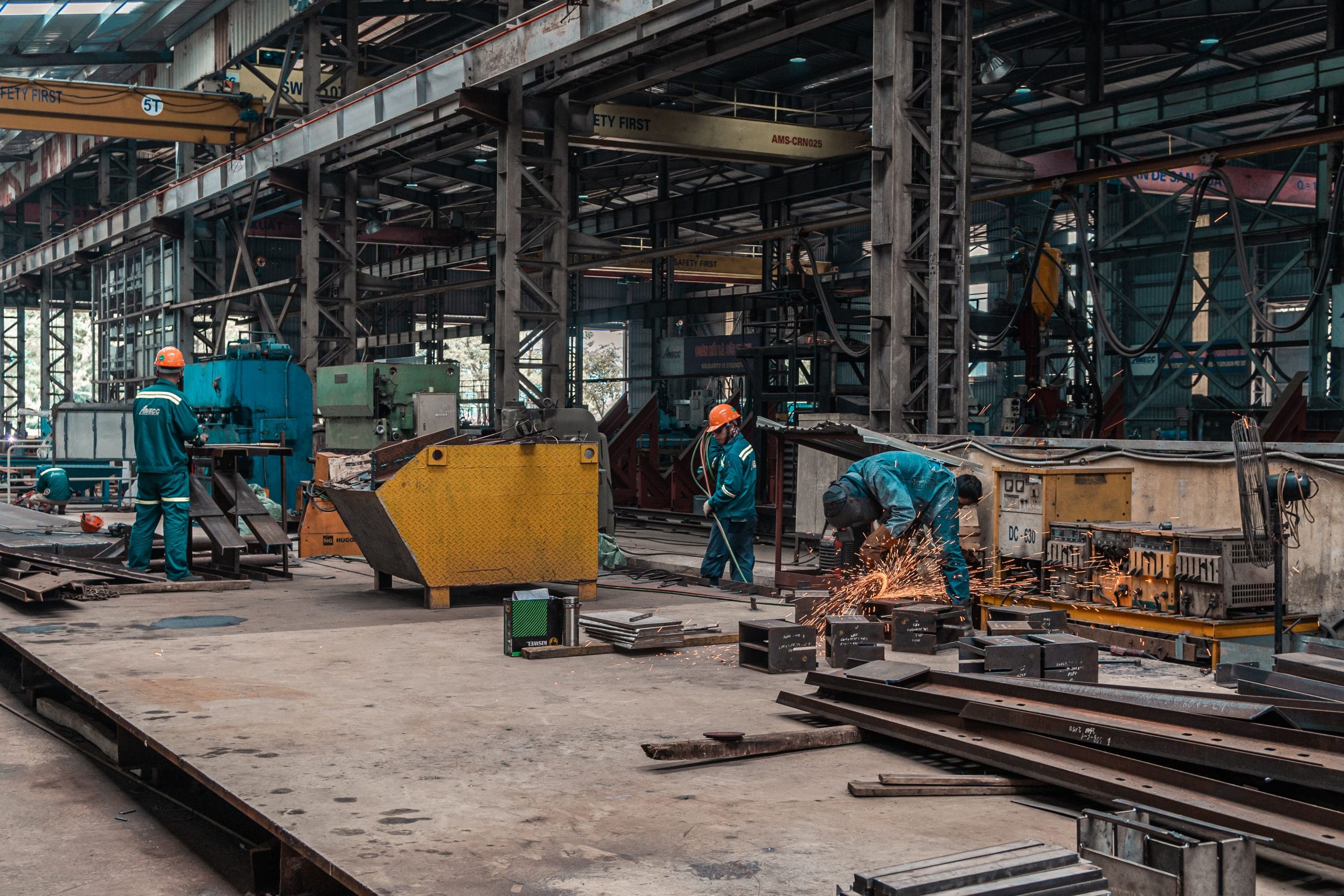
Steel Fabrication Management Software: 9 Features That Improve Shop Efficiency
Steel fabrication management software helps fabrication shops manage materials, production, welding, quality, and delivery from a more organized system. Instead of relying on spreadsheets, paper records, and disconnected tools, teams can keep project information in one place and track work as it moves through the shop.
For steel fabricators handling multiple jobs, drawings, materials, welds, inspections, and delivery dates, that visibility can make daily work easier to control. In this guide, we will cover the key features of steel fabrication management software, how it supports the fabrication workflow, where it delivers the most value, and what to consider before choosing a system.
What Is Steel Fabrication Management Software?
Steel fabrication management software is a business system designed to organize and track the work involved in turning steel orders, drawings, and specifications into finished fabricated components.
Depending on the system, it can connect estimating, project management, material tracking, production scheduling, welding records, quality checks, inventory, purchasing, and delivery. Therefore, managers can see more than a single production task. They can follow the full job from order intake to shipment.
For example, a structural steel project may require material purchasing, cutting, drilling, fitting, welding, surface preparation, inspection, and delivery. A management system can connect these stages so the team knows what needs attention and which items have already moved forward.
Key takeaway
The main purpose of steel fabrication management software is not simply to digitize paperwork. It is to connect project, material, production, and quality information so teams can make better day-to-day decisions.
9 Key Features of Steel Fabrication Management Software
1. Project and Job Management
Fabrication shops often handle several projects at different stages. A job management feature gives each project a central record for customer details, drawings, specifications, deadlines, quantities, and production status.
As a result, managers do not need to search through separate spreadsheets or email threads to understand where a job stands. They can review open work, upcoming deadlines, and outstanding tasks from one system.
For shops managing complex fabrication orders, this centralization also makes it easier to connect office work with shop-floor activities.
2. Material Tracking and Traceability
Material control plays an important role in steel fabrication. Teams need to know what material they ordered, what arrived, where it is stored, and which project will use it.
Good steel fabrication software can track material grades, sizes, quantities, purchase information, and project assignments. It can also help teams maintain identification records throughout the fabrication process.
This matters because AISC guidance discusses material identification and traceability as part of structural steel fabrication. Traceability can connect a specific piece of steel to its material documentation and mill test report. AISC material identification and traceability guidance provides additional information on this topic.
In practice, better tracking can help reduce confusion when similar materials move through a busy fabrication shop.
3. Production Scheduling
Production scheduling helps managers organize fabrication work according to priorities, capacity, deadlines, and dependencies.
Instead of treating every job as equally urgent, the system can help teams identify what needs to happen next. For instance, a beam may need cutting before drilling, while another component may require fitting before welding.
Therefore, scheduling tools can give supervisors a clearer view of work in progress. They can also make bottlenecks easier to spot before they affect delivery dates.
4. Estimating and Cost Tracking
Fabrication begins long before steel reaches the shop floor. Teams need to understand material requirements, labor, processing steps, and other project costs during estimating.
Steel fabrication management software can connect estimates with actual project activity. This gives managers a way to compare planned quantities and costs with what the project consumes during production.
For example, if a project requires more labor hours than expected, the business can review where the difference occurred. Over time, these records can also support more informed future estimates.
For a broader look at fabrication workflows, see metal fabrication software features for production, estimating, and quality.
5. Welding Management
Welding often involves detailed records, procedures, qualifications, inspections, and project requirements. A software system can organize welding-related information alongside the job instead of keeping it in separate files.
Depending on the software, teams may track weld details, welding procedures, welder information, inspection results, and related documentation.
However, software does not replace applicable welding codes or qualified inspection processes. For structural steel work, the American Welding Society publishes AWS D1.1/D1.1M, which covers requirements for welding commonly used carbon and low-alloy structural steels. AWS Structural Welding Code, Steel provides the current standard information.
For shops that manage many welding records, a connected system can make those records easier to find and associate with the correct project or component. You can also review these welding software features for job and weld management for a closer look at this workflow.
6. Quality Control and Inspection Records
Quality checks should happen throughout fabrication, not only when a project reaches the final inspection stage. Software can help teams create inspection steps, record results, identify nonconformances, and document corrective actions.
For example, a quality workflow might include dimensional checks after cutting, inspection after fitting, weld inspection, coating checks, and final review before shipment.
This approach creates a clearer record of what the team checked and what happened when an item did not meet the required specification. AISC’s current certification framework also addresses areas such as calibration, corrective action, nonconformance, inspection, and welding controls. AISC 207-25 certification standards can help businesses understand the broader quality-management context.
For a more detailed discussion, see quality control software for manufacturing.
7. Inventory and Purchasing
Steel fabrication depends on having the right materials available when production needs them. At the same time, holding too much stock can tie up money and shop space.
Inventory and purchasing tools can help teams monitor stock levels, purchase orders, supplier information, and material requirements. When purchasing connects with project and production data, managers can make decisions based on upcoming work instead of relying only on manual stock checks.
For instance, if an upcoming job requires a specific plate thickness or steel grade, the team can check existing stock before placing another order.
8. Document and Drawing Management
Fabrication projects often involve drawings, revisions, specifications, purchase documents, inspection records, and other files. Using outdated drawings can create serious workflow problems, so teams need a clear way to manage project documents.
A document management feature can keep files connected to the appropriate project and make current versions easier for authorized users to access.
More importantly, the system should make revision status clear. When a drawing changes, the people working from it should know which version applies to the current job.
9. Delivery and Production Status Tracking
The final stage of fabrication does not end when production finishes. Teams also need to prepare components for shipment and confirm that the right items leave the facility.
Software can help track finished components, shipment status, delivery information, and outstanding work. Managers can then see which jobs are ready, which remain in production, and which require attention before dispatch.
As a result, production and office teams can work from the same status information instead of maintaining separate delivery lists.
How Steel Fabrication Management Software Supports the Workflow
The value of steel fabrication management software becomes clearer when you look at the full workflow.
- Project intake: The team creates the project and records customer requirements, drawings, quantities, and deadlines.
- Estimating: Material, labor, and processing requirements help establish the project estimate.
- Purchasing: The team orders required steel, consumables, and other materials.
- Material receiving: Staff record received materials and connect them with the appropriate documentation.
- Production planning: Managers organize cutting, drilling, fitting, welding, and other shop activities.
- Quality control: Inspectors record checks, results, defects, and corrective actions.
- Completion: The team verifies finished components against project requirements.
- Delivery: Staff prepare and track shipments until the fabricated steel reaches its destination.
Because these stages share information, the business can reduce the need to re-enter the same data in different systems. That can also improve visibility when several projects move through the shop at the same time.
Steel Fabrication Software vs. General Manufacturing Software
General manufacturing software can support production planning, inventory, purchasing, and quality management. However, steel fabrication has specific workflows that may require more specialized handling.
| Area | General Manufacturing Software | Steel Fabrication Software |
|---|---|---|
| Production | General production workflows | Fabrication stages and shop processes |
| Materials | General inventory tracking | Steel grades, sizes, quantities, and traceability |
| Welding | May require customization | Can support welding-specific records and workflows |
| Quality | General inspection workflows | Fabrication-focused inspection and documentation |
| Project work | Often production-order focused | Can connect project requirements with shop production |
Neither approach fits every business in exactly the same way. Instead, the right choice depends on the shop’s processes, project types, existing systems, and customization needs.
Benefits of Using Steel Fabrication Management Software
Once the major workflows connect, fabrication businesses can gain several practical benefits.
Better production visibility
Managers can see job progress and identify work that needs attention without checking multiple disconnected records.
More organized material control
Teams can connect materials with projects, purchasing records, and traceability information.
Fewer manual handoffs
Shared information reduces the need to repeatedly copy project data between spreadsheets, emails, and separate applications.
Clearer quality records
Inspection results, nonconformances, and corrective actions can stay connected to the relevant job.
Stronger project coordination
Office staff, production managers, purchasing teams, and quality personnel can work from shared project information.
Pro tip
Do not select software only because it has many features. Map your current fabrication workflow first, then identify which processes create the most manual work, delays, or data gaps.
What to Consider Before Choosing a System
Every fabrication shop has different processes. Therefore, software selection should start with your actual workflow rather than a generic feature checklist.
Shop size and project complexity
A small fabrication shop may need simple job tracking, material management, scheduling, and quality records. A larger operation may need deeper production planning, purchasing, inventory, role-based access, integrations, and reporting.
Integration requirements
Check whether the system can connect with the tools you already use. Depending on your workflow, that may include accounting software, estimating tools, CAD-related systems, inventory platforms, or customer management systems.
Customization
Standard software can work well when your processes match its built-in workflows. However, fabrication companies sometimes have unique approval steps, production stages, reports, or data requirements.
In that case, custom software can provide a way to build workflows around the company’s actual operations. For businesses that need connected customer, project, and operational workflows, custom CRM development can also become part of a broader software strategy when customer management needs extend beyond the fabrication system.
Reporting and visibility
Ask which reports managers can create without exporting data into another spreadsheet. Useful reporting may include open jobs, production status, material usage, purchasing activity, inspection results, and upcoming deliveries.
Ease of use
A system can have strong capabilities and still create problems if shop staff find it difficult to use. Look for clear screens, simple workflows, role-based access, and mobile or shop-floor access when your operations require it.
Common Mistakes to Avoid
Buying software without mapping the current process is one common mistake. If the business does not understand where information enters, changes, and moves between teams, it becomes difficult to configure the system correctly.
Another mistake involves treating software as a replacement for process control. A digital system can organize information, but it cannot automatically fix unclear responsibilities, poor data entry, outdated drawings, or weak inspection procedures.
Finally, avoid choosing a platform only because it offers the largest feature list. Instead, focus on the functions your team will use every day and confirm that the system can support future requirements without creating unnecessary complexity.
When Should a Fabrication Business Consider Custom Software?
Custom development becomes more relevant when standard software cannot match important business processes. For example, a fabricator may need a unique production workflow, specialized material traceability, custom approval rules, or connections between several existing systems.
Custom software can also make sense when the business wants one platform to combine fabrication management with other operational functions. However, custom development requires more planning than buying an off-the-shelf product, so the business should first document its requirements and expected workflows.
Frequently Asked Questions
Frequently Asked Questions
What does steel fabrication management software do?
It helps fabrication businesses manage projects, materials, production, welding, quality checks, documents, inventory, and delivery from a connected system.
Is steel fabrication software useful for small fabrication shops?
Yes. Small shops can use it to organize jobs, materials, production tasks, quality records, and delivery information. The key is choosing a system that matches the shop’s size and workflow.
Can steel fabrication software track material traceability?
Many systems can track material grades, sizes, quantities, project assignments, and related documentation. However, the exact traceability capabilities vary by product.
Can fabrication software manage welding records?
Depending on the platform, it can organize welding procedures, welder information, inspection records, and other job-related documentation. Businesses should verify the exact welding features before purchasing.
Should a steel fabricator choose custom or off-the-shelf software?
Off-the-shelf software can work well when its workflows match the business. Custom software may fit better when the shop needs specialized processes, integrations, or reporting that standard products cannot support.
Final Thoughts
Steel fabrication management software can bring project management, material tracking, production scheduling, welding records, quality control, purchasing, and delivery into a more connected workflow. As a result, teams can spend less time searching for information and more time managing the work itself.
The best starting point is to map your current process from project intake through final delivery. Then, compare software based on the workflows, records, integrations, and reporting your business actually needs. If standard tools cannot support those requirements, custom development can provide a more tailored option.
Build software around how your business works
If your fabrication workflow needs custom project management, integrations, reporting, or business automation, a tailored software solution can connect the processes that matter most.Talk to our team



