
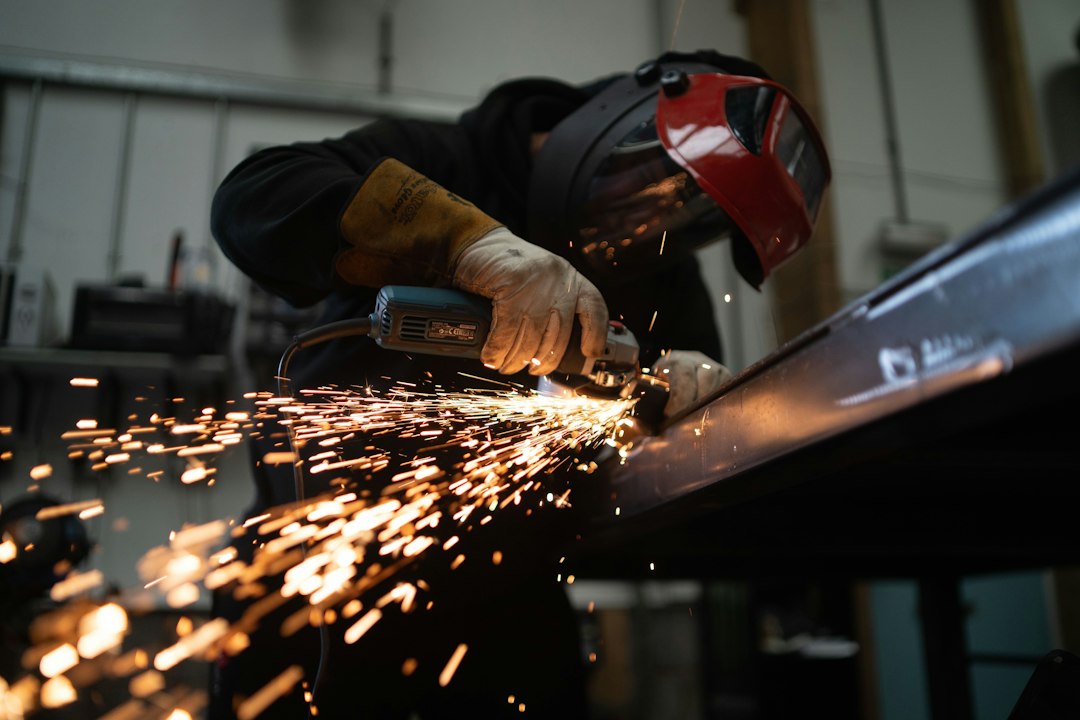
Metal Fabrication Software: 9 Features That Improve Production, Estimating, and Quality
Metal fabrication software helps fabrication shops manage the full workflow from quoting and material planning to production, welding, delivery, and quality control. Instead of relying on spreadsheets, paper job folders, and disconnected tools, teams can use one system to organize job information and keep work moving.
For shops handling custom parts, sheet metal, structural components, frames, assemblies, or welded products, better coordination can make a major difference. In this guide, we will explain what metal fabrication software does, the key features to look for, how metal manufacturing software supports production, and what to consider before choosing a solution.
What Is Metal Fabrication Software?
Metal fabrication software is a business and production management system designed for companies that cut, bend, weld, machine, assemble, and finish metal products. Depending on the platform, it can connect estimating, customer management, job scheduling, inventory, purchasing, production tracking, and quality processes.
Some solutions also connect with CAD and CAM tools. For example, modern fabrication platforms can support sheet-based design, nesting, CNC programming, and production workflows. Autodesk explains that its Fusion fabrication tools can connect design and manufacturing processes while supporting nesting and fabrication workflows.
Autodesk Fusion fabrication software is one example of technology that brings CAD/CAM capabilities into fabrication workflows. However, a shop may still need separate business management features for quoting, customers, purchasing, scheduling, and job costing.
The right metal fabrication software should connect the commercial and production sides of a fabrication business instead of improving only one isolated task.
Why Do Fabrication Shops Need Specialized Software?
Metal fabrication involves many connected steps. A single order can require material selection, measurements, drawings, estimating, purchasing, cutting, forming, welding, finishing, inspection, and delivery.
When each department manages information separately, small changes can create larger problems. For instance, a revised drawing may not reach the production team, or an updated material requirement may not reach purchasing in time.
Metal fabrication software creates a shared workflow. Therefore, sales teams, estimators, project managers, purchasing staff, and production employees can work from the same job information.
Specialized software can also help shops manage custom orders. Unlike repetitive manufacturing environments, fabrication jobs often vary in dimensions, materials, quantities, finishing requirements, and delivery dates. A flexible system helps teams manage those differences without rebuilding the workflow for every order.
9 Key Features of Metal Fabrication Software
1. Estimating and Quoting
Accurate estimating forms the foundation of profitable fabrication work. A good system should help estimators calculate material requirements, labor, machine time, finishing costs, overhead, and other job expenses.
Instead of creating every quote from scratch, teams can use saved pricing rules, material rates, labor costs, and reusable job information. As a result, estimators can create consistent quotes while reducing repetitive data entry.
The system should also make it easy to convert an approved quote into a job. This prevents teams from entering the same information multiple times and reduces the risk of differences between the quote and production order.
2. Job and Work Order Management
Once a customer accepts a quote, the software should turn the estimate into an actionable work order. The work order can include drawings, specifications, materials, quantities, deadlines, notes, and production instructions.
This creates a central source of information for everyone involved. Production staff can see what needs to be built, while managers can track the job without searching through emails or paper files.
For example, a custom steel frame order might move through cutting, drilling, welding, grinding, painting, inspection, and delivery. The software can organize those steps into one production workflow.
3. Production Scheduling
Fabrication shops often manage multiple jobs that compete for the same machines, workstations, and skilled employees. Scheduling software helps managers organize work according to deadlines, available resources, and production priorities.
Instead of maintaining a static spreadsheet, managers can use digital schedules to identify upcoming work and potential conflicts. When priorities change, the team can update the schedule and communicate the change more quickly.
More importantly, production scheduling can give managers a clearer view of bottlenecks. If welding becomes the slowest stage in the workflow, for example, managers can identify the issue before it affects several downstream jobs.
4. Material and Inventory Management
Metal fabrication depends heavily on raw materials. Sheets, plates, tubes, bars, pipes, fasteners, welding supplies, and finishing materials all affect production costs and delivery schedules.
Metal manufacturing software should help teams track material quantities, locations, purchases, usage, and reorder needs. The system can also connect material requirements to specific jobs so employees understand where inventory goes.
Material planning becomes even more useful when the software supports remnants and scrap tracking. A shop may have usable pieces left from previous jobs, and identifying those materials can reduce unnecessary purchases.
Look for inventory features that distinguish raw materials, reserved materials, usable remnants, work in progress, and finished goods. This gives managers a more realistic picture of available stock.
5. CAD and CAM Integration
Design and manufacturing data should move smoothly from engineering to production. CAD tools help teams create and modify designs, while CAM tools can translate designs into machine instructions.
Integrated workflows can reduce duplicate data entry and make design changes easier to manage. For sheet-based fabrication, nesting tools can arrange parts on material sheets to improve material utilization.
For instance, Autodesk describes Fusion as an integrated CAD/CAM platform that supports sheet-based nesting and fabrication. That type of integration can help teams connect design decisions with manufacturing processes.
Autodesk Fusion for Manufacturing also demonstrates how CAD, CAM, data management, and manufacturing capabilities can operate within a connected environment.
6. Welding and Fabrication Tracking
Welding often represents a major stage of metal fabrication. Therefore, software should help teams track weld-related instructions, job progress, assigned workers, materials, and inspection requirements.
Fabrication software can also store job documents and production notes alongside the work order. This makes it easier for employees to find the information they need without searching through separate systems.
Quality requirements can vary by project and application. For example, ISO 5817 defines quality levels for imperfections in fusion-welded joints involving steel, nickel, titanium, and their alloys. Shops can use the relevant standards and customer requirements as part of their own quality processes.
ISO 5817 welding quality information from ANSI provides details about the standard’s quality levels and scope.
7. Quality Control and Inspection
Quality control should not begin after production ends. Teams need a way to define inspection points, record measurements, document defects, and confirm that completed work meets the required specifications.
A digital system can attach inspection information to a specific job or work order. Managers can then review quality records without searching through paper forms.
This approach also helps teams identify recurring issues. If similar defects appear across several jobs, managers can investigate the production stage responsible and adjust the process.
For more information on the broader role of quality management in manufacturing, see our guide to quality control software for manufacturing.
8. Job Costing and Financial Visibility
Winning more orders does not automatically mean earning more profit. Fabrication businesses need to understand what each job actually costs.
Job costing features can help compare estimated costs with actual material, labor, machine, subcontracting, and other expenses. Managers can then identify jobs that consistently exceed estimates.
For example, an estimate may account for two hours of welding, but actual production may regularly require four hours. Tracking that difference gives the estimator useful information for future quotes.
Over time, better job costing can improve pricing decisions because estimates can reflect real production experience rather than assumptions alone.
9. Reporting and Production Analytics
Reports turn production data into information managers can use. A fabrication shop may want to monitor open jobs, production progress, material usage, quote activity, late orders, labor hours, and job profitability.
Dashboards can bring those indicators into one view. Consequently, managers spend less time collecting information manually and more time responding to production issues.
The most useful reports should support specific decisions. For example, a report showing overdue work can help a manager prioritize production, while a material usage report can help purchasing identify upcoming requirements.
Metal Fabrication Software vs. Metal Manufacturing Software
The terms metal fabrication software and metal manufacturing software often overlap, but they can describe different operational needs.
| Area | Metal Fabrication Software | Metal Manufacturing Software |
|---|---|---|
| Typical work | Custom fabrication and project-based jobs | Repeatable or broader manufacturing operations |
| Estimating | Highly important for custom quotes | Often focused on standard products and production costs |
| Production | Cutting, forming, welding, finishing, assembly | Production planning, machine operations, assembly, and related processes |
| Materials | Sheets, plates, tubes, bars, remnants, and consumables | Raw materials, components, work in progress, and finished goods |
| Customization | Usually high | Varies by manufacturing model |
In practice, the distinction depends on the business. A fabrication shop producing custom metal assemblies may need strong estimating, quoting, job tracking, and drawing management. A larger manufacturer may place more emphasis on production planning, inventory, quality, procurement, and resource planning.
Therefore, businesses should evaluate software based on their actual workflow rather than choosing a product simply because it uses the word “manufacturing” or “fabrication.”
How Metal Fabrication Software Improves the Workflow
A typical digital workflow starts when a customer requests a quote. The estimator enters job requirements, calculates costs, and sends the proposal.
Once the customer approves the quote, the system creates a work order. Next, purchasing can review material requirements while production managers schedule the required operations.
During production, employees update job status as work moves through cutting, forming, welding, finishing, and inspection. Meanwhile, managers can monitor progress and identify delays.
Finally, completed work moves to delivery or pickup, while the system retains the job history. This creates a record that the business can use for future quotes, customer questions, quality reviews, and operational analysis.
Capture customer requirements and calculate expected job costs.
Define materials, operations, resources, deadlines, and production requirements.
Track cutting, forming, welding, machining, finishing, and assembly activities.
Record measurements, inspections, defects, and approvals.
Complete the order and retain the production history for future reference.
How to Choose the Right Metal Fabrication Software
Choosing a platform requires more than checking a feature list. The software should fit the way your shop actually operates.
Map Your Current Workflow
First, document how an order moves through your business. Include estimating, engineering, purchasing, production, quality control, invoicing, and delivery.
Then identify the points where employees duplicate data, wait for information, or rely on manual spreadsheets. Those areas often provide the clearest opportunities for software improvement.
Check Integration Requirements
Next, review the systems your business already uses. These may include accounting software, CAD/CAM platforms, payroll systems, customer relationship tools, inventory systems, and machine-related software.
Strong integration matters because a new platform should reduce duplicate work rather than create another isolated database.
Evaluate Customization
Every fabrication shop has different processes. One company may specialize in structural steel, while another produces custom sheet metal components or welded assemblies.
Therefore, check whether the software lets you configure work orders, production stages, pricing rules, approval processes, reports, and user permissions around your workflow.
Consider Scalability
Your software should support growth without forcing your team to replace it after a short period. Consider the number of users, jobs, locations, machines, customers, and transactions you expect to manage as the business expands.
Do not choose software based only on the number of features. A smaller system that fits your workflow can be more useful than a larger platform filled with tools your team will never use.
Common Mistakes to Avoid
Several mistakes can reduce the value of a new fabrication system. First, some businesses automate a broken process instead of fixing the process itself. Software can improve workflow, but it cannot replace clear responsibilities and accurate data.
Second, teams sometimes overlook employee adoption. If workers find the system difficult to use, they may continue relying on spreadsheets, paper notes, or informal communication.
Third, businesses may focus only on production and ignore estimating, purchasing, accounting, or customer communication. However, fabrication jobs cross departmental boundaries, so disconnected processes can still create delays.
Finally, avoid migrating inaccurate or outdated data without a cleanup plan. Clean material records, customer information, pricing data, and product details give the new system a stronger foundation.
When Should a Fabrication Business Invest in Software?
A shop does not need to reach a specific size before adopting software. Instead, consider the operational problems your team faces today.
Software may make sense when employees spend significant time creating manual quotes, searching for job information, updating spreadsheets, checking inventory, or communicating production changes.
It can also become valuable when the business handles more simultaneous jobs than managers can comfortably track. In that situation, a centralized system can provide greater visibility across the order lifecycle.
Similarly, businesses with growing quality requirements may benefit from digital inspection records and traceable job documentation.
Benefits of a Connected Fabrication Workflow
The biggest benefit of metal fabrication software is not any single feature. Instead, it comes from connecting information across the business.
Estimators can create quotes using structured job information. Purchasing can see material requirements. Production managers can schedule work using current priorities. Employees can access job instructions, while managers can review progress and costs.
As a result, the business can reduce information gaps between departments. In addition, historical job data can support better future estimates and operational decisions.
For shops that handle complex customer orders, this connected approach can also improve communication. Everyone works from the same job record rather than relying on separate notes and files.
Frequently Asked Questions
Frequently Asked Questions
What does metal fabrication software do?
Metal fabrication software helps shops manage estimating, quoting, materials, work orders, production scheduling, fabrication activities, quality control, job costing, and reporting in a connected workflow.
What is the difference between fabrication software and manufacturing software?
Fabrication software often focuses on custom jobs involving processes such as cutting, forming, welding, and finishing. Metal manufacturing software can cover a broader range of production planning, inventory, quality, and manufacturing operations.
Can metal fabrication software manage estimates and quotes?
Yes. Many fabrication-focused systems support material, labor, machine, and other cost calculations, along with quote creation and conversion from approved estimates into work orders.
Can fabrication software connect with CAD and CAM tools?
Some platforms support CAD/CAM integration or include design and manufacturing capabilities. Integration can help teams move information from design into production while reducing duplicate data entry.
Is custom software an option for metal fabrication businesses?
Yes. Custom software can make sense when a fabrication business has specialized quoting, production, inventory, customer, or integration requirements that standard products cannot handle efficiently.
Final Thoughts
Metal fabrication software can bring estimating, materials, scheduling, production, quality, and job costing into a more connected workflow. Instead of managing each stage separately, fabrication teams can create a clearer path from customer request to finished product.
The right choice depends on your processes, job types, production methods, integration needs, and growth plans. Therefore, start by mapping your workflow and identifying the tasks that create the most delays or manual work.
For businesses with highly specialized requirements, custom development can provide another option. A tailored system can connect fabrication workflows with the business tools your team already uses while supporting processes that off-the-shelf products may not cover.
Build software around how your business works
If your fabrication workflow requires specialized quoting, production, inventory, customer management, or system integrations, a custom solution can be designed around your operational needs.



