
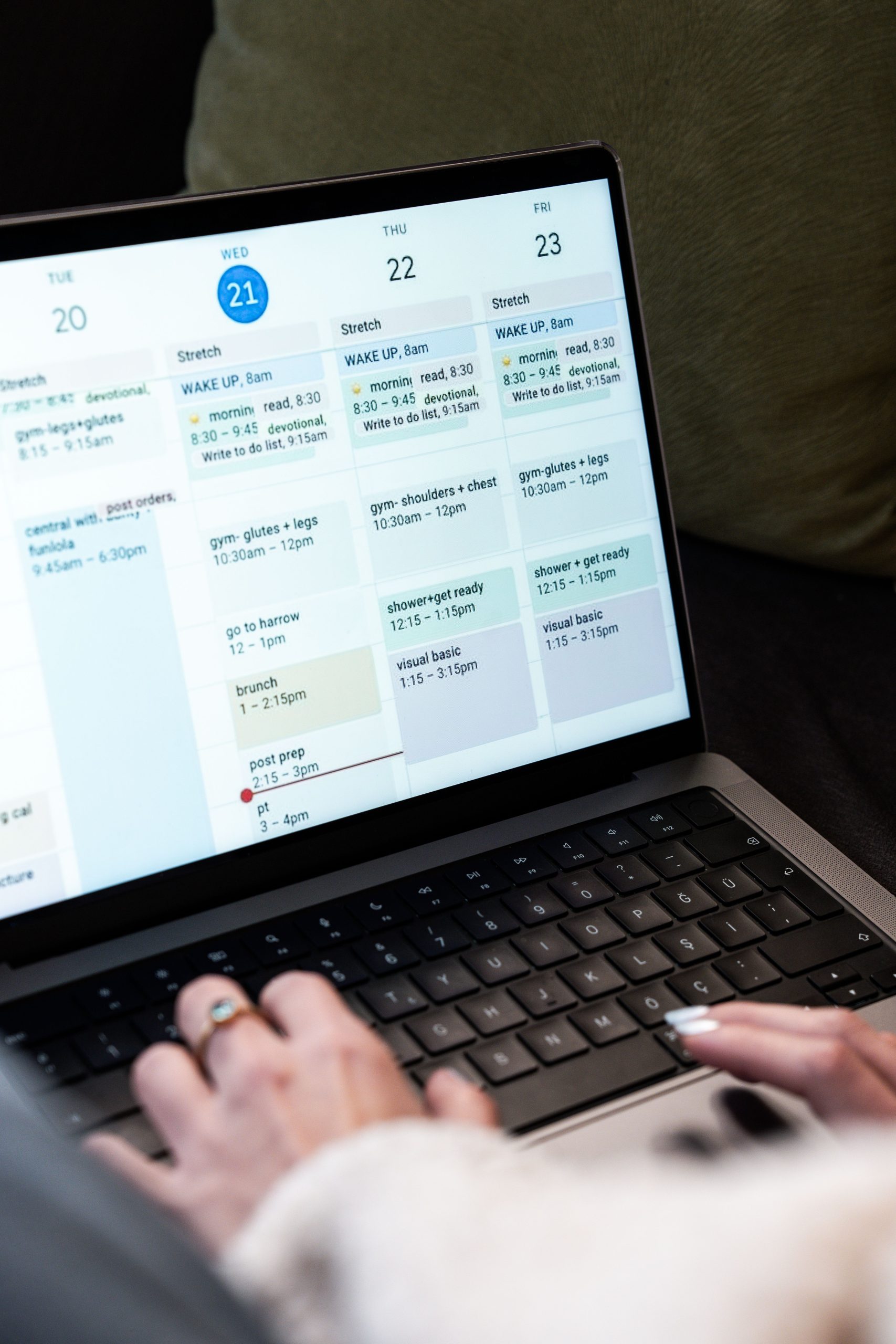
Massage Scheduling Software: 9 Features That Simplify Appointments and Client Management
Massage scheduling software helps massage therapists, massage clinics, spas, and wellness practices manage appointments, therapist availability, client bookings, reminders, and daily schedules from one system. Instead of relying on phone calls, paper calendars, spreadsheets, or disconnected booking tools, practices can give clients a simpler way to schedule services while staff keep control of the calendar.
For a growing practice, the right system does more than book appointments. It can reduce scheduling conflicts, automate reminders, organize client information, support online payments, and give owners a clearer view of daily operations. In this guide, we will cover nine important features, explain how massage appointment software works, compare key capabilities, and outline what to consider before choosing a solution.
What Is Massage Scheduling Software?
Massage scheduling software is a digital system designed to manage appointments and scheduling for massage businesses. It allows clients to view available services and time slots, while therapists and staff can manage bookings, cancellations, rescheduling, and availability from a central calendar.
In practice, the software connects several routine tasks. A client may book a 60-minute Swedish massage online, receive an automatic confirmation, get a reminder before the visit, and have the appointment added to the assigned therapist’s calendar. Meanwhile, staff can see the day’s schedule without manually updating multiple records.
Good massage scheduling software should make booking easier for clients while giving your team better control over appointments, staff availability, reminders, and business information.
Why Massage Businesses Need Appointment Scheduling Software
Massage practices often manage several variables at once. Each therapist may have different working hours, services may require different appointment lengths, and clients may request specific practitioners or treatment types.
Without a centralized system, these details can create unnecessary administrative work. Staff may need to answer calls, check calendars, send reminders, update cancellations, and confirm availability manually.
Appointment scheduling software brings these tasks together. As a result, businesses can spend less time coordinating calendars and more time serving clients.
For example, consider a clinic with three therapists offering 30-, 60-, and 90-minute treatments. A scheduling system can account for each therapist’s working hours and service duration when displaying available appointments. This helps staff avoid overlapping bookings and gives clients clearer choices.
9 Features to Look for in Massage Scheduling Software
1. Online Appointment Booking
Online booking allows clients to schedule appointments without calling the business. A booking page can display available services, therapists, dates, and time slots based on the practice’s scheduling rules.
This feature also helps reduce back-and-forth communication. Instead of asking when a therapist is available, clients can choose from the times the system presents.
However, the booking flow should stay simple. Too many steps can make scheduling frustrating. A practical booking process usually asks for the service, preferred therapist when applicable, appointment time, and necessary client details.
Businesses that want broader scheduling guidance can also review The Best Booking Software: Simplify Your Business Scheduling.
2. Therapist Calendar Management
A massage practice needs more than a basic appointment calendar. Staff should be able to manage individual therapist schedules, working hours, breaks, days off, and blocked time.
For instance, one therapist may work Monday through Friday while another works only weekends. The system should reflect those differences automatically.
A shared calendar can also help reception teams see who is available at a glance. Therefore, staff can assign appointments without checking several separate calendars.
3. Service and Duration Management
Massage businesses often offer several services with different durations and prices. A scheduling system should let administrators define these services clearly.
For example, a practice might offer:
- 30-minute massage sessions
- 60-minute massage sessions
- 90-minute massage sessions
- Couples massage
- Hot stone massage
- Deep tissue massage
When each service has a defined duration, the scheduling system can reserve the correct amount of time. This reduces the risk of booking a longer treatment into a shorter time slot.
4. Automated Appointment Reminders
Appointment reminders can help businesses communicate with clients before scheduled visits. Depending on the system, reminders may use email, text messaging, or push notifications.
For example, a practice might send a confirmation immediately after booking and another reminder before the appointment. Clients can then review the appointment details without contacting reception.
More importantly, reminder workflows should support the business’s actual communication process. Some practices may need different messages for new clients, recurring appointments, cancellations, or upcoming sessions.
5. Rescheduling and Cancellation Management
Clients sometimes need to change their plans. A good scheduling system should make rescheduling and cancellation straightforward while keeping the calendar accurate.
Instead of asking staff to manually delete one appointment and create another, clients may be able to manage eligible changes through a booking portal.
At the same time, the business can define rules around cancellation windows, deposits, or appointment changes. This gives staff more control without requiring them to handle every request manually.
6. Client Profiles and Appointment History
Massage appointment software can also organize client information alongside scheduling data. A client profile may include contact information, previous appointments, selected services, notes, and other information that the business legitimately needs to manage its services.
This can make repeat visits easier to manage. For example, staff can quickly identify a returning client’s previous service and appointment history rather than searching through separate records.
However, businesses should avoid collecting unnecessary personal information. The FTC recommends minimizing data collection, limiting access, and using appropriate security practices when applications handle sensitive information. The FTC’s mobile health app security guidance provides practical considerations for data minimization, permissions, authentication, and secure design.
7. Payments and Deposits
Some massage businesses collect payment during the appointment, while others accept deposits during booking. Scheduling software can connect appointment information with payment workflows so staff have a clearer view of the transaction.
For example, a business could require a deposit for longer sessions or allow clients to pay online when they book. The exact payment setup depends on the business model and payment provider.
Integrating payments with scheduling can also reduce manual reconciliation. Staff can see which appointments have been paid, which still require payment, and which transactions need attention.
8. Reporting and Business Insights
As a practice grows, owners need more than a calendar. Reporting features can help them understand appointment activity and identify operational patterns.
Useful reports may cover areas such as:
- Appointments by date or therapist
- Service booking volume
- Cancellation activity
- Revenue linked to appointments
- New and returning clients
- Therapist schedules and availability
These reports can help owners make practical decisions. For instance, if one service consistently receives more bookings at certain times, the business can use that information when planning therapist availability.
9. Mobile-Friendly Access
Massage businesses do not always manage their schedules from a desk. Owners and therapists may need to check appointments from a phone or tablet while moving between treatment rooms or locations.
A mobile-friendly interface lets authorized users view calendars, update appointments, and check client information without relying on a desktop computer.
Meanwhile, a responsive client booking page makes it easier for customers to schedule appointments from their phones. Since the booking experience is often the first interaction a client has with the scheduling system, usability matters.
Massage Scheduling Software vs. General Appointment Software
General appointment scheduling software can work for many service businesses. However, massage practices often need scheduling rules that relate specifically to therapists, treatment durations, service types, and client records.
| Capability | General Appointment Software | Massage Scheduling Software |
|---|---|---|
| Online booking | Usually available | Designed around massage services |
| Staff calendars | Often available | Can support therapist-specific schedules |
| Service durations | Common feature | Useful for different massage treatments |
| Client history | Varies by platform | Can connect client records with appointments |
| Massage-specific workflows | May require configuration | Can be built around practice needs |
The right choice depends on the size and complexity of the practice. A solo therapist may need only online booking and reminders. In contrast, a multi-therapist clinic may need staff scheduling, payments, client management, reporting, and integrations.
For a broader look at scheduling platforms, see Discovering the Best Appointment Scheduling Software for Your Business.
How Massage Appointment Software Works
The process usually starts when an administrator creates services, therapists, working hours, and booking rules. The system then uses these settings to determine which appointment slots clients can select.
- Set up services: Add massage types, durations, prices, and relevant booking rules.
- Add therapists: Create staff profiles and define their availability.
- Publish booking options: Give clients access to an online booking page.
- Accept appointments: The system adds confirmed bookings to the appropriate calendar.
- Send reminders: Automated notifications keep clients informed.
- Manage changes: Staff can handle cancellations, rescheduling, and schedule changes.
- Review reports: Owners can analyze appointment and business activity.
Because the process connects these steps, staff do not need to maintain the same appointment information in several places.
How to Choose the Right Massage Scheduling Software
Choosing a system should start with the business’s actual workflow rather than a long list of features. First, identify how clients currently book appointments and where staff spend the most administrative time.
Next, consider the following questions:
- Can clients book online without staff assistance?
- Can the system handle multiple therapists?
- Can each service have its own duration and price?
- Can clients reschedule or cancel according to business rules?
- Does the system support automated reminders?
- Can it connect appointments with client profiles?
- Does it support deposits or online payments?
- Can owners generate useful reports?
- Does it work well on mobile devices?
- Can it integrate with other business tools?
Test the booking process from the client’s perspective. A system may have many features, but the booking experience should remain fast, clear, and easy to understand.
When Custom Massage Scheduling Software Makes Sense
Off-the-shelf scheduling platforms can meet the needs of many small practices. However, custom development becomes useful when standard software cannot match an established workflow.
For example, a multi-location massage business may need a shared system with location-specific calendars, centralized client profiles, custom reporting, staff permissions, payment integrations, and connections to existing CRM or accounting tools.
A custom platform can also support workflows that generic scheduling tools do not handle well. Instead of changing the business process to fit the software, the software can reflect the way the business already operates.
When a practice needs this level of flexibility, custom CRM development can help create a scheduling and client-management system around its specific requirements.
Common Mistakes to Avoid
Choosing Features Over Workflow
A long feature list does not automatically make software suitable. Instead, evaluate whether the system solves the problems your staff face every day.
Ignoring Client Experience
If booking takes too many steps, clients may abandon the process. Therefore, test the booking flow on both desktop and mobile devices.
Overlooking Data Security
Massage businesses may handle personal and potentially health-related information. Privacy requirements depend on the type of information collected, the services provided, the business structure, and applicable laws. The FTC notes that businesses handling consumer health information should consider applicable privacy and security obligations rather than assuming one set of rules applies to every situation. The FTC’s health app regulatory tool can help businesses identify federal rules that may apply to a particular application or workflow.
Forgetting Integrations
Scheduling rarely operates in isolation. A business may already use payment processing, email marketing, accounting, CRM, or communication tools. Therefore, check integration options before committing to a platform.
Benefits of Using Massage Scheduling Software
The main benefit of scheduling software comes from bringing appointment-related tasks into one workflow. Instead of switching between calendars, messages, spreadsheets, and payment records, staff can manage more activities from a central system.
Clients can view available services and appointment times without relying entirely on phone calls.
Staff can manage therapist availability, appointment duration, breaks, and schedule changes from one place.
Automated confirmations, reminders, and booking updates can reduce repetitive manual tasks.
Appointment history and relevant client details can stay connected instead of living in separate records.
Reports can help owners understand appointment activity, services, staff schedules, and other operational details.
For businesses that also provide spa services, a spa management platform may cover a broader set of operational needs. See 5 Best Spa Management Software Tools for 2026 for another perspective on software used in wellness operations.
Frequently Asked Questions
Frequently Asked Questions
“`
What is the main purpose of massage scheduling software?
Its main purpose is to organize massage appointments, therapist availability, services, client bookings, reminders, and related scheduling tasks in one system.
Can clients book massage appointments online?
Yes. Many scheduling systems provide an online booking page where clients can select a service, available therapist, date, and appointment time.
Can massage appointment software manage multiple therapists?
Yes. A suitable system can maintain separate therapist availability while giving authorized staff a shared view of the overall schedule.
Does massage scheduling software support appointment reminders?
Many platforms support automated reminders through channels such as email or text messaging. The available options depend on the software and its integrations.
Is custom massage scheduling software worth considering?
Custom development can make sense when a practice needs specialized workflows, integrations, reporting, permissions, or multi-location features that standard scheduling tools cannot provide.
“`
Conclusion
Massage scheduling software can turn appointment management into a more organized and predictable process. Online booking, therapist calendars, service management, reminders, client profiles, payments, reporting, and mobile access can all contribute to a smoother workflow.
However, the best system depends on how the massage business operates. A solo therapist may need a simple booking tool, while a growing clinic may require a more connected platform with client management, payments, reporting, and integrations.
Start by mapping your current booking process, identifying repetitive tasks, and listing the features your team actually needs. Then compare solutions based on usability, scheduling flexibility, data handling, integrations, and room for future growth.
Build software around how your business works
If standard scheduling tools do not fit your massage business workflow, a custom solution can connect booking, client management, payments, reporting, and other processes in one platform.



