
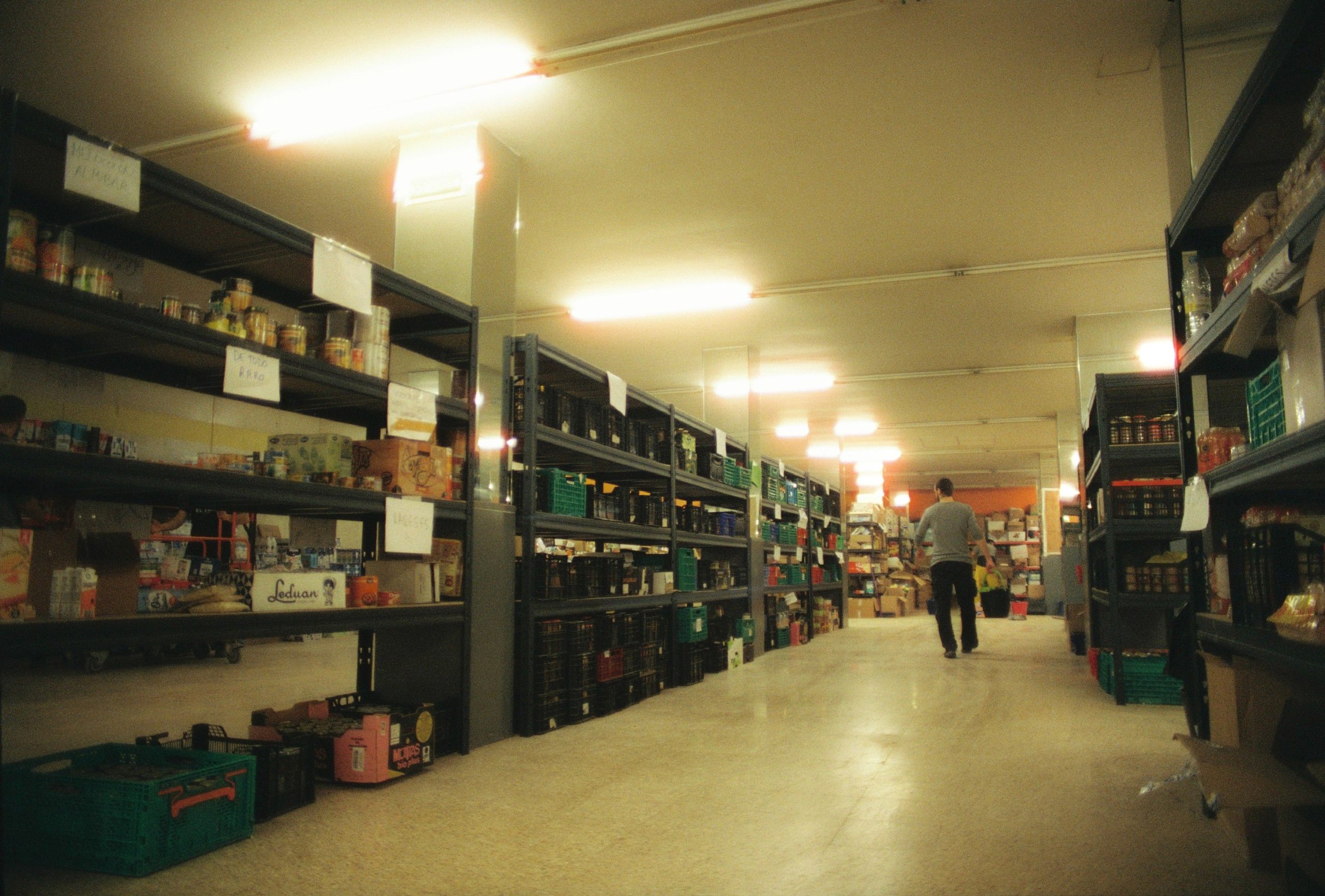
Food Inventory Management System: 9 Features to Control Stock, Waste, and Costs
A food inventory management system helps restaurants, cafes, caterers, food manufacturers, and other food businesses track ingredients, monitor stock levels, manage purchasing, reduce waste, and keep inventory records organized. Instead of relying on spreadsheets, paper logs, or manual stock counts, teams can use one system to see what they have, what they need, and what requires attention.
For food businesses, inventory control goes beyond knowing how many items sit on a shelf. Perishable ingredients have limited shelf lives, storage conditions matter, and purchasing too much can create waste while purchasing too little can disrupt operations. Therefore, the right system should connect inventory tracking with purchasing, usage, storage, and daily workflows.
In this guide, we will explain how a food inventory management system works, the nine features worth considering, the benefits and limitations of using one, and practical steps for choosing the right solution. We will also look at how a food inventory management app can help staff manage stock while working in kitchens, storage areas, receiving areas, and other locations.
What Is a Food Inventory Management System?
A food inventory management system is software designed to help businesses record, organize, monitor, and control food products and ingredients throughout their inventory cycle. It can track items from receiving and storage through usage, replenishment, and disposal.
For example, a restaurant may use the system to record deliveries of chicken, vegetables, dairy products, sauces, beverages, and dry goods. As employees use those ingredients, the system can update inventory records and help managers identify items that need replenishment.
More advanced systems can also connect inventory with purchasing, supplier records, recipes, sales data, multiple locations, and reporting. As a result, managers can make purchasing decisions using current operational information rather than relying entirely on estimates.
Food inventory software should do more than count products. It should help businesses understand stock movement, reduce avoidable waste, plan purchases, and maintain better control over food operations.
How Does Food Inventory Management Software Work?
The basic workflow starts when a business creates inventory records for its ingredients and food products. Each item can include information such as name, category, quantity, unit, supplier, cost, storage location, and relevant dates.
Next, employees record incoming stock when suppliers deliver products. The system increases available quantities and stores the related transaction details. When staff use, transfer, sell, or discard an item, they can record the movement as well.
Meanwhile, managers can review current stock levels and compare them with minimum or target quantities. If an item reaches its reorder point, the system can flag it for purchasing.
For businesses with multiple storage areas or locations, the software can also help separate inventory by warehouse, kitchen, branch, refrigerator, freezer, or other designated areas. This creates a clearer picture of where stock actually sits.
9 Features of a Food Inventory Management System
1. Real-Time Inventory Tracking
Real-time inventory tracking gives managers a current view of available ingredients and products. Instead of waiting for the next manual stock count, employees can record receipts, usage, transfers, and adjustments as they happen.
This visibility becomes especially useful for fast-moving ingredients. If a restaurant regularly uses milk, meat, produce, bread, or cooking oil, even small inventory changes can affect purchasing decisions.
For instance, a manager can check current stock before placing a supplier order. That simple step can help prevent unnecessary purchases and reduce the risk of running out of important ingredients.
2. Ingredient and Item Management
A food inventory system should let businesses create detailed records for each inventory item. Managers can organize products by category, storage area, supplier, unit of measurement, or other business-specific fields.
Units matter because food businesses often purchase and consume products differently. A supplier may sell flour by the bag, while kitchen staff use it by the kilogram. A useful system should accommodate these differences without making stock records confusing.
In addition, businesses can use item records to maintain consistent naming and categorization. This reduces duplicate entries and makes inventory searches easier.
3. Expiration and Date Tracking
Expiration and date tracking is particularly important for businesses that handle perishable food. The system can store relevant dates and alert staff when products approach their configured thresholds.
However, software should support a business’s food safety procedures rather than replace them. For example, the FDA’s 2026 Food Code provides model provisions for retail and foodservice food safety, including requirements related to time and temperature control and date marking. Businesses should also follow the rules that apply in their own jurisdiction. FDA Food Code
When employees can quickly identify older or soon-to-expire products, they can prioritize appropriate stock rotation and reduce unnecessary disposal.
4. Stock Alerts and Reorder Points
Manual inventory management often forces managers to remember which ingredients need replenishment. A food inventory management system can reduce that burden through stock thresholds and alerts.
Managers can define minimum quantities for important items. When available stock falls below the selected level, the system can flag the item for review or purchasing.
For example, a catering company may set a higher minimum for frequently used cooking oil before a busy weekend. Meanwhile, a less frequently used ingredient may have a lower threshold.
These alerts should support purchasing decisions rather than automatically trigger every order. Managers still need to consider upcoming demand, supplier lead times, available storage, promotions, and product shelf life.
5. Purchase Order and Supplier Management
Inventory and purchasing work closely together. When stock levels fall, managers need to know what to buy, how much to buy, and which supplier can provide it.
A system can connect inventory items with supplier information and purchasing records. This creates a more organized workflow from identifying a shortage to creating an order and receiving the products.
For example, a restaurant manager could review low-stock ingredients, check supplier details, prepare a purchase order, and update inventory after receiving the delivery.
Similarly, supplier records can help businesses compare purchasing history and identify recurring changes in product costs.
6. Batch, Lot, and Traceability Records
Some food operations need more detailed product traceability than simple quantity tracking. Batch and lot information can help businesses identify where specific products came from and where they moved within the operation.
This becomes particularly relevant for food businesses that handle products subject to additional traceability requirements. The FDA’s food traceability framework uses critical tracking events and key data elements for foods covered by its Food Traceability List. FDA food traceability requirements
A suitable inventory system can store relevant lot, supplier, receiving, and movement information so staff can retrieve records more efficiently when needed.
7. Mobile Inventory Management
A food inventory management app can bring inventory tasks directly to employees instead of requiring them to return to a desktop computer after every stock movement.
For example, an employee receiving a delivery can use a mobile device to check quantities and record incoming items. A kitchen employee can also update stock after using an ingredient, depending on the workflow the business establishes.
Mobile access becomes even more useful when staff work across kitchens, storage rooms, warehouses, or multiple branches. Instead of maintaining separate paper notes, employees can enter information into the same inventory system.
Choose a mobile inventory workflow that takes only a few steps for common tasks. If recording stock takes too long, employees may delay updates and reduce the accuracy of inventory data.
8. Waste and Usage Tracking
Food waste can come from several sources, including spoilage, overproduction, damaged products, incorrect storage, preparation losses, and expired ingredients. A system can give managers a clearer record of what gets discarded and why.
For example, if a business repeatedly records spoiled produce, managers can investigate purchasing quantities, storage practices, delivery frequency, or stock rotation. If prepared food frequently goes unused, production planning may need adjustment.
Therefore, waste tracking can turn discarded inventory into useful operational information. Managers can identify recurring patterns instead of treating every loss as an isolated event.
9. Inventory Reports and Analytics
Reports help managers move from individual stock records to broader operational insights. Useful reports can cover current inventory, low-stock items, purchase history, inventory movement, waste, supplier activity, and cost changes.
For example, a manager might compare purchasing activity over several periods to identify ingredients with rising costs or unusual consumption. Another report could show which products generate frequent waste.
These insights can support better purchasing and planning decisions. However, reports work only when employees consistently enter accurate inventory data.
Benefits of Using a Food Inventory Management System
The right system can improve several parts of food operations at the same time.
- Better stock visibility: Managers can see current inventory without relying entirely on manual spreadsheets.
- Less avoidable waste: Date tracking and waste records can help businesses identify products that require attention.
- More organized purchasing: Reorder levels and supplier records can make replenishment easier to manage.
- Improved cost control: Businesses can monitor purchasing and inventory movement to understand where money goes.
- Faster stock counts: Mobile tools can simplify routine inventory checks.
- Better traceability: Lot and supplier records can make relevant product information easier to retrieve.
- Centralized information: Teams can work from a shared inventory record instead of disconnected documents.
For example, a cafe that connects its inventory process with its point-of-sale workflow can better understand the relationship between sales and ingredient usage. Its POS for cafe operations can complement inventory processes by bringing sales and stock-related information closer together.
Food Inventory Management System vs. Spreadsheet
Spreadsheets can work for very small operations with limited inventory. However, they often require more manual updates as the business grows.
| Area | Spreadsheet | Inventory System |
|---|---|---|
| Stock updates | Usually manual | Can update through recorded transactions |
| Mobile access | Depends on the spreadsheet setup | Often designed for mobile workflows |
| Stock alerts | Requires configuration | Built around inventory thresholds |
| Supplier records | Often maintained separately | Can connect with purchasing workflows |
| Waste tracking | Usually manual | Can use dedicated waste records |
| Reporting | Requires manual setup | Can provide inventory-focused reports |
The right choice depends on the size and complexity of the operation. A small business may manage basic stock with a spreadsheet, while a business with multiple locations, frequent purchasing, perishable products, or complex workflows may need dedicated software.
How Food Businesses Can Use a Food Inventory Management App
A food inventory management app works best when businesses design it around real daily tasks. Instead of trying to digitize every possible process immediately, teams can start with the workflows that create the most manual work.
- Receiving: Record delivered products, quantities, suppliers, and relevant dates.
- Storage: Assign items to appropriate storage areas and update their available quantities.
- Stock checks: Use mobile devices to perform routine counts.
- Usage: Record ingredient consumption through the chosen workflow.
- Waste: Log discarded products and the reason for disposal.
- Reordering: Review low-stock alerts and prepare purchase orders.
- Reporting: Review inventory activity and recurring problems.
This approach keeps the system practical. More importantly, employees can see how inventory software supports their existing responsibilities rather than creating an entirely separate administrative process.
How to Choose the Right Food Inventory Software
Before selecting a solution, businesses should map their current inventory process. Identify how products enter the business, where employees store them, how staff record usage, how managers conduct stock counts, and how purchasing decisions happen.
Next, evaluate software against those workflows. Consider the following factors:
- Ease of use: Employees should understand common tasks without extensive training.
- Mobile support: Staff should be able to complete relevant tasks where inventory work happens.
- Integration options: Check whether the system can connect with POS, accounting, purchasing, or other business software when needed.
- Scalability: Make sure the system can support additional products, users, locations, or workflows as the business expands.
- Reporting: Look for reports that support actual management decisions rather than dashboards filled with unnecessary metrics.
- Data controls: Review user permissions, backups, audit history, and other controls that protect inventory records.
- Customization: Consider whether the software can accommodate unique units, approval processes, storage locations, or purchasing rules.
Businesses should also test the system with real inventory scenarios before committing. For example, create a sample purchase, receive several products, record a stock adjustment, mark an item as wasted, and generate a report. This practical test can reveal workflow problems that a feature list may not show.
Common Food Inventory Management Mistakes to Avoid
Software can improve inventory control, but it cannot fix poor processes on its own. Businesses should avoid several common mistakes.
Relying on Inaccurate Stock Data
If employees delay recording usage, waste, or deliveries, the system may show quantities that do not match physical stock. Establish clear procedures for when staff should update inventory.
Ignoring Storage Conditions
Inventory software should support food safety procedures, not replace them. Temperature controls, storage practices, sanitation, and date-marking requirements still require appropriate operational controls. The FDA’s current Food Code provides a useful reference for foodservice and retail food safety practices.
Buying Based Only on Low Stock
A low quantity does not always mean a business should immediately reorder. Managers should also consider upcoming demand, supplier lead times, storage capacity, existing purchase orders, and product shelf life.
Tracking Quantity but Not Waste
Knowing how much inventory remains does not explain why products disappear from stock. Waste records add important context and can reveal recurring operational problems.
Choosing Too Many Features
A complex system can create unnecessary work if employees rarely use its advanced features. Instead, prioritize the workflows that matter most and add complexity only when it creates a clear operational benefit.
When Should You Invest in a Food Inventory Management System?
A dedicated system becomes more useful as inventory complexity increases. Businesses may benefit from one when they manage many ingredients, operate multiple locations, conduct frequent stock counts, handle significant quantities of perishable products, or spend substantial time maintaining manual inventory records.
It can also make sense when managers struggle to explain stock discrepancies, waste, purchasing patterns, or recurring shortages.
However, software should solve a defined operational problem. If a business has only a few inventory items and infrequent purchasing, a sophisticated system may add more complexity than value.
Final Thoughts
A food inventory management system can bring inventory, purchasing, stock movement, waste tracking, supplier information, and reporting into a more organized workflow. For food businesses, that visibility matters because inventory decisions affect both daily operations and costs.
The most useful solution is not necessarily the one with the longest feature list. Instead, businesses should choose software that fits their actual workflows, gives employees an easy way to update stock, provides managers with useful information, and can grow with operational needs.
For businesses that need broader kitchen coordination, inventory management can also work alongside a
Post navigation

Related Posts


