
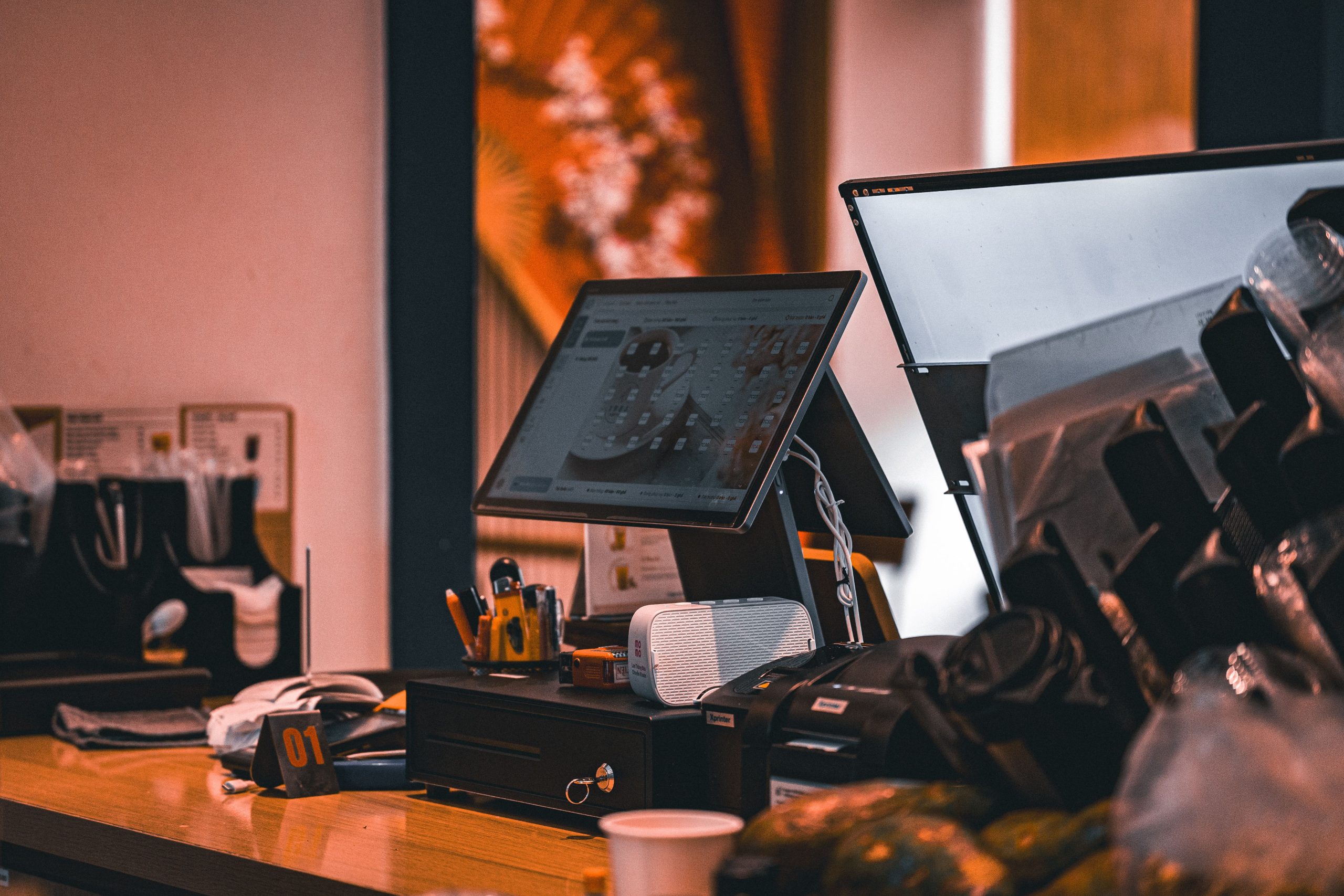
POS for Cafe: 9 Features to Streamline Orders, Payments, and Inventory
A POS for cafe businesses does more than process payments. It helps staff take orders, manage menu items, track sales, monitor inventory, and keep daily operations organised. For a busy cafe, the right point-of-sale system can connect these tasks in one place and make service easier to manage.
However, not every POS platform suits the needs of a cafe. A coffee shop may need fast counter ordering, while a larger cafe may also need table service, online orders, loyalty tools, employee management, and detailed reporting. In this guide, we will explain what a cafe POS system does, the key features to look for, how to compare options, common mistakes to avoid, and when a custom solution may make sense.
What Is a POS for Cafe Businesses?
A POS, or point-of-sale system, is the software and hardware a cafe uses to process customer orders and payments. Instead of relying on a cash register and separate spreadsheets, staff can enter orders, apply modifiers, process payments, and record sales through one system.
For example, a customer might order a latte with oat milk, an extra espresso shot, and a sandwich. A cafe POS can record those choices, calculate the total, send the order to the appropriate preparation area, and complete the payment.
Modern systems can also connect sales information with inventory, customer data, employee activity, and online ordering. Square, for example, describes its cafe POS as a system that can combine in-person and online orders, payments, inventory, reporting, and customer engagement tools. Square’s cafe POS features provide one example of how these functions can work together. :contentReference[oaicite:0]{index=0}
Why Does a Cafe Need a POS System?
Cafes often handle many small transactions throughout the day. During busy periods, staff need to take orders quickly while keeping prices, modifiers, payments, and item availability accurate.
A POS system can reduce the need for manual entry and give owners a clearer view of what happens during each shift. For instance, sales reports can show which products sell most often and which hours generate the most activity.
In addition, a connected POS can help reduce information gaps between the counter, kitchen, management, and online ordering channels. As a result, the team can spend less time moving information between separate systems.
The right POS should support the way your cafe actually operates. Look beyond payment processing and consider ordering, menu management, inventory, reporting, staff access, and future growth.
9 Essential Features of a POS for Cafe Operations
1. Fast Order Processing
Speed matters when customers are waiting in line for coffee, breakfast, or lunch. A cafe POS should let employees find popular products quickly and enter customised orders without unnecessary steps.
For example, staff may need to select coffee size, milk type, temperature, syrup, toppings, or other add-ons. A well-organised interface lets employees enter these choices from the same order screen.
Therefore, when comparing systems, test the ordering process rather than judging the interface from screenshots alone. Ask staff to enter several real cafe orders and see how many steps each order requires.
2. Menu and Modifier Management
Cafes often have menus with many variations. A single coffee can have different sizes, milk options, flavours, and extras. A POS should make these options easy to configure and update.
Menu management also matters when prices or products change. Staff should see current information at the register without relying on handwritten notes or verbal instructions.
For example, Square allows cafe businesses to customise menus and set modifiers such as milk options and add-ons, with menu changes available across devices. :contentReference[oaicite:1]{index=1}
3. Inventory Tracking
Inventory management becomes important when a cafe sells ingredients and finished products that move throughout the day. Coffee beans, milk, syrups, bread, pastries, sauces, and packaged goods all require monitoring.
A useful POS can connect sales activity with inventory information. This can help the team identify low-stock items and avoid continuing to sell products that are unavailable.
For example, if a popular pastry sells out, staff should be able to mark it unavailable rather than accepting orders that the kitchen cannot fulfil. Some POS platforms also provide low-stock alerts and inventory synchronisation. :contentReference[oaicite:2]{index=2}
If inventory is a major concern, you can also explore inventory management software features to understand the wider capabilities businesses use to control stock.
4. Multiple Payment Options
Customers may want to pay with cards, contactless methods, mobile wallets, cash, or other available payment methods. Your POS should support the payment methods your customers actually use.
More importantly, payment processing should fit naturally into the ordering workflow. Staff should not have to enter the same transaction into multiple systems.
Before choosing a platform, check its supported payment methods, transaction fees, hardware requirements, and availability in your country. These details can vary by provider and market.
5. Sales Reports and Analytics
Sales data can help cafe owners understand what is happening beyond the cash drawer. A useful POS should provide reports that are easy to understand and relevant to daily decisions.
For example, you may want to review:
- Daily and weekly sales
- Best-selling menu items
- Sales by category
- Sales by payment method
- Busy trading periods
- Discounts and refunds
- Employee sales activity
Consequently, reporting can help owners identify patterns and make more informed decisions about menus, staffing, promotions, and stock purchasing.
6. Employee Management
A cafe POS can also support employee-related tasks. Depending on the platform, managers may be able to create staff profiles, control permissions, monitor shifts, and review sales activity.
Permission controls are particularly useful because not every employee needs access to the same functions. For instance, a cashier may need to process orders, while a manager may also need access to refunds, reports, menu settings, and inventory controls.
Some restaurant POS platforms combine these functions with scheduling and payroll tools. Toast, for example, describes POS features that connect ordering and operations with staff scheduling and payroll. Toast’s restaurant POS documentation provides an example of this broader approach. :contentReference[oaicite:3]{index=3}
7. Customer Loyalty and Marketing
Many cafes depend on repeat customers. A POS can support loyalty programmes by recording customer activity and connecting purchases with rewards.
For example, a cafe could offer a reward after a certain number of purchases or use customer information for targeted promotions, depending on the POS and its available features.
However, loyalty tools should support your business model rather than create unnecessary complexity. A small cafe may only need a simple digital rewards programme, while a growing chain may need customer segmentation and automated marketing.
8. Online Ordering and Delivery Integration
Customers may order through a cafe website, mobile experience, delivery platform, or other digital channel. Managing these orders separately from in-store sales can create extra work.
Therefore, look for a POS that can connect online and in-person orders when your cafe needs both channels. A connected system can help centralise orders, menu information, and sales records.
For cafes that also sell packaged coffee, merchandise, or other retail products, this becomes even more important. A hybrid system may need to handle menu items, retail products, inventory, and reporting together. Toast describes this type of setup for businesses that combine foodservice and retail operations. :contentReference[oaicite:4]{index=4}
9. Offline Capability and Reliable Hardware
A cafe depends on its POS during busy service, so hardware reliability matters. The system should also have a suitable approach for situations where internet connectivity becomes unavailable.
Some POS providers offer offline payment or transaction features. Square, for instance, states that its cafe solution supports selling in offline mode when Wi-Fi is unavailable. :contentReference[oaicite:5]{index=5}
Hardware also deserves attention. Depending on your setup, you may need a terminal, tablet, receipt printer, cash drawer, customer display, barcode scanner, kitchen printer, or kitchen display system.
Do not choose a POS only because the software looks attractive. Check hardware compatibility, payment availability, internet requirements, support, fees, and replacement options before committing.
Best POS System for Cafe: What Should You Compare?
Searching for the best POS system for cafe operations can produce many options. Instead of comparing brands only by feature count, compare them against your actual workflow.
| Area | What to Check | Why It Matters |
|---|---|---|
| Ordering | Fast item search and modifiers | Helps staff take orders efficiently |
| Payments | Supported payment methods and fees | Keeps checkout convenient and predictable |
| Inventory | Stock tracking and alerts | Helps monitor ingredients and products |
| Reporting | Sales and product reports | Supports better operational decisions |
| Staff | Roles and permissions | Controls access to sensitive functions |
| Online orders | Website and delivery integrations | Connects digital and in-store sales |
| Scalability | Multiple locations and integrations | Supports future expansion |
For a broader look at POS capabilities, you can also review the best POS software features for retail and small businesses. The needs of a cafe differ from those of a general retail store, but the comparison can help you understand the wider POS landscape.
Cafe POS vs. Restaurant POS
A cafe POS and a restaurant POS share many functions, but their workflows can differ. Cafes often focus heavily on fast counter service, drink modifiers, takeaway orders, and high transaction volume during specific periods.
Meanwhile, a full-service restaurant may need more advanced table management, coursing, reservations, and tableside ordering. However, some cafes also offer table service, breakfast, lunch, catering, or retail products.
As a result, the right choice depends on your operating model rather than the label attached to the software.
If your cafe offers table service or operates more like a full-service food business, restaurant management software may provide useful context when evaluating the features you need.
How a Cafe POS Works in Daily Operations
A typical POS workflow starts when an employee enters a customer order. The system calculates the price, applies modifiers or discounts, and sends the relevant information to the preparation area when the setup supports kitchen printing or display.
Next, the customer pays using an available payment method. The POS records the transaction and updates the related sales data.
At the end of the shift, managers can review sales and transaction information. Depending on the system, they can also review inventory, employee activity, refunds, discounts, and other operational data.
This creates a connected flow from order entry to payment and reporting. Therefore, a cafe can replace several disconnected manual tasks with a more centralised workflow.
Common Mistakes When Choosing a Cafe POS
Choosing Based Only on Price
A low monthly price does not always mean a lower total cost. Hardware, payment processing, add-ons, integrations, support, and additional locations can affect the overall expense.
Ignoring Your Menu Structure
If your cafe sells highly customisable drinks, test modifiers before purchasing. A system that handles a simple menu well may become frustrating when employees need to manage many combinations.
Overlooking Staff Training
Even a feature-rich system can cause problems if employees struggle to use it. Ask about onboarding, training materials, support hours, and how easily new staff can learn the basic workflow.
Forgetting Future Growth
You may start with one small location, but your needs can change. If you plan to add another branch, online ordering, catering, or retail products, check whether the POS can support those changes.
Not Testing the Real Workflow
A product demo can look impressive while hiding small usability problems. Before making a decision, test common orders, refunds, discounts, menu changes, stock updates, and end-of-day reporting.
When Should a Cafe Consider Custom POS Software?
Off-the-shelf POS platforms can cover many common cafe needs. However, some businesses have workflows that do not fit neatly into a standard product.
For example, a growing cafe group may need a custom connection between its POS, customer database, loyalty programme, accounting system, online ordering platform, and internal operations. In that situation, integration can matter as much as the POS itself.
Custom development can also make sense when a business needs specialised workflows, unique reporting, or connections between systems that standard integrations cannot handle well.
For businesses that need broader customer and operational workflows, custom CRM development can provide a way to build customer management processes around specific business requirements.
How to Choose the Right POS for Cafe Operations
Start by documenting how your cafe operates today. Write down how staff take orders, how customers pay, how you update menus, how you track ingredients, and how managers review sales.
Next, separate essential requirements from optional features. For example, fast order entry and reliable payments may be essential, while advanced loyalty automation may become a later priority.
- List your current cafe workflows.
- Identify the biggest operational problems.
- Define the POS features required to solve them.
- Compare payment and subscription costs.
- Check hardware and integration requirements.
- Test real orders and common staff workflows.
- Review reporting, support, and scalability.
- Confirm the system fits your budget and location.
Finally, involve the people who will use the system every day. Cashiers, baristas, managers, and owners may notice different problems during testing. Their feedback can help you avoid choosing a system that looks good on paper but slows down real service.
Frequently Asked Questions
Frequently Asked Questions
What is the main purpose of a POS for cafe businesses?
A cafe POS processes orders and payments while also helping manage menus, sales, inventory, staff activity, and other daily operations.
What features should the best POS system for cafe operations include?
Look for fast ordering, menu modifiers, payment processing, inventory tracking, reporting, employee permissions, online ordering, and suitable hardware.
Can a cafe POS manage inventory?
Many POS platforms provide inventory features such as stock tracking, product availability, and low-stock alerts. The exact capabilities vary by provider.
Can a cafe POS handle online orders?
Many modern systems can connect online ordering with in-person sales. However, you should check which ordering channels and integrations the specific platform supports.
Should a small cafe use a restaurant POS?
It can, especially if the cafe offers table service or needs restaurant-style features. A counter-service cafe may instead prefer a simpler system built around fast ordering and payments.
Conclusion
The right POS for cafe operations should do more than record transactions. It should help staff take orders quickly, manage menu options, process payments, monitor inventory, review sales, and support the customer experience.
When comparing the best POS system for cafe needs, focus on your actual workflow rather than simply choosing the platform with the longest feature list. Test the ordering process, review total costs, check integrations, and consider how the system will support your cafe as it grows.
Most importantly, choose technology that makes daily work simpler for the people who use it. A well-matched POS can become a central part of cafe operations without adding unnecessary complexity.



