
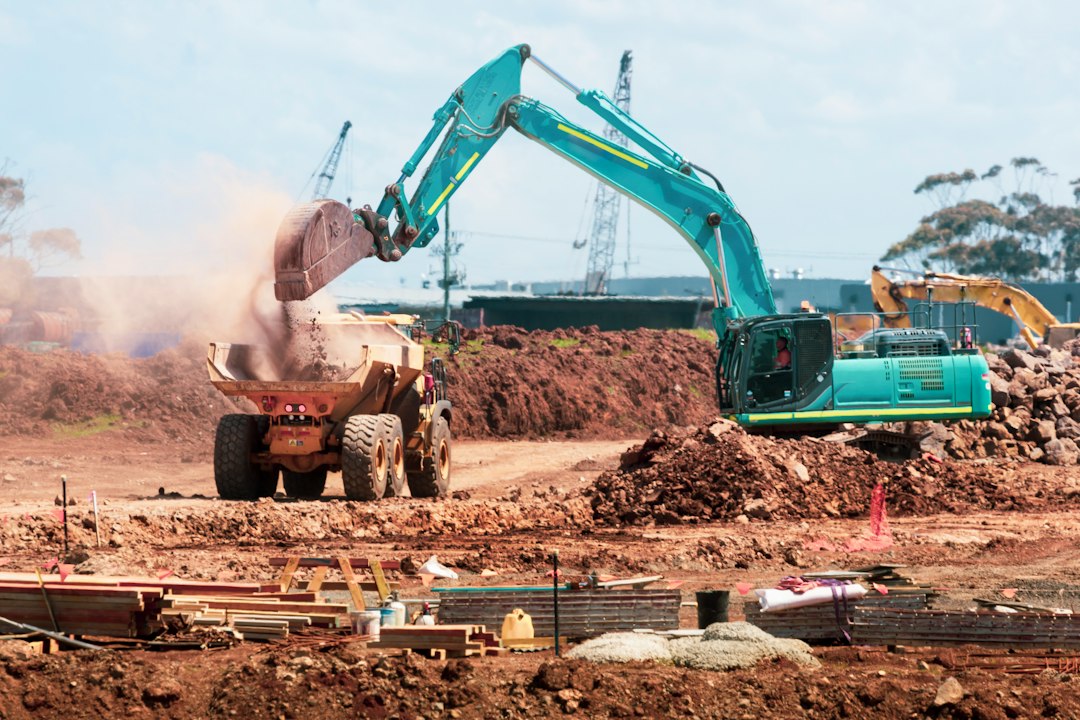
Fleet Management Software for Construction: 7 Checks for Mixed Equipment and Jobsite Moves
Fleet management software for construction helps contractors coordinate vehicles, heavy equipment, attachments, and other assets across jobsites and yards. It should show more than a location dot. Teams also need to know whether the asset is ready, committed, suitable, and worth moving.
This article covers seven checks for a mixed construction fleet, followed by a worked equipment-transfer test. It explains meter data, site assignment, rentals, repair holds, and the connection to job costs without treating every machine like a road vehicle.
Start with the fleet you actually operate
A contractor may own excavators and pickups, rent a lift, and share attachments across crews. Those assets need different tracking methods and operating records.
For example, Samsara’s construction offering describes visibility across vehicles and heavy equipment. Meanwhile, equipment-focused systems may organize the workflow around a different mix of assets and site work.
Therefore, build a sample inventory before viewing products. Include owned and rented units, powered and unpowered assets, and equipment with different data sources.
Also state the decisions you need to improve. Finding a unit, planning a transfer, and checking readiness are related tasks, but one location feed does not solve all three.
1. Give every asset a stable identity
Start with a unique asset record and a naming rule crews understand. Keep the internal ID, serial number, model, ownership, and current status distinct.
For example, two similar loaders may have different capacities or attachments. A dispatcher needs the actual unit, not a general label that hides the difference.
Also identify the source of each location or meter value. A telematics feed, a tracker, and a manual check-in may update at different times.
Next, test an attachment and a small tool. The software should support the record you need even when the item has no powered data connection.
The controls in asset tracking software help clarify identity and custody. Keep those concepts separate from suitability or readiness to work.
Finally, assign an owner for duplicate and retired records. A stale asset list can create false availability even when the map looks current.
2. Separate location, assignment, and availability
A machine can sit at a jobsite while another crew has already reserved it. Its physical position does not tell you whether it is free.
Therefore, track current location, assigned job, planned move, and readiness as distinct facts. Define who updates each one.
For example, a site manager may release an excavator on Thursday, while the next project expects it on Friday. The transfer needs a transport plan and confirmation, not just a changed job label.
Tenna’s construction equipment management overview connects several equipment workflows within one platform. Use that scope to ask how a proposed system handles the handoffs in your own operation.
Next, test a delayed release. The new site should see the change and know who will revise the plan.
Also show when the last location update arrived. Old data should not look like a live confirmation that an asset remains on site.
3. Validate hours, distance, and usage data
Road vehicles and machines may use different meters. Record the unit and source so staff do not combine miles, kilometers, engine hours, and other values.
First, compare a sample feed with a checked reading. Then inspect the update time and any missing interval.
For example, a machine may report engine hours while another record uses working hours. Those values can answer different questions and should not share an unexplained label.
Also test a meter replacement, reset, or corrected reading. The system should keep enough history to explain a sudden change.
Next, define utilization before reporting it. Time assigned to a job, engine-running time, and productive working time are not interchangeable measures.
Finally, review idle or low-use reports with site context. The data can help ask questions, but it does not establish why the crew used an asset in a particular way.
4. Put defects and repair holds into the planning view
A location map should not make an unavailable machine look ready. Give defects and maintenance work a visible relationship with assignment.
For example, an operator reports an issue before a planned transfer. The responsible team should review it through the contractor’s process and update the asset’s status.
Also distinguish a reported defect from an approved release after repair. A mechanic closing a task may not represent every check the business requires before use.
Next, inspect the handoff to the shop. The work record should identify the unit, issue, evidence, owner, and next action.
The more detailed workflow in construction equipment maintenance software can support that review. Fleet planning needs the resulting readiness status without replacing the maintenance record.
Finally, test an urgent reassignment after a hold. Staff should find a suitable alternative rather than quietly ignore the unavailable status.
5. Track rented equipment through return
Rentals need clear start dates, expected return dates, locations, and responsible people. A unit still on site can keep generating costs after the crew stops using it.
Therefore, create a return workflow with an owner and confirmation. A request to off-hire is not the same as a confirmed end to the rental arrangement.
For example, a supervisor marks a lift no longer needed. The office still needs to arrange collection and confirm the supplier’s relevant status through the agreed process.
Also record attachments and accessories supplied with the unit. Returning the main machine may not complete the handoff if other items remain at the site.
Next, compare the internal timeline with the supplier’s invoice. Investigate differences in dates, charges, and references before assuming the software record settles the issue.
Finally, keep owned and rented assets clear in reports. Availability decisions and financial treatment can differ even when the equipment performs the same task.
6. Connect equipment events with job costs
A construction fleet system may provide data for internal charges or cost review. Define the rule before sending values to accounting.
For example, the business may charge a job for days assigned, actual usage, or another approved basis. Those methods create different results.
First, record the effective dates and rates the business has approved. Then identify who reviews transfers, missing meters, and unusual use.
Also separate estimated charges from posted costs. A dashboard calculation should not silently become a ledger entry without the intended review.
Next, test a mid-period job transfer. The system should explain how it splits the relevant value and preserves the source events.
If a tailored project or customer connection remains, custom crm development may support that handoff. Keep the fleet and accounting records authoritative in their proper systems.
7. Test field use, feeds, and exceptions
Field staff need a practical way to find an asset, report a change, and see the current task. Test the app on the devices and connections crews use.
Also inspect offline behavior. Staff should know whether a check-in or photo has saved locally and whether the server received it.
For a telematics connection, ask how the system handles missing data and a later recovery. A gap should remain visible rather than become a false zero.
Next, test duplicate updates and retries. Reprocessing a transfer should not create another move or another cost event.
Finally, check access. A subcontractor or occasional user may need a specific handoff without access to the entire asset and financial database.
Run a jobsite transfer test
Use a fictional machine record and a controlled workflow. Include the site team, dispatcher, shop, and office staff.
- Assign the machine to Job A with a clear current status.
- Request it for Job B and record the required date.
- Confirm release from Job A.
- Add a reported defect before the move.
- Follow the review and readiness process.
- Plan transport and identify the receiving person.
- Confirm arrival with the right asset and attachments.
- Inspect the resulting job assignment and cost period.
Then delay the release and repeat the handoff. Ask each person to explain what changed and who acts next.
Also compare the map with the event history. If the last location report predates the move, the screen should not imply that the asset’s current position is certain.
Use a simple cost example
Assume a contractor uses an internal planning charge of 200 currency units per assigned day for a sample machine. Five approved days create a planning value of 1,000.
If the transfer record changes the assignment to three days on Job A and two on Job B, that rule produces 600 and 400 respectively.
However, the arithmetic does not establish the correct accounting treatment or true equipment cost. Fuel, transport, repair, ownership, and other costs may require separate review.
Therefore, have finance approve the basis and inspect the source dates before connecting charges to the ledger. The software should make the rule visible and reproducible.
Plan the rollout around asset quality
Start with a representative group of units and one or two sites. Clean identifiers, ownership, meters, and statuses before adding more trackers.
Next, reconcile the digital list with a physical sample. Check the unit label, tracker, record, and current custodian together.
Also train crews on the events they must report manually. Automatic location does not remove the need to record a release, defect, or changed requirement.
Then review missing updates and conflicting records during the pilot. Give each issue an owner and a correction rather than adding another unmaintained spreadsheet.
Compare total cost and support
Include software, hardware, installation, connectivity, replacement devices, integrations, training, and support. Ask which asset types need different equipment or fees.
Also request current details for the exact telematics sources and asset models you use. A general compatibility claim may not cover every required field.
Next, test exports and the exit process. You should retain useful asset records, event history, and references according to the business’s needs.
Finally, compare the pilot with its goals: fewer unclear assignments, better return follow-up, clearer repair holds, and less manual reconciliation. A busier map is not a useful result by itself.
Plan transport as a separate resource
A machine can be available while the required transport is not. Keep the movement plan visible alongside the receiving site’s date.
For example, a planned transfer may depend on a suitable trailer, operator, loading arrangements, and site access. The software should help the responsible people coordinate those facts through the contractor’s approved process.
Next, test a transport delay. The sending and receiving sites should see the same revised plan, while the original request remains traceable.
Also distinguish requested arrival from confirmed arrival. Changing the destination on a map should not become proof that the receiving crew has the equipment.
Finally, include attachments and accessories in the handoff. A machine that arrives without the required attachment may not meet the job’s need.
Review feed quality before ranking equipment use
Compare a sample of units with different data sources. Some may update frequently, while others rely on manual readings or intermittent tracker reports.
Then record the gaps and limits. A low reported value may reflect missing data rather than low use.
Also review the period when a unit was unavailable for repair or transport. Comparing it with a fully available unit without context can mislead managers.
Next, show the source and freshness beside the measure where possible. Staff should know when they need a physical confirmation before making a movement or rental decision.
Frequently Asked Questions
Is construction fleet software only for trucks?
No. A mixed fleet may include heavy equipment, attachments, tools, and rentals. Verify how the proposed system represents and tracks each type.
Does GPS location prove equipment is available?
No. Check assignment, reservations, readiness, transport, and the age of the location report. Those facts support a complete planning decision.
What is the best demonstration?
Move a sample machine between jobs, introduce a defect and delay, then inspect readiness, notifications, arrival, and the cost handoff.
Choose for the next jobsite decision
Good fleet management software for construction makes the asset, status, and next responsibility clear. Test all seven checks with your mixed fleet. Expand when crews, shop, and office can trust the same transfer and readiness record.
Connect equipment records across teams
Anomoz Softwares can help scope fleet, project, and administrative handoffs around your construction systems.



