
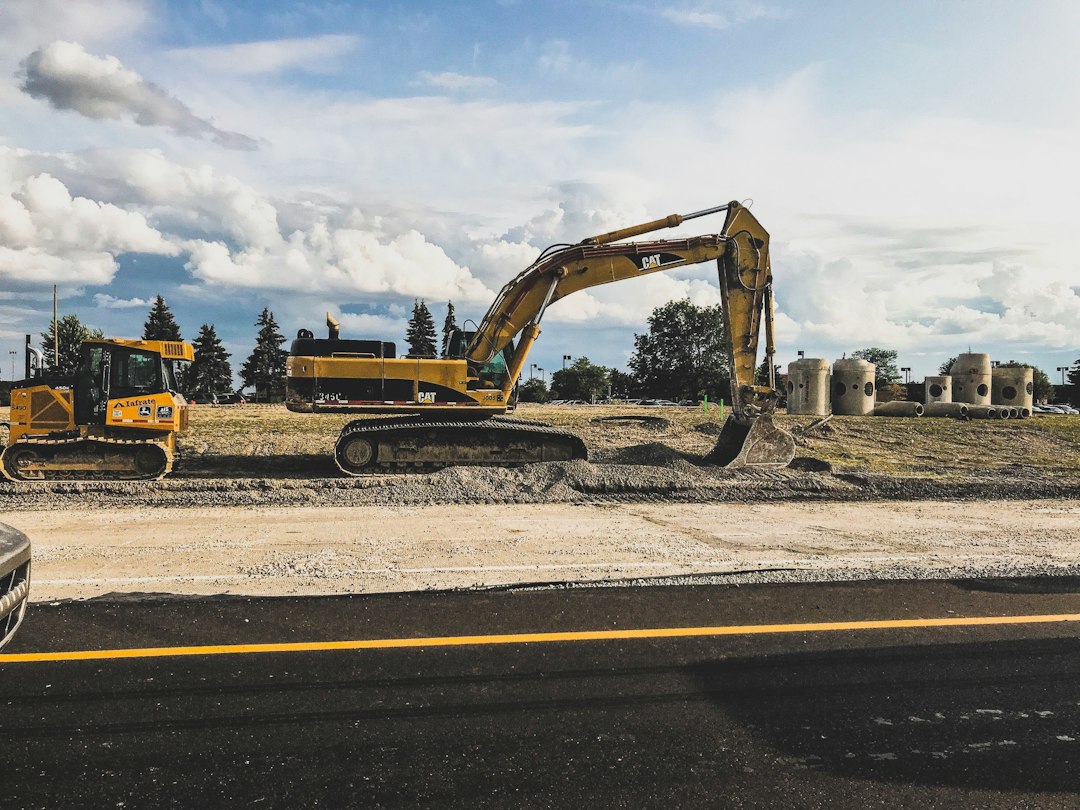
Construction equipment maintenance software: 9 Buying Checks
The right construction equipment maintenance software helps contractors plan service, report faults, assign repairs, and keep a history for each machine. The best fit for your fleet should connect maintenance work with the way equipment actually moves between jobs. It should also make equipment status clear before a dispatcher sends a machine to site.
This article covers nine buying checks, a worked service example, cost measures, and a rollout plan. The focus is fleet maintenance across construction projects, including owned and rented equipment.
What problem should the software solve?
Start with the failure you want to prevent. Perhaps operators report defects by text and the workshop loses track of them. Alternatively, hour readings may arrive late, so the planner schedules service after the machine has already moved to a remote site.
A useful system gives each asset one record and each repair one work order. As a result, the planner can see what the machine needs, where it is, and who owns the next action. However, the system still depends on sound inspection and maintenance practices.
Maintenance software differs from simple location tracking. A map may show a loader at Site C, but it does not necessarily show its service history or unresolved fault. Anomoz’s article on heavy equipment repair software explores the repair workflow in more detail.
9 checks for construction equipment maintenance software
1. An asset register that fits a mixed fleet
Give every machine a stable internal ID. Record its serial number, make, model, ownership, location, meter type, and service references. In addition, identify attachments separately when they have their own inspection or maintenance needs.
Test similar machines with different serial ranges. Their parts or service instructions may differ. Therefore, a template based only on a model name can be too broad. Link the correct manufacturer documentation to the actual asset record.
For rented equipment, record the supplier, rental period, reporting contact, and responsibility for service. Do not assume that an internal maintenance workflow gives your mechanics permission to work on every rented machine.
2. Meter-based and calendar-based service
Construction fleets often need service triggers based on time, usage, or both. Ask the vendor to demonstrate a rule such as “due at the next approved meter interval or date, whichever comes first.” Use the manufacturer’s instructions for actual intervals.
Next, enter a late reading and a corrected reading. The tool should show the source and date rather than silently treating all values as equally current. It should also flag implausible jumps for review.
Caterpillar’s equipment management overview describes monitoring and maintenance scheduling. Treat connected readings as an input to your maintenance plan, rather than a replacement for the correct machine instructions and qualified review.
3. Defect reports that lead to a clear decision
An operator should select the machine, describe the issue, and attach useful evidence. Meanwhile, the workshop needs a way to assess urgency and assign work. A report that ends in an unattended inbox does not close this gap.
Define status labels carefully. “Reported,” “under review,” “out of service,” “repair complete,” and “released” describe different stages. In particular, finishing a repair should not automatically release equipment if your process requires a separate inspection.
Test whether dispatch sees the restriction at the point of assignment. A maintenance warning buried in a history tab may not prevent a planner from booking an unavailable asset.
4. Work orders with usable field details
A mechanic needs the complaint, asset history, parts, task steps, and access details in one place. Also include the work location and any preparation that the site team must complete before the mechanic arrives.
Fiix’s heavy equipment maintenance page describes work orders, asset-linked documents, and parts planning. During a demonstration, ask the supplier to complete your repair example rather than showing a generic dashboard.
For a starting field list, review Anomoz’s work order template. Then remove fields that do not help a mechanic or planner make a decision.
5. Parts control tied to the right machine
Track available, reserved, ordered, and used parts separately. For example, a filter sitting on a shelf may already belong to another work order. A stock balance without reservations can make both mechanics think the same part is free.
Ask how the system handles alternative parts and unit sizes. Buying a box of ten and issuing one item should not reduce stock by ten boxes. In addition, keep substitutions subject to the appropriate technical approval.
Link purchase requests to the asset or work order where practical. That gives the planner a useful view of delayed repairs and lets the buyer see which orders affect equipment availability.
6. Mobile work and offline reliability
Test the mechanic’s normal device on a weak connection. The user should find assigned work, review key documents, and capture labor and parts without guessing what has saved. Next, reconnect and inspect the result.
Also test a partially uploaded photo and two people updating one work order. The software should surface conflicts clearly. Offline claims vary by feature, so check the exact tasks your remote crews need.
7. Maintenance history and cost allocation
Record labor, parts, outside service, and relevant downtime consistently. However, keep repair cost separate from the broader cost of a delayed project unless you have a clear method for allocating that impact.
Use work categories such as planned service, corrective repair, inspection, and damage repair. These categories help managers spot patterns. Similarly, a repeat fault needs a link to the prior work, not just another free-text description.
Anomoz’s vehicle maintenance log guide shows how a clear event history supports later review. Apply the same discipline to construction assets, while keeping equipment-specific details.
8. Fleet and business integrations
Decide which system owns asset IDs, project codes, vendors, and meter readings. Then map how maintenance data moves to accounting or dispatch. Without this step, the same machine may appear under several names.
Ask what happens when an integration stops. The planner needs an alert and a way to recover missing records without creating duplicates. Also verify whether the quoted price includes the connector, setup, and ongoing support.
Where customer service, rental coordination, or project workflows need a tailored connection, custom crm development may fit. Define the records and decisions first so the integration has a clear business purpose.
9. Permissions, exports, and practical support
Operators, mechanics, planners, and finance staff need different access. For instance, an operator may report a fault without changing the service schedule. A planner may assign work without approving an outside repair invoice.
Export an asset’s full history, including attachments and important status changes. Then check whether someone outside the application can understand it. Finally, ask how backups, recovery, account removal, and support escalation work.
A worked example: service due before a site transfer
Imagine a fictional excavator scheduled to move on Friday. The latest meter reading suggests that its next service will fall due during the following week’s work. Meanwhile, the receiving site sits several hours from the workshop.
The planner checks the correct service plan and books maintenance before the transfer. Next, the system reserves the required parts and gives the mechanic a work order. Dispatch sees a temporary availability restriction rather than an ambiguous note.
During service, the mechanic finds a separate defect. The team creates linked corrective work and records the release decision under its normal process. Only after the required checks does dispatch confirm the move.
This example shows why a service reminder alone is not enough. The workflow needs current readings, parts, clear responsibility, and a shared equipment status. However, the software should support those decisions without making unsupported technical judgments.
Which measures are worth tracking?
Start with a small set of measures that your team can define and collect reliably. Otherwise, the dashboard may look precise while different users record the same event in different ways.
- Planned service completed by the agreed due point.
- Open defects by severity and age.
- Time from fault report to review.
- Repair waiting time, split by parts, labor, and outside service.
- Repeat repairs on the same asset and fault category.
- Maintenance cost by asset and operating hour where reliable usage data exists.
Define downtime before comparing sites. One team may count only workshop hours while another counts the full period the asset cannot work. Therefore, use the same start and finish events across the fleet.
For a fictional cost example, an asset incurs $2,400 in maintenance over 300 operating hours. Its recorded maintenance cost equals $8 per operating hour for that period. This figure excludes other costs unless you add them explicitly. It also does not show whether replacement is the best choice.
Compare the total cost of the system
Ask about pricing by asset, user, location, or module. Include setup, data cleaning, training, mobile access, telematics connections, storage, and support. In addition, confirm the cost of exporting records or ending the subscription.
Compare a dedicated maintenance platform with the tools already available in your fleet or construction system. A broad suite may reduce duplicate records. In contrast, a dedicated tool may offer deeper workshop controls. The right choice depends on the work your team must complete.
A spreadsheet can remain adequate for a small, stable fleet with clear ownership. Consider a larger system when multiple sites, frequent moves, overdue service, or missed defects make manual coordination unreliable.
A practical rollout plan
Begin with one equipment group and one workshop team. Clean the asset IDs, meter readings, service references, and open work orders before import. Also mark uncertain data so the planner can review it rather than treating it as verified.
Run through a planned service, an urgent fault, a rented asset, and a site transfer. Next, test the same cases with a lost connection or an unavailable part. These exceptions reveal more than a perfect demonstration.
Train users by role. Operators need a fast reporting path, while mechanics need complete work details. Meanwhile, planners need exception lists and reliable status. Avoid giving every person the same long training session.
Before expansion, review a sample of completed records and ask whether dispatch can trust availability. If people still call the workshop to check every status, find the missing step and fix it.
Frequently Asked Questions
Is telematics required for maintenance software?
No. Teams can enter meter readings manually. Telematics may reduce entry work, but check coverage, data freshness, and integration cost before depending on it.
Can one system track rented and owned equipment?
Often, but test separate responsibilities, service permissions, and rental dates. A useful asset register should not imply that your team owns every maintenance duty.
Does software decide when equipment is safe to use?
No. Qualified people must follow the applicable instructions and procedures. Software records defects, restrictions, work, and release decisions; it does not replace those judgments.
Build a maintenance process the fleet can follow
Choose construction equipment maintenance software by testing the path from reading or defect to completed work and clear availability. Start with accurate asset records and a small pilot. Then expand when operators, mechanics, and dispatch all trust the same information.



