
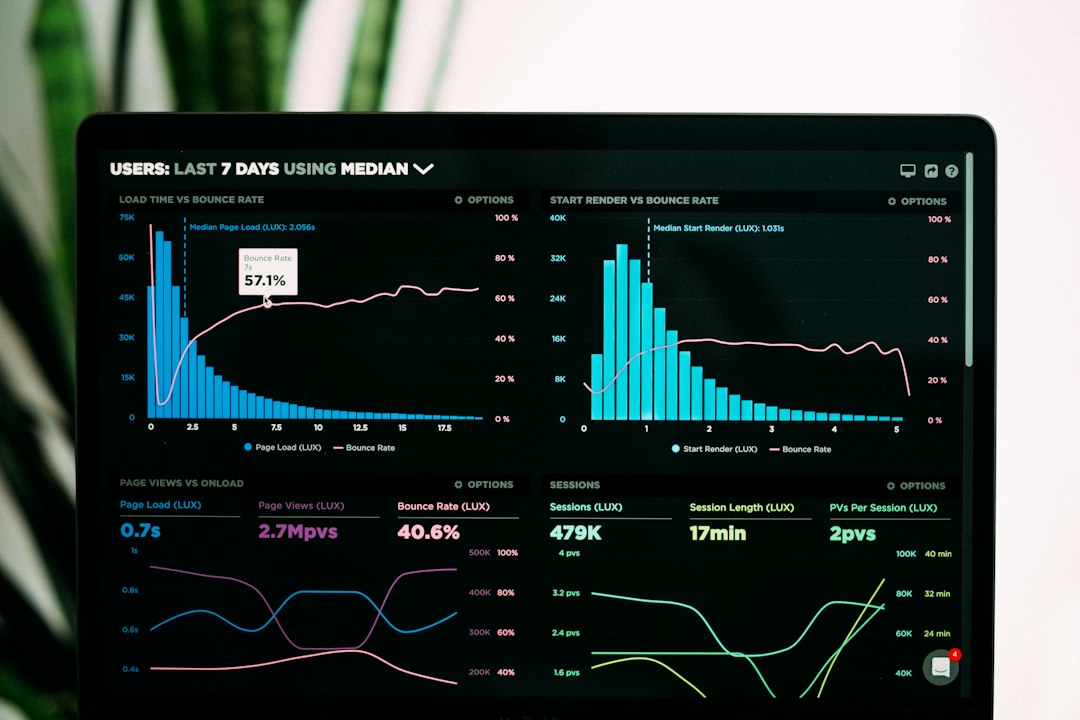
Database Performance Monitoring Tools: Find Query, Wait, and Capacity Problems
Database performance monitoring tools help teams understand why database work slows down, fails, or consumes unusual resources. They connect query behavior, waits, connections, storage, and server activity over time. A useful tool supports an investigation rather than treating a high CPU chart as a diagnosis.
This article explains the evidence to collect, the differences between live activity and historical statistics, alert design, overhead, and a practical pilot. It includes a worked investigation of a slow reporting period. The goal is a repeatable route from symptom to reviewed action.
Start with the user-visible problem
A slow application can involve database work, network delay, application code, external services, or several factors. Define the affected workflow and period before changing database settings.
For example, a report may be slow only during a scheduled import. The useful question is what work overlaps and where it waits, not merely whether the database looks busy.
Record the application’s timing and related identifiers where available. Then use monitoring to connect that symptom to database evidence.
Anomoz’s guide to data observability tools covers broader pipeline and data-quality signals. Database performance monitoring focuses on the execution and resource behavior behind database work.
Understand the main evidence types
Live activity shows what is happening now. Cumulative statistics summarize work since a defined reset or collection point. Historical samples keep observations that staff can review after the incident ends.
PostgreSQL’s database activity monitoring documentation illustrates the range of native statistics and operating-system evidence available. Check the documentation for the actual database version in use.
A tool should explain the source and interval of each metric. A sampled active-session count differs from a cumulative connection total, even if both appear under a similar label.
Also show resets and collection gaps. A sudden decrease in a cumulative value may reflect a restart or reset rather than an improvement in performance.
Inspect query performance beyond the average
Useful query evidence includes call counts, total execution time, distribution of durations, rows, and related resource activity. The exact available fields vary by engine and collection method.
A frequently executed moderate query can consume more total time than a rarely executed slow one. Conversely, a small number of long requests may create a serious user problem despite a healthy overall average.
PostgreSQL’s pg_stat_statements documentation explains normalized statement statistics and their collection. It is a useful example of query-level evidence, not a universal description of every monitoring product.
Ask how the tool groups queries and keeps history. Literal values, normalized forms, and application names can affect whether staff see one workload or many apparently unrelated statements.
Use waits to narrow the question
A request can wait for locks, storage, other resources, or application interaction. The monitoring system should help users identify the related category and time period.
Do not assume that low CPU means the database is healthy. Work may spend its time waiting. Likewise, high CPU can reflect useful throughput rather than a fault.
Next, examine blocking relationships where supported. Staff need to know which work blocks another request and what transaction context surrounds it.
Keep response decisions separate from observation. Ending a session or changing a query can affect users and data workflows. The responsible team should review the evidence and use its approved operating process.
Build baselines around comparable work
Compare similar periods, workloads, and business conditions. A quiet weekend is not a useful baseline for month-end processing without extra context.
Record changes in application releases, data volume, schedules, and infrastructure. A different workload can explain a metric change even when the database setup stays the same.
For a pilot, select a normal period and a known slow period. Ask the tool to show query mix, waits, resource activity, and related setup changes for both.
Also distinguish elapsed time from throughput. A system serving more requests may use more resources while maintaining acceptable user performance. The business goal should guide interpretation.
Keep execution-plan context carefully
Plans can help explain how the engine intends to execute work. Their capture and interpretation need the related schema, data, parameters, statistics, and engine context.
A plan from a different environment may not describe the production case. The monitoring workflow should identify where and when the plan came from.
Also distinguish estimated data from measured execution evidence. Some diagnostic actions execute work and can add load. Use methods appropriate to the environment and approved by the database team.
Keep tuning proposals reviewable. An index or rewrite can improve one query while changing write overhead, storage, or other workloads. Compare the complete effect rather than one favorable example.
Connect database evidence to application releases
Application changes can alter query shapes, call counts, and transaction behavior. Record release markers and related job schedules alongside performance history.
For example, a new page might issue many small requests instead of one larger request. The database may show healthy individual durations while the page becomes slower overall.
Anomoz’s article on CI/CD platforms explains release workflows. Link monitoring observations to deployed versions without assuming temporal coincidence proves cause.
When a regression appears, compare the affected workflow before and after the change, including workload and data conditions. Keep the result with the issue and proposed fix.
Design alerts for an investigation owner
An alert needs a condition, affected system, evidence window, owner, and response path. Separate failed collection from a database performance symptom.
For example, a missing metric feed may require monitoring support, while a sustained request-delay condition may require database and application review.
Avoid sending every brief fluctuation to the same broad channel. Define meaningful duration and scope based on the system’s needs, then test the result against known incidents.
Also record acknowledgment and resolution separately. Opening an alert does not explain whether the team identified the cause or restored the affected workflow.
Measure monitoring overhead and access
Collection can use queries, agents, logs, extensions, or external services. Ask what each method requires and measure its effect on realistic work.
Confirm permissions and data collected. Query text or parameters can expose sensitive data, so use the approved collection and access scope.
Test ordinary user roles, exports, and shared links. A restricted dashboard is not enough if a broad report exposes the same details elsewhere.
Also define retention. Recent detailed samples and older summaries may serve different needs. Staff should know which questions they can answer after the raw history expires.
A worked investigation: a slow morning report
Consider an illustrative report that normally finishes promptly but becomes slow during a morning import. The team first records the affected request window and application context.
Next, monitoring shows the query history, waits, connections, and resource activity for that period. Staff compare a similar normal period and identify which evidence changed.
The investigation then checks transaction overlap and the related plans or query behavior. It keeps alternative explanations open rather than labeling the busiest query as the cause automatically.
After the responsible team selects a fix, it tests the change under realistic conditions. The review includes report duration, import behavior, and other affected work.
Finally, the team records the outcome and updates the alert or runbook if useful. The monitoring tool earns its value by helping users trace the symptom, evidence, decision, and result.
Choose a tool through a realistic pilot
Use the database engines, deployment models, and versions your business actually runs. Include a slow query, blocking case, collection gap, and application release marker.
- Define the user workflow and baseline.
- Confirm collection methods and permissions.
- Capture live and historical evidence.
- Investigate a known issue without prior hints.
- Measure overhead and inspect access boundaries.
- Export a useful incident record.
Compare license dimensions such as hosts, instances, data volume, users, and retention. Include setup, support, and the effort to maintain dashboards and alert rules.
Also test the native tools already available. A dedicated platform may improve history and workflow, while a smaller environment may meet its needs with well-maintained native evidence and runbooks.
Start with one realistic system. Expand when the team can investigate and explain a real problem, not merely display more metrics.
Compare database performance monitoring tools across workload changes
A monitoring pilot should include normal business activity, a scheduled job, and a workload spike. These periods reveal different needs. A tool that explains a slow single query may provide less help when thousands of small requests compete for the same resources.
For example, a reporting job may run faster in isolation than during the morning login peak. Capture the concurrent activity and the affected user workflow. Otherwise, a later test may appear to disprove the problem simply because it ran under different conditions.
Keep the observation window explicit. Counters can reset after a restart or administrative action, while retained history may have gaps. The screen should show those boundaries so users do not compare a partial hour with a full day.
Also ask how the platform groups similar queries. Grouping can reduce noise, but it may hide meaningful differences in parameter values or workload sources. Users should understand what the grouped evidence represents and where they can inspect a more specific case.
Verify improvement without moving the problem
Agree on the user-facing outcome before changing an index, query, or resource setting. That might be a report finishing within an acceptable window or a checkout path returning consistently. The database metric should help explain that outcome rather than replace it.
After a change, compare equivalent periods and workloads where practical. Check more than the targeted query. A new index can affect storage and write work, while a resource change can alter costs. The responsible team should inspect the related tradeoffs.
Keep a simple investigation record: symptom, evidence, hypothesis, action, and observed result. Include a rollback decision where appropriate. This helps the next investigator avoid repeating an unsuccessful change based on a familiar-looking chart.
Finally, review alerts after the incident. Remove noise that did not help, add context that users lacked, and clarify ownership. A monitoring system improves when the team learns from an actual investigation, rather than adding another threshold after every issue.
Test evidence export too. Incident reviewers may need retained charts and query summaries after the normal collection window ends. Keep useful context while following access and data handling rules for potentially sensitive query content.
For a cross-team incident, connect the evidence with your software quality assurance process. A repeatable test can help confirm whether a suspected fix improves the affected workflow. Keep the test workload and monitoring window with the result so another team can check the comparison.
Connect performance evidence to application work
Anomoz Softwares can help assess application and database handoffs around a slow business workflow. Start with the symptom, related measurements, and a repeatable case before deciding which change to make.
Frequently Asked Questions
Does high CPU always mean a database problem?
No. Interpret resources alongside workload, waits, throughput, and user performance. A metric alone does not set cause.
Why are average query times insufficient?
Averages can hide outliers and workload mix. Inspect frequency, totals, distribution, and the affected workflow.
Should database performance monitoring include application context?
Yes, where practical. Release markers, jobs, and request timing help connect database evidence to the business symptom.
Choose evidence that supports a decision
Useful database performance monitoring tools connect queries, waits, workload, and history. Test an investigation from symptom to outcome. Choose the setup that helps the team explain what happened and verify the effect of its response.



