
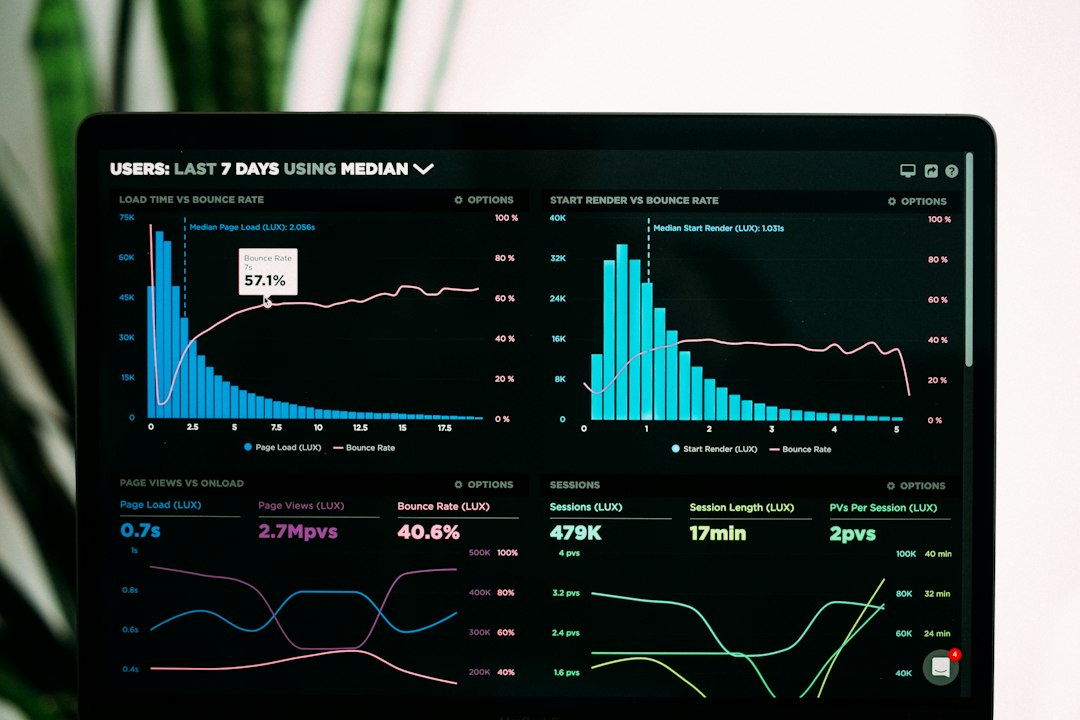
Data Observability Tools: 9 Checks for Alerts Teams Can Act On
Data observability tools monitor how data and pipelines behave so teams can detect problems before they spread through reports or day-to-day workflows. They can flag late arrivals, unusual volumes, schema changes, and other quality signals. But, an alert only helps when someone understands the affected data and knows what action to take.
This article covers nine assessment checks, a delayed-orders example, alert design, and a practical rollout plan. It also explains how a data observability platform differs from lineage, a catalog, and business-rule testing.
What data observability means
A pipeline can finish successfully while delivering incomplete or wrong data. For example, an import may return fewer orders than expected without raising a technical error. A downstream dashboard then presents a misleading total.
Observability adds signals about the data itself. Freshness asks whether the expected data arrived on time. Volume asks whether the amount makes sense. Schema checks look for structural changes, while field checks can find missing, duplicate, or unusual values.
Soda’s observability documentation describes monitoring data-quality metrics over time. These signals help find changes, but the business still needs meanings and owners to interpret them.
9 checks for data observability tools
1. Coverage of critical data paths
List the datasets that support important business decisions. Then check which sources, warehouses, pipelines, and reporting tools the tool can monitor. A supported database does not mean the tool sees every data step or downstream use.
Start with critical paths instead of every table. A customer billing dataset may need stronger monitoring than a temporary analysis table. Coverage should reflect business impact.
2. Freshness with the right clock
Define what “fresh” means for each dataset. A table’s last update timestamp may differ from the latest business event it contains. Also distinguish source delay from pipeline delay.
For example, an overnight file may arrive on schedule but contain yesterday’s incomplete records. The monitor should check the needed business timestamp or completeness condition, not only the file’s arrival time.
3. Volume checks that respect patterns
Expected volume can change by weekday, season, holiday, or business event. A monitor should allow right rules and context. Otherwise, predictable variation can create repeated false alarms.
Also check subsets. A total row count may look normal while one region or product is missing. Monitor important partitions or categories where that risk matters.
4. Schema and field-level checks
A renamed column, changed type, or missing field can break downstream logic. The tool should find needed changes and route them to owners. But, not every added field needs an urgent incident.
Field checks can cover nulls, duplicates, accepted values, or numeric ranges. Keep the rules tied to business meaning. A unique order ID and a nullable customer note need different expectations.
5. Business rules alongside anomaly detection
Anomaly detection looks for unusual behavior. A business rule checks a known condition. Both can help, but neither replaces the other.
A repeated math error may become statistically normal. Also, a legitimate promotion may look unusual. So, combine defined rules for critical logic with reviewed anomaly signals.
6. Lineage and impact context
When a monitor fails, show the affected datasets, reports, and day-to-day uses where the tool has that details. Staff can then prioritize the response and notify the right users.
But, find lineage gaps. An absent downstream link does not prove that no one relies on the data. The team may need a manual dependency record for unsupported tools.
7. Useful alert routing
Each alert needs a dataset, failed condition, time, severity, owner, and a suggested next step or runbook. Group related symptoms where right. One upstream failure can otherwise produce dozens of downstream notifications.
Monte Carlo’s data-quality documentation provides an example of monitored quality dimensions. During a trial, focus on how the tool turns a signal into an investigation, not only on how many checks it offers.
8. Incident and resolution history
Track acknowledgment, investigation, cause, correction, validation, and closure. Also record whether the incident affected a published report or day-to-day action. Closing an alert should not erase the evidence.
Define the difference between data recovery and pipeline recovery. Restarting a job may restore future runs while leaving past data incomplete. The incident needs a check of the affected period.
9. Access and monitoring cost
Review what the tool reads: metadata, query results, samples, or full data. Limit access rules and sensitive exposure according to the purpose. A monitor should not need unrestricted access by default.
Also estimate query costs, scan schedule, storage, and license charges. Broad full-table checks can create large work in some environments. Use the monitoring method that fits the risk and dataset.
A delayed-orders example
Imagine a hypothetical distributor whose sales dashboard uses overnight order data. The pipeline runs and reports success. But, one branch’s export did not arrive, so the warehouse contains only part of the day’s orders.
First, a branch-level completeness check finds the missing partition. A freshness check also shows that the branch’s latest business timestamp is old. The tool routes one actionable incident to the data owner.
Next, lineage context finds the sales dashboard and an inventory planning output. Staff warn users about the affected data. They investigate the branch export instead of assuming the dashboard math is wrong.
After the missing file arrives, the team reruns the needed steps and validates the branch totals. The incident closes only after the affected period is full. The record keeps the cause and the recovery evidence.
This example shows why technical job success is not enough. Monitoring needs to reflect the business data expected at each stage and the outputs that depend on it.
Observability, lineage, catalog, and testing
| Capability | Question it answers | Limit |
|---|---|---|
| Observability | Is data behaving as expected? | Signals still need interpretation |
| Lineage | What depends on this data? | Coverage may be incomplete |
| Catalog | What does the data mean? | Meanings need stewardship |
| Business-rule tests | Does a known condition hold? | Only tests defined expectations |
A tool may include several of these functions. Still, assess each against a practical use case. A beautiful dependency graph does not prove that the monitored values are right.
Anomoz’s article on data catalog software explains meanings and ownership. Those foundations make observability alerts easier to understand and route.
Design alerts that avoid fatigue
Set severity according to business impact and urgency. A missing billing dataset may need immediate action, while a small change in a low-use analysis table may need a routine review. Do not send every deviation to the whole company.
Next, define suppression and maintenance rules carefully. Planned changes may explain an alert, but a blanket mute can hide an unrelated failure. Keep the reason and duration of suppression visible.
Review false positives with owners. Some alerts need a better threshold, while others reveal unclear expectations. Avoid dismissing every noisy monitor without understanding why it fires.
Also provide a runbook that starts with concrete checks: source arrival, latest business timestamp, partition counts, recent changes, and downstream impact. An alert with no investigation path creates work without direction.
A focused rollout plan
Choose a small set of critical datasets with named owners. File the expected schedule, volume patterns, key fields, and business rules. Then establish a baseline from typical history.
Start with a few high-value monitors. Include freshness, completeness, and a known business rule. Review the results before enabling broad automatic anomaly detection.
Next, connect alerts to the existing incident workflow. Anomoz’s guide to business workflow software provides context for ownership and approvals. For data incidents, define acknowledgment, correction, validation, and closure explicitly.
Pilot for enough cycles to include expected variation. Test a holiday, a planned schema change, and a genuine missing-data case. Finally, review both detected incidents and missed problems.
Acceptance tests for a vendor trial
Inject a delayed partition, duplicate key, missing needed value, and schema change in a controlled environment. Ask the tool to detect the issue and find the right owner and downstream context.
Then create a legitimate volume spike. Review whether the tool supports explanation and threshold tuning. Also test a single upstream failure that affects several tables, checking whether notifications become manageable.
Finally, repair the pipeline without repairing past data. The monitor should help reveal the remaining gap. Export the incident and monitor history so the team can review its response independently.
Cost and custom monitoring
Budget for connector setup, metric design, monitoring queries, incident routing, and ongoing tuning. A specialist tool can provide broad coverage, while custom checks may fit a smaller or unusual workflow.
Custom monitoring still needs reliable schedules, ownership, alert deduplication, and a failure path. A script that sends an email when a query fails is not necessarily a full observability process.
Track time to detect, time to acknowledge, unresolved incidents, false alerts, and recurrence. Also review whether users trust critical outputs more. Do not use the number of monitors as the main success measure.
Common mistakes to avoid
One mistake is monitoring only table update times. Another is relying entirely on anomaly detection for known financial or day-to-day rules. Both can miss meaningful errors.
Also avoid closing incidents when the job turns green without checking the affected data. Finally, keep metric meanings current as business processes change. An old expectation can make a healthy dataset look broken or a broken dataset look normal.
Separate recovery from proof of restored data
An incident can appear resolved when a job runs successfully, while the affected dataset still contains a gap. Define recovery checks that assess the business data as well as the pipeline status. The owner should confirm the needed period, partitions, counts, and known rules before closing the incident.
For example, restarting an import may load new records without retrieving the missing earlier file. A freshness monitor can turn green even though yesterday’s sales remain incomplete. Add a completeness or reconciliation check that covers the affected period, instead of relying only on the latest timestamp.
Next, find downstream outputs that need a refresh or correction. A repaired warehouse table does not automatically update every extracted report or day-to-day sync. Keep those follow-up actions in the incident record with owners and confirmation.
Also record whether users acted on the faulty data. The response may need communication or a business review in addition to a technical fix. The software can route those tasks, but the needed business owner should decide the right action.
During a trial, create a missing-data case and repair only the future pipeline. Ask the tool and team to find the past gap. Then full the backfill and check the downstream outputs. This test shows whether the process handles partial recovery.
Finally, keep the cause and prevention action. A recurring source delay may need a better agreement or a completeness check. A schema break may need change coordination. Closing alerts without addressing recurring causes leaves the business with the same risk next week.
Use a short closure checklist: source recovered, affected data reconciled, outputs refreshed, users informed where necessary, and prevention action assigned. Adapt it to the incident’s risk. Avoid making every minor alert follow a heavy process, but keep the critical evidence visible.
Review a sample of closed incidents periodically. Check whether the closure evidence supports the claim that the data recovered. This is a practical way to improve monitoring and response without adding more alerts simply to increase coverage.
Show data status to users where it matters. A report can display its last verified update and any active limit. This does not replace incident response, but it helps people avoid using a known incomplete dataset while the team works on recovery.
Frequently Asked Questions
Do data observability tools guarantee sound data?
No. They detect selected signals and conditions. Meanings, source controls, and business-rule review remain necessary.
Should every table have the same monitors?
No. Choose checks according to the dataset’s schedule, meaning, use, and risk. Critical outputs deserve focused coverage.
What is the first useful monitor?
A freshness or completeness check on a critical dataset with a named owner and a clear response path is often a practical start.
Make detection lead to resolution
Good data observability tools connect meaningful signals with owners, impact, and recovery checks. Start with critical datasets and explicit expectations. Then tune alerts around the incidents the business actually needs to resolve.



