
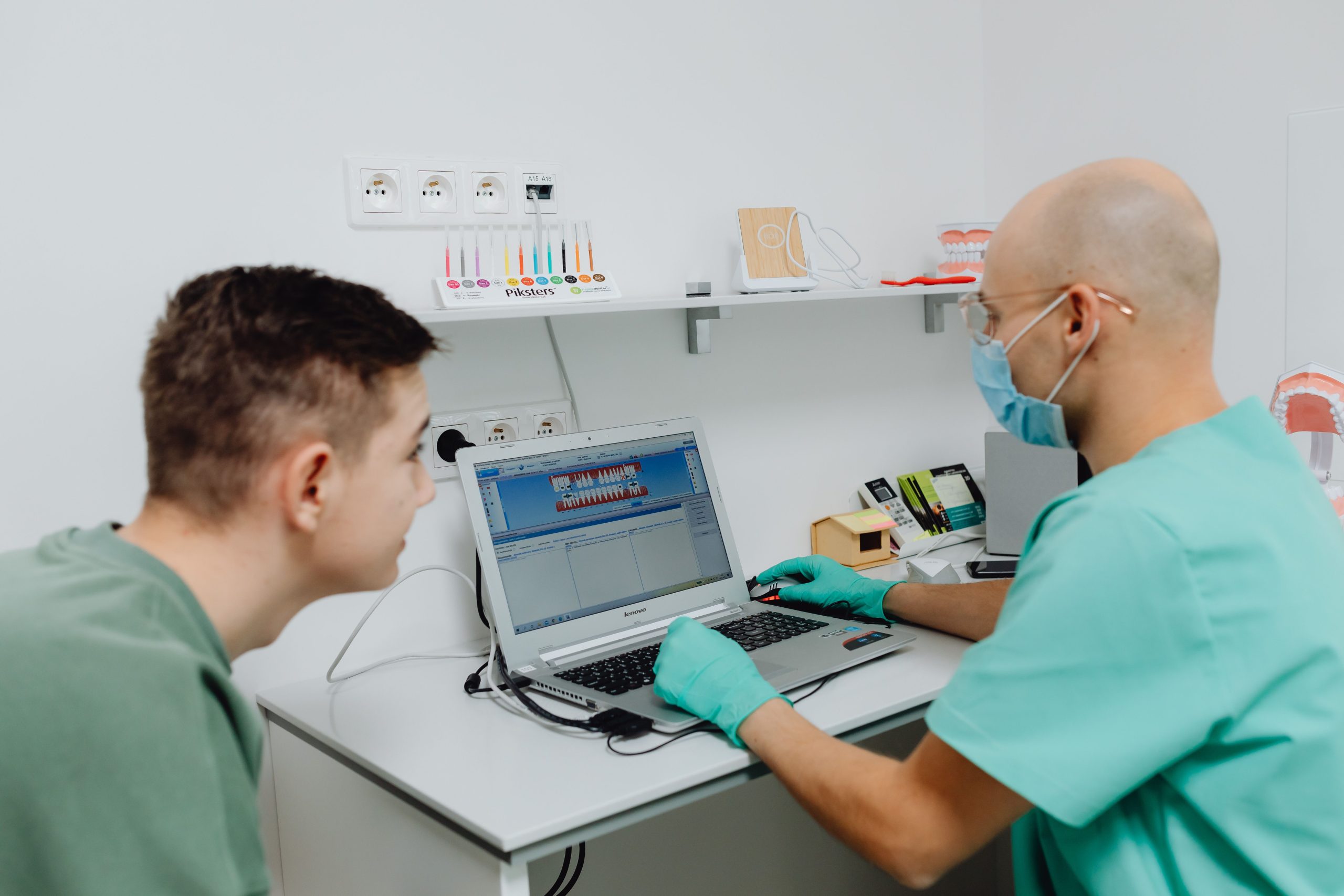
Clinic Management System: 9 Features That Improve Patient Care and Clinic Operations
A clinic management system is software that helps healthcare practices manage appointments, patient records, staff schedules, billing, communication, and daily administrative work from one place. Instead of relying on paper files, spreadsheets, separate calendars, and disconnected tools, a clinic can use one system to organise routine operations and keep important information accessible to authorised staff.
This matters because clinic teams need to coordinate many activities at the same time. A receptionist may schedule appointments while a doctor reviews patient history, an administrator checks payments, and staff follow up with patients. A well-designed clinic management system connects these workflows so the team can spend less time on repetitive administration and more time supporting patients.
In this guide, we will cover the key features of clinic management software, how it works, its practical benefits, security considerations, implementation challenges, and what to evaluate before choosing a system.
What Is a Clinic Management System?
A clinic management system is a digital platform designed to organise the administrative and operational activities of a healthcare clinic. Depending on the system, it can manage patient registration, appointments, medical records, billing, prescriptions, staff schedules, reports, notifications, and other workflows.
For example, when a new patient contacts a clinic, the receptionist can create a patient profile, schedule an appointment, and record relevant information. The doctor can then access the information needed for the visit, while the administrative team can handle billing and follow-up tasks through the same platform.
Clinic management software can range from simple appointment and billing tools to broader systems that connect clinical records, financial workflows, staff management, reporting, and communication.
The goal of a clinic management system is not simply to replace paper records. It should connect the workflows that staff use every day and make information easier to manage, access, and protect.
How Does Clinic Management Software Work?
Clinic management software typically stores operational and patient information in a central system. Authorised staff can then access the functions they need according to their roles and permissions.
For instance, a receptionist may manage appointments and patient registration, while an administrator handles billing and reports. A clinician may need access to clinical notes, medical history, prescriptions, and test results. Role-based access can help ensure that employees only access information relevant to their responsibilities.
Modern digital health systems can also support structured clinical records, person registration, appointment scheduling, medication management, laboratory results, and other healthcare workflows. The World Health Organization describes these capabilities as part of digital health interventions and electronic medical record systems. WHO’s electronic medical record system framework provides a useful reference for understanding how these digital capabilities fit together.
In practice, the exact workflow depends on the clinic. A small general practice may need only appointments, patient records, billing, and reminders. A larger multi-specialty clinic may require more advanced scheduling, reporting, laboratory integration, insurance workflows, and multiple access levels.
9 Key Features of a Clinic Management System
1. Patient Registration and Profiles
A central patient profile gives clinic staff one place to store important information. Depending on the system, a profile can include contact details, appointment history, notes, prescriptions, reports, billing information, and other relevant records.
This reduces the need to search through separate files or systems. Furthermore, staff can update information when a patient’s details change, helping the clinic maintain more consistent records.
A good system should also make it easy to search for existing patients and avoid unnecessary duplicate profiles. Clear patient identification becomes especially important when a clinic handles a high volume of visits.
2. Appointment Scheduling
Appointment scheduling is one of the most important functions of clinic management software. Staff can use a central calendar to view available time slots, book appointments, reschedule visits, and track cancellations.
For example, a clinic with several doctors can organise calendars by provider, specialty, room, or service. This helps reception staff understand availability before confirming an appointment.
Online booking can also give patients another way to request appointments. However, clinics should define clear rules for booking, cancellations, confirmations, and rescheduling so the digital workflow matches their actual operations.
3. Electronic Medical Records
Electronic medical records allow clinics to store clinical information digitally instead of depending entirely on paper files. The system may support notes, diagnoses, prescriptions, laboratory results, images, and other records depending on its design.
Consequently, clinicians can spend less time locating physical files and more time reviewing relevant information during a consultation. A digital record can also provide a chronological view of a patient’s interactions with the clinic.
However, clinics should not assume that every clinic management system provides a full electronic health record platform. Before purchasing software, check exactly which clinical record capabilities it supports.
4. Billing and Payment Management
Billing tools help clinics record charges, generate invoices, track payments, and monitor outstanding balances. Some systems can also support different payment methods and financial reports.
For example, after a consultation, staff can record the service provided and generate the relevant charge. The system can then keep the transaction connected to the patient’s account.
This creates a clearer connection between clinical activity and administrative work. In addition, automated billing records can reduce the need for staff to maintain separate spreadsheets.
5. Staff Scheduling and Resource Management
Clinics need to coordinate doctors, nurses, receptionists, technicians, rooms, and other resources. A scheduling system can help managers see who is working and when specific resources are available.
For more detail on scheduling workflows, clinics can also review employee scheduling software and apply relevant scheduling concepts to healthcare operations.
More importantly, scheduling should reflect the clinic’s actual rules. A system may need to account for provider working hours, appointment types, breaks, leave, room availability, and overlapping services.
6. Patient Communication and Reminders
Communication features can help clinics send appointment confirmations, reminders, follow-up messages, and other notifications. These functions can reduce the amount of manual calling and messaging required from reception staff.
For instance, the system could trigger a reminder before an appointment based on rules configured by the clinic. Staff can then focus on cases that require personal attention rather than manually contacting every patient.
Communication workflows should still give clinics control over message content, timing, consent requirements, and the communication channels they use.
7. Reporting and Analytics
Clinic managers need visibility into operational performance. Reporting tools can bring together information about appointments, revenue, services, cancellations, patient activity, and staff workloads.
For example, a manager might review appointment volumes by day or compare scheduled appointments with completed visits. These reports can help identify operational bottlenecks and support planning.
However, reports are only useful when the underlying data is accurate. Therefore, clinics should define consistent data-entry processes and review reports regularly.
8. Document and File Management
Clinics often handle forms, reports, referrals, scanned documents, prescriptions, and other files. A digital system can help staff associate these documents with the appropriate patient or workflow.
Instead of keeping files across different folders and devices, a clinic can use centralised document management where appropriate. This approach can also make information easier to retrieve during future visits.
For a broader look at organising digital files and records, see document management software.
9. Workflow Automation
Automation can handle repetitive administrative tasks according to predefined rules. For example, a system could create a follow-up task after an appointment, send an appointment reminder, update a status, or notify a staff member when an action requires attention.
This can reduce repetitive data entry and help staff follow consistent processes. At the same time, automation should support human decision-making rather than replace professional judgement in clinical situations.
Clinics considering broader automation can explore workflow automation software to understand how automated processes can connect different business activities.
Benefits of Using a Clinic Management System
The value of clinic management software comes from how well it connects everyday processes. When the right information reaches the right staff member at the right time, administrative work can become easier to coordinate.
Staff can manage patient, appointment, billing, and operational information through connected workflows instead of maintaining multiple disconnected records.
Automation can reduce manual tasks such as appointment reminders, routine notifications, and repeated data entry.
Shared calendars help staff coordinate providers, rooms, services, and appointment availability.
Digital records can make relevant patient information easier for authorised users to locate during routine workflows.
Reports can help managers understand appointment activity, financial performance, workload, and other operational measures.
More broadly, the World Health Organization notes that digital health can support more efficient and sustainable health systems while emphasising the importance of appropriate planning, standards, and implementation. WHO’s digital health guidance provides additional context for organisations evaluating digital health solutions.
Security and Privacy Considerations
Healthcare software handles sensitive information, so security should be part of the system design from the beginning. Clinics should evaluate authentication, access controls, audit trails, encryption, backups, data retention, and secure transmission.
For clinics operating under United States HIPAA requirements, the HHS Security Rule establishes administrative, physical, and technical safeguards for electronic protected health information. The HHS Security Rule explains these requirements and the types of safeguards covered by the rule.
However, compliance requirements depend on the clinic’s location, services, data flows, and applicable laws. A clinic should therefore identify the regulations that apply to its operations rather than assuming that one country’s requirements apply everywhere.
Do not choose clinic software based only on its feature list. Ask how the provider protects data, manages user permissions, records system activity, handles backups, and responds to security incidents.
How to Choose the Right Clinic Management Software
The best system for one clinic may not suit another. Therefore, start with operational requirements rather than selecting software based on the number of features advertised.
- Map current workflows: Document how your clinic handles registration, appointments, consultations, billing, communication, reporting, and follow-ups.
- Define user roles: Identify what receptionists, doctors, nurses, administrators, accountants, and managers need to access.
- Check integration needs: Determine whether the system needs to connect with payment services, laboratories, pharmacies, accounting tools, messaging platforms, or other systems.
- Evaluate security: Review authentication, permissions, audit logs, backups, encryption, and applicable compliance requirements.
- Test usability: Ask the people who will use the software every day to test common workflows before making a decision.
- Review scalability: Consider whether the platform can support additional doctors, locations, services, users, or workflows as the clinic changes.
- Understand total cost: Look beyond the subscription price and consider implementation, training, integrations, support, migration, and future customisation.
A simple comparison can help decision-makers focus on practical requirements:
| Requirement | What to evaluate |
|---|---|
| Patient management | Profiles, history, search, registration, and record access |
| Appointments | Calendars, reminders, rescheduling, cancellations, and provider availability |
| Clinical records | Notes, prescriptions, reports, results, and document handling |
| Billing | Invoices, payments, balances, and financial reporting |
| Security | Permissions, authentication, audit trails, backups, and data protection |
| Integration | APIs, external systems, data exchange, and interoperability requirements |
| Scalability | Additional users, providers, locations, services, and future workflows |
Off-the-Shelf vs Custom Clinic Management Software
Clinics generally have two broad approaches. They can adopt an existing software product or develop a system around their own workflows.
Off-the-shelf software can make sense when a clinic’s requirements closely match the available features. It may provide a faster starting point and established workflows. However, the clinic may need to change some of its processes to fit the platform.
Custom clinic management software takes a different approach. Developers can build workflows around the clinic’s specific requirements, such as unusual appointment rules, multi-location operations, specialised billing processes, custom reporting, or integrations with existing systems.
For clinics that need a patient-focused relationship and workflow layer alongside their operational tools, custom CRM development can also be considered as part of a broader software strategy.
Before commissioning custom software, document the workflow problems you want to solve. A clear process map makes it easier to separate essential requirements from features that sound useful but add little operational value.
Common Mistakes When Implementing Clinic Software
Even capable software can create problems when a clinic introduces it without a clear implementation plan. Several mistakes appear repeatedly across software projects.
- Choosing features before defining workflows: A long feature list does not guarantee that the software fits the clinic’s daily processes.
- Ignoring staff feedback: Receptionists, clinicians, and administrators often understand workflow problems that management may not see.
- Skipping data migration planning: Moving existing patient and operational records requires careful preparation and validation.
- Providing too little training: Staff need practical training based on the tasks they perform rather than a generic software demonstration.
- Overlooking security: Healthcare information requires stronger controls than ordinary business records.
- Automating unclear processes: Automation works best after the clinic has established a clear process and defined who remains responsible for each step.
Because of this, implementation should include workflow mapping, configuration, testing, training, data preparation, and a review period after launch.
When Should a Clinic Consider a Management System?
A clinic may benefit from dedicated management software when administrative work becomes difficult to coordinate with spreadsheets, paper records, separate calendars, or disconnected applications.
For example, a growing clinic may need a central system when multiple providers share appointments, patient records become harder to locate, billing requires more manual reconciliation, or managers need consistent operational reports.
However, software does not automatically solve every operational problem. If the clinic has unclear procedures, inconsistent data practices, or poorly defined responsibilities, those issues should b



