
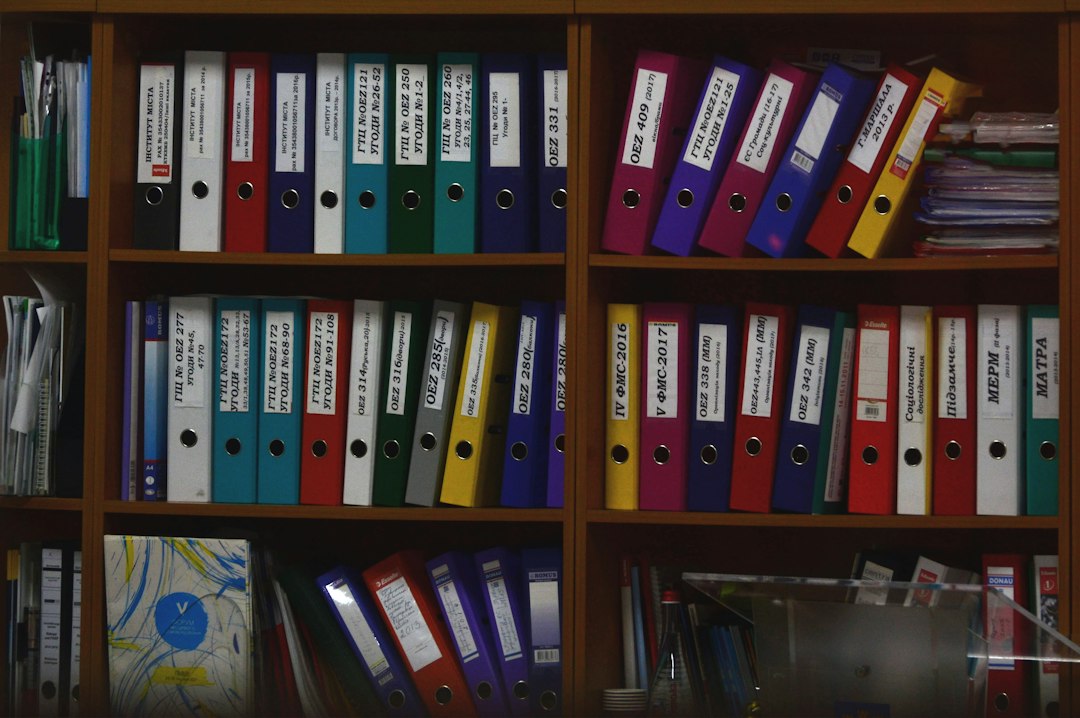
Archives Management Software: Connect Accession Records, Description, and Access
Archives management software organizes records about archival materials and the work needed to describe, manage, and provide access to them. It connects accessions, descriptive hierarchies, people, containers, locations, and restrictions. The useful test is whether staff and researchers can find the right material while preserving its context.
This guide explains how to compare archives management systems for practical repository work. It covers intake, arrangement, description, storage, digital links, public access, and migration. It also includes a worked collection example and a pilot plan that tests more than a simple keyword search.
Separate archival description from file storage
An archive needs to describe materials and their context. It may also need a system to store and preserve digital files. Those are related functions, but they are not automatically the same product.
ArchivesSpace’s features page explicitly distinguishes its archival information role from a digital asset management system. It can describe and link digital content without serving as the place where the files themselves reside.
First, map the systems your repository needs. Identify the source for descriptive records, storage locations, access copies, and preservation files. Then define the connections between them.
Also decide who owns broken links and missing files. A clear catalog record is less useful if the linked content disappears and nobody has responsibility for the connection.
Begin with accession records
An accession record documents the receipt of material under the repository’s process. It may include a reference, source, date, extent, rights context, and initial handling information. Define the required fields with the archival team.
Next, distinguish receipt from completed processing. Newly received material may remain unarranged or only partly described. The system should show that state without making the collection appear fully ready for access.
Test later additions. A collection can receive more material over time, and several accessions may relate to one descriptive resource. Preserve those relationships rather than merging every intake event into one undated note.
Also keep source documents linked under suitable access. Agreements and private donor details may need different visibility from the public description. A shared record does not imply shared publication.
Preserve the descriptive hierarchy
Archival description often represents relationships among a collection or fonds, series, files, and items. The exact levels depend on your practice and standards. Software needs to preserve those relationships during editing, search, and export.
AtoM’s official overview describes a standards-based archival description and access application. Use that scope to compare the descriptive and discovery functions your repository needs.
Next, test moving a component within a hierarchy. The system should retain the identifier and relevant links while showing the new context. Staff should not have to recreate the record and lose its history.
Also inspect inherited information. A restriction or descriptive note at a higher level may affect lower-level records. Confirm how the interface presents that relationship and where staff can override it under approved practice.
Use names and subjects consistently
People, families, organizations, places, and subjects can appear across many records. Authority records and controlled terms can help keep those references consistent. Decide which sources and local rules your repository uses.
For example, an organization may have changed its name. A useful record can preserve the relevant forms and relationships rather than force every historical reference into one unexplained label.
Next, test duplicate review. Two similar names may represent different entities. Staff need evidence and a controlled process before merging them.
Keep uncertainty explicit. A suspected creator or approximate relationship should not become definite merely because the system expects one selection. The data model should support the meaning of the record.
Connect containers with locations
Description explains intellectual context, while container and location records help staff retrieve physical material. One descriptive component may span several containers, and one container may hold related materials from a defined scope.
Map those relationships before migration. Avoid treating a box number as a globally unique identifier if several collections use the same numbering. Staff need enough context to identify the correct container.
Next, test a temporary move. A container may go to processing, conservation, or a reading room under your procedures. Preserve the movement and current state where your chosen system supports them.
Also verify the product’s limits. Some archival systems track locations without providing a full circulation workflow. If staff need request, issue, and return control, assess that function separately.
Make restrictions specific and reviewable
Materials may have access or use restrictions for different reasons. The responsible team should define the record, review date, and authority for changing it. Software should make the applicable restriction clear at the point of use.
Next, distinguish public wording from internal details. A researcher may need to know that material requires review without seeing private information about the reason. Configure those views deliberately.
Test a lower-level item with a different restriction from its parent. The system should show the correct context and avoid publishing a misleading inherited statement.
Also keep changes traceable. If staff review and alter a restriction, retain the date, decision reference, and authorized person as appropriate. A silently replaced note can make later requests hard to assess.
Design the public interface as a separate view
A public finding aid should help researchers understand scope, context, and access. It should not expose every internal field. Define the publication workflow with the archival team.
Next, test unpublished records and restricted details from a public account. Inspect search results, downloads, linked entities, and digital objects. Hiding one field on a record page may not cover every route.
Also ask researchers to complete a task. Can they identify the relevant collection, understand the hierarchy, and find the access instructions? A search that returns many hits may still leave them unsure what to request.
A general library management system provides useful context for discovery and service work. Archival materials still need their own hierarchy and provenance rather than a catalog model designed only for published items.
Link digital objects without losing context
A digital object record may point to access files, images, or other content held elsewhere. Preserve its relationship to the relevant archival description. A standalone file URL does not explain the material’s origin or scope.
Next, distinguish an access copy from a preservation file. They may have different formats, rights, and storage controls. The descriptive interface should not encourage staff to publish a restricted master file by mistake.
Test several files associated with one description. Staff and researchers need to understand their order and relationship. A flat list of attachments can hide the structure.
For the surrounding file process, see cloud-based document management. Preservation planning still needs separate evaluation by the responsible specialists.
A worked collection workflow
Imagine a repository receiving an organization’s paper records and selected digital files. Staff create an accession record and link the receipt documents. The material remains in an initial processing state.
Next, the archival team creates the descriptive hierarchy and authority links. Container records connect the physical material to storage. Digital object metadata points to the approved access copies in the separate storage environment.
One series has a restriction that needs review before access. The public interface shows the approved access statement, while internal records preserve the relevant decision context. Staff publish the reviewed description.
Later, another accession adds material to the same collection. The system links the new intake without rewriting the original receipt. This illustrative sequence tests the relationships that a basic catalog entry misses.
Plan migration as a meaning-preservation exercise
Legacy finding aids may use spreadsheets, documents, databases, and inconsistent local terms. Start with an inventory of sources. Identify which records represent the same material and which contain distinct context.
Next, map fields and hierarchy explicitly. A successful import can still lose parent-child relationships, identifiers, or restrictions. Verify the meaning, not just the number of rows.
Preserve original source values where the team needs them for review. Do not force uncertain dates or mixed names into falsely precise fields. Keep an exception list with owners.
Also test a round-trip export. Use the formats your repository actually needs and inspect identifiers, levels, linked entities, and notes. Standards support is most useful when the output preserves your intended description.
Keep staff roles and changes accountable
Catalogers, administrators, public-service staff, and temporary workers need different access. Test their tasks with separate accounts. A volunteer editing descriptions may not need to publish records or export restricted notes.
Next, inspect change history for important fields. Staff should understand who changed a restriction, identifier, or location reference and when. Use a controlled correction process.
Also review bulk actions. An import or mass update can affect many records quickly. Require an appropriate review and a recoverable plan before applying a significant change.
For a tailored researcher request portal, custom crm development may connect approved request and account workflows. Keep the archival description and access decision sources clearly defined.
Test search with realistic research questions
Use questions that reflect how people approach the collection. A researcher may know a person, event, organization, or broad topic rather than the repository’s exact title. Test synonyms and linked authority records where relevant.
Next, inspect result context. A component-level hit should help the researcher understand the parent collection. A title alone can be misleading when several collections contain similar files.
Also test punctuation, dates, and multilingual content used by your repository. Search behavior may differ from staff expectations. Record the limits and decide which ones matter for the service.
Do not judge discovery only by speed. Useful results need clear scope and access instructions. Ask staff and researchers whether they can choose the right next step.
Run a focused archival pilot
Choose a collection with several levels, multiple accessions, physical containers, digital links, and a restriction. Include a difficult legacy record. Use test data for deliberate publication mistakes.
- Create an accession and link it to a resource.
- Build and move components within the hierarchy.
- Link names, subjects, containers, and locations.
- Apply and review a component-level restriction.
- Publish selected records and inspect public exports.
- Connect digital metadata to the correct access copy.
- Import and export a sample while checking relationships.
Set acceptance criteria in advance. Staff should reconstruct the collection’s context and retrieve the right material. Researchers should understand the published scope without seeing restricted data.
Compare the full operating model
Open-source software can still require hosting, upgrades, backups, support, and specialist time. Hosted products also need local data and workflow ownership. Compare the full cost rather than the license alone.
Next, define who handles updates and recovery. Test backups through a practical restoration exercise under the chosen support model. A backup file alone does not prove that staff can recover service.
Finally, confirm usable exports and contract exit arrangements. Preserve identifiers, hierarchies, and source relationships. The repository’s descriptive work should remain understandable after a system change.
Frequently Asked Questions
Does archives software store all digital files?
Not necessarily. Some systems describe and link digital content held elsewhere. Evaluate storage, preservation, and access-copy functions separately.
Can a library system replace an archival system?
It depends on the required functions. Check hierarchy, provenance, accessions, restrictions, and container relationships rather than assuming a shared search box means the same data model.
What should migration testing prioritize?
Verify meaning and relationships: identifiers, levels, linked names, containers, and restrictions. Matching the old record count is necessary but not sufficient.
Choose context that survives the workflow
Good archives management software preserves the connections among receipt, description, storage, and access. Test a complete collection and its exceptions before wider migration. Then maintain clear ownership for both the records and the systems they depend on.
Connect researcher requests with your archival records
Discuss a focused request portal or integration with Anomoz Softwares while preserving your repository’s description and access rules.



