
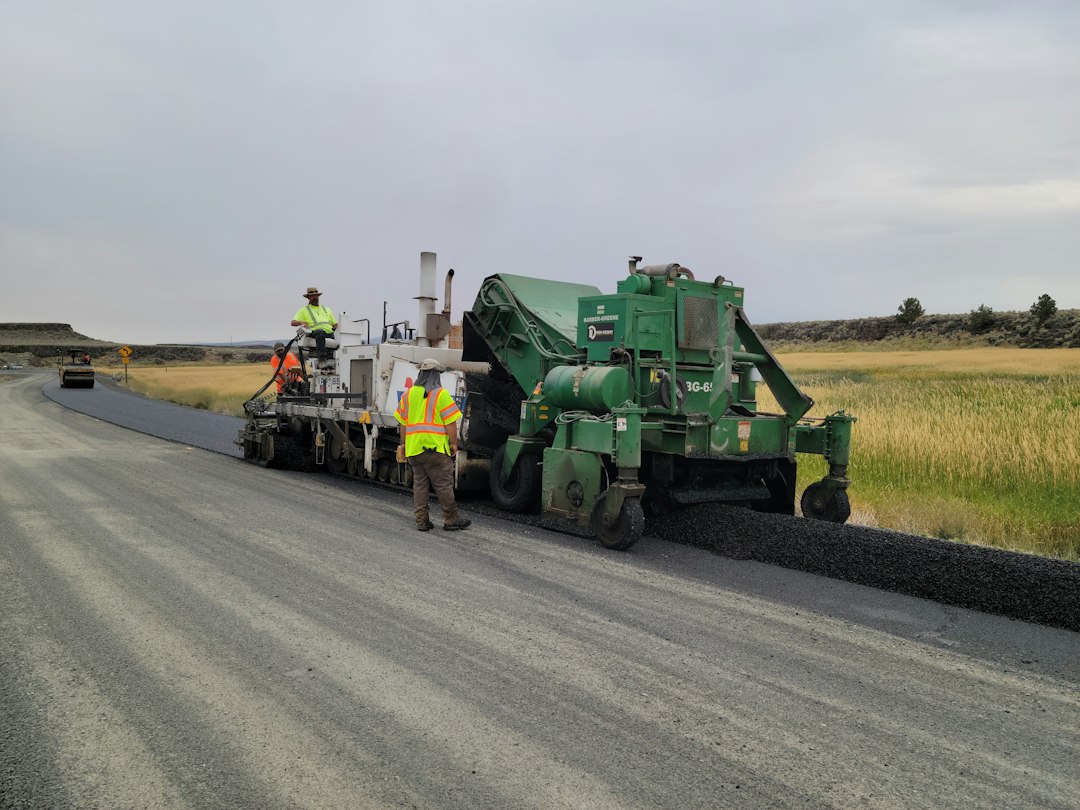
9 Asphalt Estimating Software Features for Faster, More Accurate Bids
Asphalt estimating software helps paving contractors turn project measurements, material costs, labor, equipment, and overhead into clear, accurate estimates. Instead of relying on spreadsheets, paper notes, or disconnected calculations, contractors can organize estimating data in one place and create bids with greater consistency.
For companies handling parking lots, driveways, roads, resurfacing, milling, and other paving work, accurate estimating directly affects project profitability. A small mistake in quantities, production rates, material costs, or labor hours can change the final margin. In this guide, we will cover nine important features of asphalt estimating software, how asphalt paving estimating software works, the benefits it provides, common estimating mistakes, and what to consider before choosing a solution.
What Is Asphalt Estimating Software?
Asphalt estimating software is a business application designed to help paving contractors calculate the expected cost of an asphalt project and prepare a bid. It brings measurements, quantities, material prices, labor, equipment, subcontractor costs, overhead, and markup into a structured estimating workflow.
In practice, an estimator can enter project dimensions, define the scope of work, select materials, assign production rates, and calculate costs without rebuilding the same spreadsheet for every project. The system can then turn those calculations into a professional estimate or proposal.
Asphalt paving estimating software can support many project types, including:
- Parking lot paving and resurfacing
- Road and roadway projects
- Driveway installation
- Asphalt overlays
- Milling and resurfacing
- Crack sealing and maintenance work
- Sealcoating projects
- Patch and repair work
Good estimating software does not replace an experienced estimator. Instead, it gives that estimator a structured way to calculate, review, adjust, and present project costs.
Why Accurate Asphalt Estimating Matters
Every paving estimate needs to balance competitiveness with profitability. If a contractor adds too much contingency or markup, the bid may become less competitive. On the other hand, an estimate that misses labor, equipment, material, or site costs can create problems after the project starts.
Therefore, an estimating system should make the cost structure visible before a contractor submits a proposal. This includes both direct project expenses and the business costs that support the work.
For example, an asphalt project may involve several cost components:
- Asphalt mix and other materials
- Aggregate and base materials
- Labor and crew hours
- Trucks and paving equipment
- Fuel and equipment operating costs
- Milling or removal
- Traffic control
- Subcontractor work
- Mobilization and delivery
- Overhead and desired profit margin
Moreover, project quantities can depend on dimensions, layer thickness, material type, and project specifications. The Federal Highway Administration provides extensive technical guidance on asphalt pavement design and construction, including pavement materials, construction practices, density, and related topics. FHWA’s asphalt pavement design and construction resources can provide useful technical context when building an estimating workflow.
9 Key Features of Asphalt Estimating Software
1. Quantity and Takeoff Calculations
Quantity calculations form the foundation of an asphalt estimate. The software should help estimators calculate quantities from project dimensions instead of depending on repeated manual calculations.
For example, an estimator may need to calculate paving area, asphalt tonnage, base material, milling quantities, or other line items. A structured takeoff workflow reduces the need to move numbers between multiple spreadsheets.
More importantly, the system should keep the measurements connected to the estimate. When project dimensions change, the estimator should be able to update the relevant quantities without rebuilding the entire bid.
2. Material Cost Management
Material prices can significantly affect an asphalt project’s cost. Therefore, estimating software should allow contractors to maintain material catalogs with current unit costs, descriptions, vendors, and pricing units.
An estimator can then select the required asphalt mix, aggregate, tack coat, sealant, or other materials when preparing a bid. Instead of entering prices from memory, the estimator works from a centralized cost database.
This approach also makes estimates easier to review. If a material price changes, the contractor can update the appropriate cost rather than searching through multiple old spreadsheets.
3. Labor and Production Rate Calculations
Material costs alone do not determine project profitability. Labor hours and crew productivity also play a major role.
Asphalt estimating software can let contractors define crew rates, hourly labor costs, production rates, and expected work hours. The estimator can then apply those values to different project activities.
For instance, a paving crew may have different production assumptions for a large open parking lot than for a small project with restricted access. A flexible system lets the estimator account for those differences rather than applying one rate to every job.
4. Equipment and Operating Costs
Paving projects can involve pavers, rollers, milling machines, loaders, trucks, compactors, and other equipment. Each asset can introduce costs that an estimate needs to capture.
A useful estimating system can track equipment rates and apply them to the appropriate work activities. Contractors can also account for factors such as operating hours, fuel, transportation, and equipment utilization.
As a result, the estimate provides a more complete picture of the resources required to complete the project.
5. Cost Breakdown and Markup Controls
Estimators need to understand how the final bid price relates to the underlying project costs. Software can organize direct costs, indirect costs, overhead, contingency, markup, and profit into a clear structure.
This makes it easier to test different pricing scenarios before submitting a proposal. For example, an estimator can adjust markup or review individual cost categories without manually rebuilding calculations.
Keep cost inputs separate from markup. This makes it easier to see whether a change in the final price comes from project costs or pricing strategy.
6. Estimate Templates
Many paving companies perform similar types of work repeatedly. Creating every estimate from scratch wastes time and increases the chance of inconsistent line items.
Estimate templates solve this problem by providing a reusable starting point. A contractor could create templates for parking lot resurfacing, driveway paving, asphalt overlay, milling, or maintenance work.
However, templates should remain flexible. Each project has different dimensions, site conditions, material requirements, and specifications, so estimators need to adjust template values before finalizing a bid.
7. Bid and Proposal Generation
An estimate becomes more useful when the system can turn it into a professional proposal. Instead of copying totals into another document, contractors can generate proposals from the information already stored in the estimate.
A proposal can include the scope of work, quantities, pricing, exclusions, terms, and other relevant details. This creates a more consistent process from calculation to customer communication.
For contractors that handle many bids, proposal automation can also reduce administrative work. Dedicated proposal software features can provide additional ideas for organizing the proposal stage.
8. Estimate History and Job Data
Past estimates can provide valuable reference information for future projects. Therefore, the software should maintain historical estimates rather than treating every bid as an isolated document.
Estimators can review previous project costs, quantities, pricing structures, and outcomes when preparing similar work. This does not mean copying an old estimate without review. Instead, historical data provides a starting point that can help the estimator identify changes and unusual costs.
Over time, this information can also help contractors understand their estimating patterns and identify where actual project costs differ from original assumptions.
9. CRM and Project Management Integration
Estimating rarely happens in isolation. A paving company may receive a lead, inspect the site, prepare an estimate, send a proposal, win the project, schedule crews, and track the work.
Connecting estimating with customer and project information creates a smoother workflow. Sales teams can access lead details, estimators can access project information, and operations teams can work from the approved scope.
For companies that need workflows tailored to their estimating, sales, and project processes, custom CRM development can provide a way to connect customer management with industry-specific business processes.
How Asphalt Paving Estimating Software Works
Although individual platforms differ, the basic workflow usually follows a similar process.
- Create the project: Enter the customer, site, project type, and basic job information.
- Define the scope: Record the paving, milling, repair, overlay, or maintenance work required.
- Enter measurements: Add dimensions and other project quantities used for the takeoff.
- Add materials: Select asphalt mixes, aggregate, tack coat, and other required materials.
- Calculate labor and equipment: Apply crew rates, production assumptions, equipment costs, and operating expenses.
- Review project costs: Check direct costs, indirect costs, overhead, and other expenses.
- Apply pricing: Add the desired markup or margin according to the company’s pricing approach.
- Generate the proposal: Turn the approved estimate into a customer-facing bid.
- Track the outcome: Record whether the estimate was won, lost, revised, or converted into a project.
This workflow keeps estimating connected to the broader business process. In addition, it creates a consistent structure that different estimators can follow.
What Data Should an Asphalt Estimate Include?
A reliable estimate should capture more than the price of asphalt. The exact categories vary by project, but contractors commonly need to consider the full scope of work.
| Cost Area | Examples |
|---|---|
| Materials | Asphalt mix, aggregate, tack coat, sealant |
| Labor | Crew hours, operators, supervisors |
| Equipment | Pavers, rollers, milling machines, loaders |
| Transportation | Material delivery, trucking, mobilization |
| Site work | Removal, preparation, grading, cleanup |
| Other costs | Traffic control, subcontractors, permits, overhead |
For larger projects, specifications can also affect the quantities and materials included in an estimate. The FHWA guidance on plans, specifications, and estimates highlights the importance of project details such as pavement layers, thicknesses, and quantity summaries when preparing transportation projects.
Asphalt Estimating Software vs. Spreadsheets
Spreadsheets remain useful for simple calculations and small operations. However, they can become harder to manage as the number of projects, users, materials, and cost variables increases.
| Area | Spreadsheet | Estimating Software |
|---|---|---|
| Templates | Usually created manually | Reusable project templates |
| Cost database | Often maintained separately | Can be centralized |
| Estimate history | Depends on file organization | Can remain connected to projects |
| Proposals | Often require separate documents | Can use estimate data directly |
| Collaboration | Can become difficult across files | Designed around shared workflows |
Therefore, the right choice depends on project volume and workflow complexity. A small contractor with simple jobs may need only basic calculation tools, while a growing paving company may benefit from a centralized estimating platform.
Common Asphalt Estimating Mistakes to Avoid
Software can improve the estimating process, but it cannot correct poor inputs or incomplete project information. Estimators still need to review the scope carefully.
Ignoring Site Conditions
Restricted access, difficult terrain, drainage requirements, existing pavement conditions, and traffic control can affect project costs. Therefore, the estimate should reflect the actual site rather than relying only on standard production assumptions.
Using Outdated Material Prices
Old material prices can distort the final estimate. Contractors should maintain current cost data and review major price-sensitive inputs before submitting important bids.
Forgetting Non-Paving Work
A project may require removal, preparation, hauling, traffic control, cleanup, or subcontractor work in addition to the asphalt placement itself. Missing these items can create an inaccurate bid.
Copying Old Estimates Without Review
Historical estimates can save time, but project conditions change. Instead, use previous bids as reference points and verify quantities, prices, production rates, and scope for each new project.
Estimating software improves calculation and workflow consistency, but final estimates still require professional judgment, accurate measurements, current pricing, and a clear understanding of the project scope.
How to Choose Asphalt Estimating Software
Before selecting a platform, focus on the workflow your paving company actually uses. A long feature list does not automatically make a system suitable for your operation.
First, check whether the software supports the types of projects you estimate. Next, review its quantity calculations, material and labor cost management, templates, proposal tools, and reporting capabilities.
Also consider how easily the system connects with the rest of your business. If your team currently moves information between estimating spreadsheets, CRM records, project management tools, and accounting systems, integration can reduce duplicate data entry.
Finally, evaluate usability. Estimators should be able to create and update bids without navigating unnecessarily complicated workflows. A system that saves time on paper but slows down everyday work may not deliver the expected benefit.
When Should a Paving Company Consider Estimating Software?
There is no single company size that requires estimating software. Instead, the need usually becomes clearer when estimating creates recurring operational problems.
You may want to consider a dedicated system if your team:
- Creates a high volume of estimates each month
- Uses several spreadsheets for different estimating tasks
- Frequently re-enters customer or project information
- Struggles to keep material prices consistent
- Needs standardized estimate templates
- Wants faster proposal generation
- Needs historical estimates for reference
- Has multiple estimators working on similar projects
- Wants estimating connected to CRM or project workflows
For construction companies working across different specialties, related estimating workflows can also provide useful context. For example, excavation estimating software addresses many of the same core estimating challenges around quantities, costs, bids, and project requirements.
Final Thoughts
Asphalt estimating software gives paving contractors a structured way to calculate project costs, manage quantities, account for labor and equipment, and prepare professional bids. More importantly, it can connect estimating with the customer and project workflows that follow.
The most useful system should fit the contractor’s actual estimating process. Look for accurate quantity calculations, centralized cost data, labor and equipment tracking, reusable templates, proposal generation, estimate history, and integrations.
Ultimately, better software does not replace estimating expertise. Instead, it gives experienced teams better tools to organize information, review costs, and build consistent bids as their workload grows.
Frequently Asked Questions
What is asphalt estimating software?
Asphalt estimating software helps paving contractors calculate material, labor, equipment, overhead, and other project costs and turn t



