
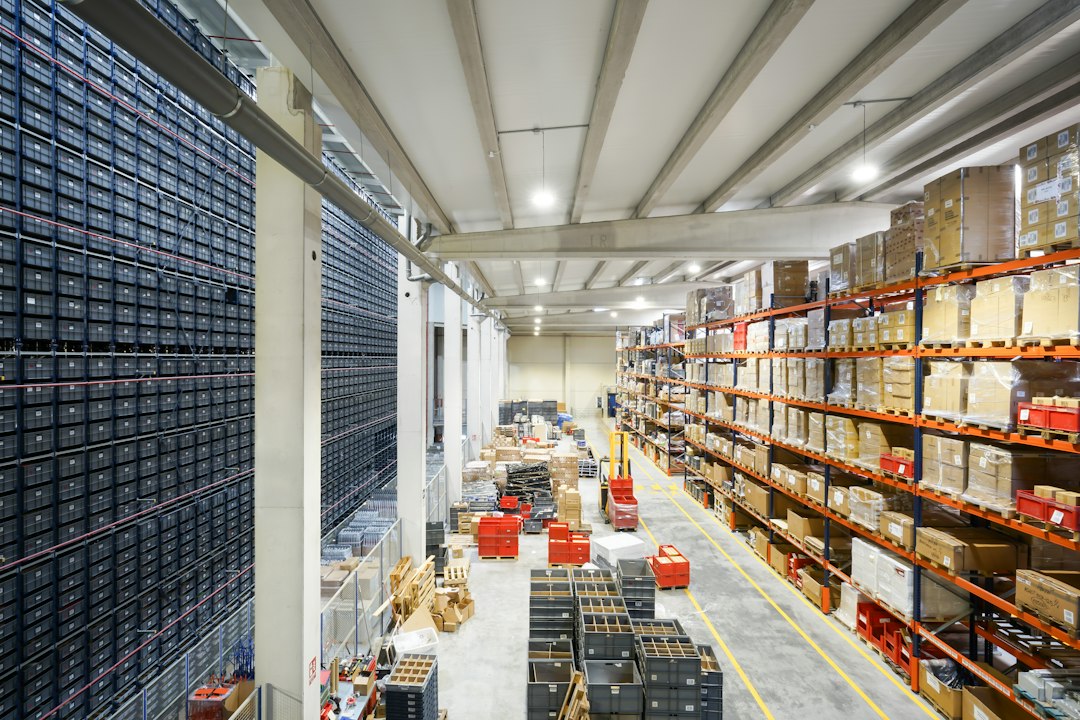
Warehouse slotting software: 7 Decisions Before You Move Stock
Warehouse slotting software recommends where products should sit so the warehouse can pick, replenish, and handle them more effectively. It uses demand and location data to suggest a layout or a sequence of stock moves. The right result is a workable operation, not simply the shortest theoretical walk between shelves.
This guide covers seven decisions to make before moving stock: objectives, data, constraints, replenishment, move planning, measurement, and ownership. It also explains how slotting differs from a warehouse management system and how to test recommendations without disrupting a busy picking day.
What slotting changes in a warehouse
Slotting assigns products to storage or picking locations based on defined rules. Those rules may consider demand, item size, handling needs, order patterns, and the layout. A warehouse can slot a new area or review existing positions as demand changes.
A warehouse management system, or WMS, records stock and controls warehouse tasks. A slotting tool recommends locations or changes. Some WMS products include slotting modules, while other businesses use a separate analysis tool.
Mecalux’s slotting information provides an official example of location optimisation within a WMS environment. Compare the exact scope with your current system before assuming that you need another platform.
The benefit depends on execution. A sound recommendation can fail when stock counts are wrong, labels are unclear, or staff cannot complete the moves. Therefore, evaluate the planning and movement process together.
1. Choose the operating problem you want to solve
Start with a measurable problem. Your team may walk too far, replenish too often, face congestion, or struggle to handle heavy items. Those problems can require different location rules.
For example, placing every fast-moving item near the same aisle entrance may shorten travel on paper while crowding that area. Likewise, a small pick face may save space but create more replenishment work.
Next, choose the measures that reflect the whole operation. Include picking, replenishment, congestion, errors, and handling effort where relevant. Do not optimise one task while ignoring the work it creates elsewhere.
Talk to pickers and replenishment staff before setting the objective. They can explain access limits, awkward reaches, and busy periods that a simple distance model misses.
Finally, define the planning horizon. A layout for a seasonal promotion may differ from the normal-year layout. The tool should show which demand period supports its recommendation.
2. Prepare demand, item, and location data
Slotting depends on usable inputs. Collect order lines, quantities, product dimensions where needed, handling units, and location capacity. Then check whether the fields mean the same thing across your systems.
A case and an individual unit are not interchangeable. If one product’s dimensions describe a pack while another’s describe a piece, capacity recommendations can fail. Resolve those differences before modelling the layout.
Next, review order history. Returns, cancellations, unusual bulk orders, and stockouts can distort apparent demand. Decide how the analysis should treat them and keep the choice documented.
Also inspect location records. A bin may exist in the database but be blocked, damaged, or unsuitable for a product. The physical warehouse and the digital map need to agree.
Test a sample manually. Ask staff to verify several products and locations against the records. A small check often reveals data issues that would otherwise spread across hundreds of recommendations.
3. Apply physical and operational constraints first
The model needs rules for what can go where. These can include capacity, weight, handling equipment, access, compatibility, and approved storage conditions. The responsible operations and safety teams should define the applicable restrictions.
Keep hard restrictions separate from preferences. An impossible or prohibited placement should not become acceptable because it improves the distance score. A preference, by contrast, may allow an authorised tradeoff.
Next, test a difficult item. Use an oversized, heavy, fragile, or otherwise constrained product from your actual operation. Ask the tool to explain why it recommends a location and which rules it checked.
Also consider order relationships. Products often picked together may benefit from coordinated placement, but that decision must still respect storage and handling rules. A frequent pairing does not override a physical limit.
Before approval, let floor staff review the proposed locations. They should be able to flag a practical issue and record the reason for rejecting a recommendation.
4. Balance picking with replenishment
A fast pick face needs enough stock to support demand between replenishments. Too little capacity can create repeated interruptions. Too much can consume valuable space that other products need.
Test the demand profile rather than only the average. A product may sell steadily most days but spike during a promotion. The system should make its assumptions about demand and refill timing clear.
Slot3D’s official slotting software information offers another specialist approach to warehouse layout and product placement. In a demo, ask how the proposed setup accounts for replenishment work as well as picking.
Next, model an empty pick location while orders remain open. Who receives the replenishment task, and how does the operation avoid sending several pickers to the same shortage?
Also review reserve storage and movement routes. A good pick location may still be awkward to refill during the busiest hour. The recommendation needs to fit the warehouse’s real timing and equipment.
5. Convert recommendations into controlled stock moves
A slotting plan is not an inventory transaction. Define how approved moves reach the WMS and how staff confirm the source, product, quantity, and destination. Keep one system authoritative for stock.
Plan the sequence of moves. Two products may need to exchange locations, or a destination may still contain other stock. The team may need a temporary space and a clear rule for using it.
Next, choose a rollout window and a manageable area. Avoid moving an entire pick zone at once unless the business can control the disruption. Staff need accurate labels and instructions throughout the change.
Anomoz’s guide to automation in warehouse operations explains why data and exception handling matter during operational change. Slotting has the same dependency: every physical move needs a matching record.
Test a short quantity or blocked destination. The move should enter an exception route instead of forcing the operator to confirm something that did not happen.
6. Measure the pilot across the full flow
Choose a representative zone and record the starting conditions. Measure comparable orders before and after the change. Include active work, waiting, replenishment, errors, and unresolved tasks.
Do not attribute every result to slotting if staffing, demand, or order mix changed. Record those factors so the team can judge the comparison. A promotion week and a quiet week may not provide a fair test.
Next, inspect the physical layout after the pilot. Staff may have moved products informally to solve a practical problem. Those changes reveal either a weak recommendation or a process that needs better control.
Review the exceptions with the people doing the work. A small reduction in walking may not justify a large rise in replenishment interruptions. Use the full result to decide whether to expand.
Keep the original plan and the final approved layout. That makes it possible to explain what changed and recover if the new arrangement does not work as expected.
7. Assign ownership for future reviews
Demand and product ranges change. Name the person responsible for review timing, data quality, rules, and move approval. A one-time project can lose value when nobody maintains the model.
Define triggers for another review. Examples include a new product range, a seasonal demand shift, a changed storage area, or repeated replenishment problems. The trigger should prompt analysis rather than an automatic disruptive move.
Next, decide how the system handles new items with little history. Staff may need a temporary placement based on known attributes and expected demand. Record that assumption and schedule a later review.
For system connections, Anomoz’s article on API integration services explains ownership and recovery. Specify how item data, location changes, and approved plans move between the slotting tool and WMS.
Also keep a reconciliation route. Staff should find recommendations that never became approved moves and moves that failed to update the stock system. A live connection alone does not prove that both systems agree.
A worked example: a fast mover with too little space
Suppose a pick face holds one case while normal daily demand uses several cases. Moving it closer to the packing area may reduce travel, but staff may still refill it repeatedly during the day.
The team should compare a larger pick face, a different refill schedule, and the effect on nearby products. The best choice depends on total work and available space, not just sales rank.
Now add a seasonal spike. The permanent location may remain suitable for most of the year while a temporary arrangement supports the busy period. The software should make those scenarios and assumptions reviewable.
This example illustrates the decision process rather than a promised saving. Use your own order history, capacity, and movement costs to test the tradeoff.
Budget for more than the optimiser
Include data cleanup, warehouse mapping, integration, devices, labels, training, and the labour needed to move stock. Also ask about users, locations, analysis runs, and support in the licence quote.
Warehouse slotting optimization software may fit inside the current WMS or work as a separate planning tool. Compare both routes against the same pilot and the same acceptance criteria.
If the main gap is a tailored approval or exception dashboard, custom crm development can support that surrounding workflow. Keep stock execution in the WMS that controls physical movements.
Frequently Asked Questions
Does every warehouse need a separate slotting tool?
No. Existing WMS rules or a limited analysis may cover a simpler operation. Test the gap before adding another system and integration.
Should the fastest-selling items always sit nearest dispatch?
Not always. Capacity, congestion, replenishment, handling, and order relationships also matter. Evaluate the full workflow rather than one distance measure.
What proves a slotting pilot worked?
Use comparable work to assess picking, replenishment, errors, and exceptions. Confirm that the physical layout and stock records remain aligned after the moves.
Approve the operating plan, not just the map
Warehouse slotting software should produce locations your team can use and maintain. Work through the seven decisions, run a controlled pilot, and expand only when the full warehouse flow improves.
Build software around how your business works
Need slotting approvals and warehouse exceptions to connect with existing tools? Discuss the workflow with Anomoz.



