
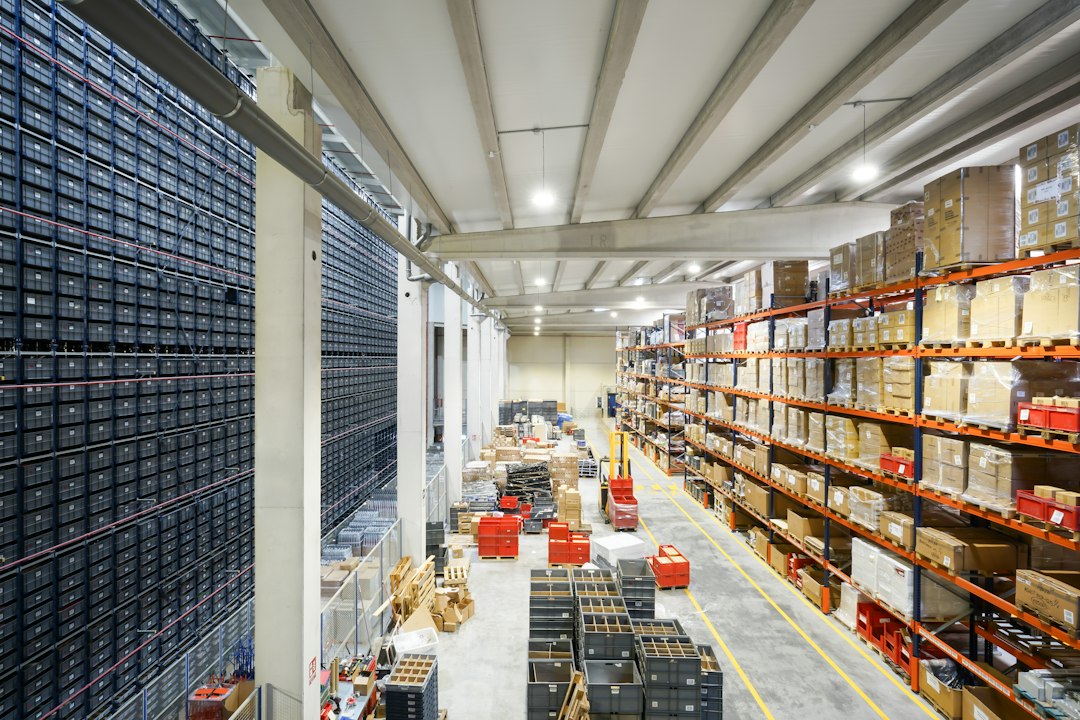
Warehouse Control Software: 10 Capabilities for Coordinated Warehouse Operations
Warehouse control software coordinates the movement of goods and equipment inside a warehouse, especially where conveyors, sorters, automated storage, or other material handling systems operate. It helps translate warehouse work instructions into equipment tasks and returns status information so the wider operation can respond.
It is often used alongside a warehouse management system (WMS), not as a replacement. This guide explains the role of a warehouse control layer, ten capabilities to evaluate, and the integration decisions that help keep warehouse operations reliable.
What does warehouse control software do?
A warehouse control system (WCS) manages and coordinates material handling equipment and the flow of work through automated areas. It may route cartons, release totes, balance conveyor zones, coordinate sortation, and report equipment status. A WMS typically manages inventory, orders, locations, and broader warehouse processes.
The exact boundary varies by supplier and architecture. Some products combine WMS, warehouse execution, and control capabilities. Therefore, define responsibilities before choosing software. The Oracle Warehouse Management guide describes warehouse processes such as inbound logistics, storage, outbound logistics, and task management, which illustrates the broader operational context.
10 capabilities to evaluate
1. Equipment connectivity
Check whether the platform can communicate with the conveyors, scanners, sorters, lifts, shuttles, robots, and programmable controllers in the facility. Ask which interfaces are supported and who maintains them. A successful demonstration should use equipment or realistic test signals similar to your environment.
2. Real-time task coordination
The system should receive work instructions and dispatch tasks in the right sequence. It may need to coordinate induction, routing, picking, sorting, and accumulation. Review how it prioritizes urgent orders and balances work across zones.
3. Routing and flow rules
Define how cartons or totes move through the facility. Rules may depend on destination, order priority, size, weight, carrier cutoff, or workstation capacity. Check whether operations staff can adjust approved rules without a risky software change.
4. Inventory and location confirmation
Automation needs accurate identification. Check how the system handles barcode scans, RFID reads, location confirmations, and mismatches. When a carton reaches an unexpected location, it should create a visible exception and preserve the transaction history.
5. Exception management
Failures are inevitable in physical operations. The software should detect jams, unavailable equipment, missing scans, damaged loads, full lanes, and canceled tasks. It should provide clear recovery instructions and record what happened.
6. Performance monitoring
Useful dashboards show equipment availability, throughput, queue length, cycle time, error rates, and bottlenecks. Make sure the metrics reflect the business process. A machine can report high uptime while orders still wait too long at a downstream packing station.
7. Integration with WMS and ERP
Define which system owns orders, inventory, item data, and shipment status. Agree on message formats, acknowledgements, retry behavior, and duplicate prevention. Test network interruptions and delayed messages rather than testing only the ideal flow.
8. Configuration and change control
Warehouse rules change as product mix, layout, and equipment evolve. Check whether the platform supports versioned configuration, approvals, test environments, and rollback. Keep a record of who changed routing rules and why.
9. Security and access management
Restrict administrative access, separate operator roles from configuration roles, and log important actions. Review vendor remote access and ensure it follows the facility’s security requirements. Protect interfaces that connect operational technology with business systems.
10. Support, resilience, and recovery
Ask how the system behaves when an interface, server, or equipment controller becomes unavailable. Define manual fallback procedures and recovery priorities. Confirm support hours, escalation paths, backups, and how updates are tested.
WCS vs WMS vs WES
| System | Typical responsibility | Key question |
|---|---|---|
| WMS | Inventory, orders, locations, receiving, picking, shipping | What work needs to happen? |
| WCS | Equipment control and material movement coordination | How should automated equipment move the load? |
| WES | Execution orchestration across people and automation | How should work be balanced across the operation? |
These definitions are common, but vendor product boundaries differ. Ask each supplier to map its functions to your processes and show where another system must take responsibility.
How to plan implementation
- Map the physical flow. Document inbound, storage, replenishment, picking, sortation, packing, and dispatch.
- Identify the control points. Mark where equipment receives a task, confirms a movement, or raises an exception.
- Define system ownership. Decide which application owns inventory, order status, and equipment instructions.
- Validate master data. Check item dimensions, weights, barcodes, locations, and routing attributes.
- Test normal and failure paths. Include jams, duplicate messages, network loss, missing scans, and manual recovery.
- Train operations teams. Explain dashboards, exception handling, escalation, and safe manual procedures.
- Measure after launch. Compare throughput, accuracy, and queue times with the baseline.
For broader warehouse planning, review Anomoz’s guide to standalone WMS systems and its article on inventory reconciliation.
Common selection mistakes
- Confusing WCS and WMS: Define the control boundary before comparing products.
- Ignoring downstream bottlenecks: Model the full flow, not only automated equipment speed.
- Testing only normal operation: Include exception and recovery scenarios.
- Leaving data ownership unclear: Establish one authoritative source for each key record.
- Underestimating support: Confirm who can troubleshoot software, networks, controllers, and equipment.
Frequently Asked Questions
Is warehouse control software the same as a WMS?
No. A WMS generally manages inventory and warehouse workflows, while WCS coordinates equipment and material movement. Some vendors combine capabilities, so confirm the functional boundaries.
Does a small warehouse need a WCS?
Not always. A facility with mostly manual processes may only need a WMS. A WCS becomes more relevant when automated equipment requires coordinated control.
What should warehouse control dashboards show?
They should show equipment status, throughput, queue length, exceptions, cycle times, and bottlenecks in a way that supports immediate operational decisions.
How does WCS connect to a WMS?
The systems exchange work instructions and status messages through agreed interfaces. The integration should handle acknowledgements, retries, duplicate prevention, and exception reporting.
Coordinate automation with clear system boundaries
Warehouse control software is most useful when it connects equipment behavior with warehouse priorities. Define the system boundary, validate data and interfaces, plan exception recovery, and measure the entire flow from order release to dispatch. That approach helps the warehouse use automation without losing operational visibility.
Build software around how your business works
Anomoz Softwares can help design connected warehouse and inventory workflows that fit your operation.



