
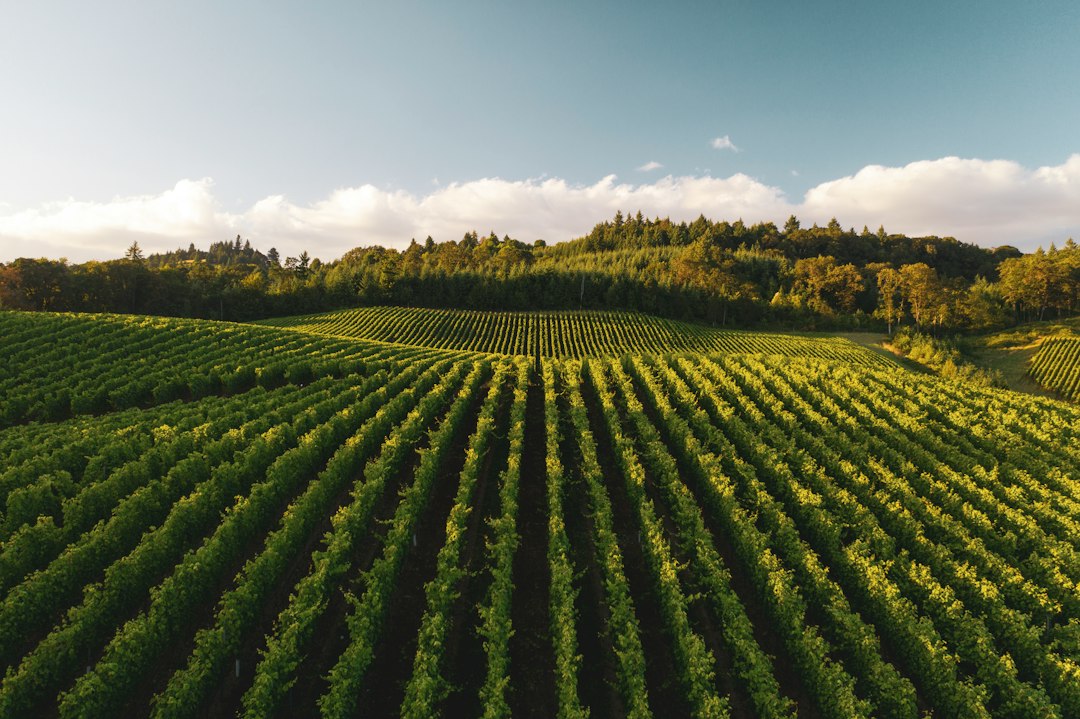
Vineyard Management Software: 9 Checks from Block Records to Harvest
Choosing vineyard management software starts with the vineyard block, not the finished bottle. The system should connect each block’s identity, observations, work, costs, and harvested fruit. That gives growers and managers a usable history for planning the season and handing fruit information to the winery.
This article explains nine selection checks, a sample harvest handoff, cost measures, and a practical pilot. It focuses on vineyard operations rather than cellar production or direct-to-consumer wine sales.
What should vineyard software keep together?
A block record identifies a defined growing area and its relevant characteristics. Activity records show what the team planned and completed there. Observations add field context, while harvest records connect the block to fruit delivered or received.
Those records serve different purposes, so keep them distinct but linked. For example, a planned crew task is not proof that the crew completed it. Likewise, an expected harvest quantity is not the same as an accepted scale weight.
Vintrace’s vineyard management overview describes field information, work planning, and cost visibility. Use those categories to frame a demonstration, then ask the vendor to model your actual blocks and harvest workflow.
If you also run a winery, Anomoz’s winery software guide covers related downstream work. The vineyard system should provide a clear handoff rather than duplicate every cellar function.
9 checks for vineyard management software
1. Stable block identities across seasons
Give each block a stable identifier and record relevant changes over time. Names can change, and a block may split or merge. The software should preserve the earlier season’s history rather than rewriting it under a new map.
Test one block that divides into two areas next year. Can the team retain the original harvest and cost records while planning future work on the new areas? A simple name field may not handle that relationship well.
Also define area units and measurement sources. A mapped boundary, planted area, and billable service area may differ. Label them so a cost-per-acre calculation uses the intended denominator.
2. Field tasks with planned and actual work
A work record should show the block, activity, date, responsible crew or contractor, and completion status. Add the information that changes a decision, such as equipment needs or access notes.
Keep estimates separate from actual hours and quantities. For instance, a six-hour plan may finish in eight hours because the work area changed. Record the reason where useful instead of quietly replacing the plan.
Recurring tasks can save entry time. However, copied instructions still need review for the current block and season. Do not carry forward a prior completion status or assume yesterday’s crew is working today.
3. Scouting observations that retain context
Record the observation date, block or point, crop stage where relevant, method, and supporting photos. Distinguish a field observation from a specialist diagnosis and from an approved treatment decision.
A photo can help, but it needs location and explanation. Meanwhile, consistent observation categories make seasonal comparisons more meaningful. Let the team add an unusual finding without forcing it into an inaccurate choice.
Software can organize evidence and follow-up. It should not replace the appropriate agronomic judgment or product instructions when the team decides what action to take.
4. Resource and application records with clear units
Vineyard work can involve products, water, labor, and equipment. Use explicit units and distinguish a total quantity from a rate per area. Otherwise, an imported number may have a very different meaning from the one the field user intended.
Test a correction and a canceled task. The history should show what changed rather than leaving a completed-looking record for work that never occurred. Also ask which fields the team can require for particular activity types.
Where regulated records apply, define requirements with the responsible adviser and current local rules. A vendor’s general compliance feature does not establish that your configured process meets every obligation.
5. Labor and contractor costs by activity
Record labor hours and contractor charges against the correct block and task. Keep the charging basis visible, whether the quote uses hours, area, or a fixed amount.
For a fictional example, a task incurs $900 of labor and $300 of equipment allocation across a three-acre block. The recorded task cost is $1,200, or $400 per acre on that area basis. It does not represent the whole season’s growing cost.
Separate direct costs from allocated overhead. Otherwise, two reports may show different block costs simply because one includes shared expenses and the other does not.
6. Harvest planning and bookings
Track expected dates, blocks, destinations, crews, and estimated quantities. Next, distinguish a provisional plan from a confirmed booking. Harvest arrangements can change, so the team needs a shared current view.
Test a partial harvest and a split delivery. One block may send fruit to more than one destination, or one booking may receive several loads. Stable booking and load IDs help preserve those relationships.
Do not overwrite expected weight with actual weight without retaining both. Comparing plan and result can help improve future planning, provided the team understands why the numbers differ.
7. A reliable winery intake handoff
Decide which system creates the booking, which records scale information, and which owns the final accepted intake. Then map the fields and units between them.
Vintrace’s AgCode integration documentation describes separate fruit-booking and fruit-intake transfers. It also stresses matching key identifiers. This illustrates why integration needs more than a shared block name.
Test duplicate transfers, a corrected weight, and a temporarily unavailable connection. The receiving system should not create a second load every time the sender retries an update.
8. Mobile access and useful offline behavior
Test tasks and observations on the devices the crew uses. If weak signal is normal, check the exact fields, maps, photos, and reference files available offline.
Next, reconnect and inspect the result. Users should know which entries remain unsent and whether a conflict needs review. A generic claim of offline access may cover only part of the workflow.
Also check contractor access. An outside crew may need assigned tasks without seeing every block’s commercial information. Use separate accounts during the trial to verify those boundaries.
9. Exports, permissions, and system ownership
Export a season’s block, work, cost, observation, and harvest records. The files should preserve stable IDs and useful relationships, not just an attractive summary report.
Define who maintains block data, approves corrections, and controls access. Also review backup recovery, staff departures, data ownership, and contract exit arrangements.
For a distinctive grower-to-customer workflow, custom crm development may help connect relationship records and operational handoffs. First check whether a supported integration already meets the need.
A worked harvest handoff
Imagine a fictional grower planning fruit from Block V-07 for one winery. The manager creates a provisional booking with an expected quantity and date. The winery receives the booking under the agreed identifier.
On harvest day, two loads leave the block. Each load keeps a separate reference, while both link to the original booking. Next, the receiving team records the actual intake using the agreed weighing process.
One load’s weight later needs correction. The team updates the existing intake and preserves the reason and review history. It does not create a fresh load to avoid editing the first record.
Meanwhile, the vineyard manager compares expected and received quantities. That comparison can reveal a planning difference, but it does not explain the cause by itself. The manager reviews the relevant field and load records before drawing conclusions.
Compare planned and actual costs carefully
Useful reports show cost by block, activity, season, and contractor. However, the categories need consistent definitions. A report that mixes pruning labor with several unrelated activities can hide the work that changed.
Also distinguish incomplete costs from low costs. A block may look inexpensive because a contractor invoice has not arrived. Mark provisional totals so managers do not compare them with fully posted records.
Anomoz’s farm management software guide discusses broader planning and records. Use a shared approach to cost codes where it helps, while retaining vineyard-specific block and harvest detail.
What to measure during a pilot
Choose measures tied to the problem you want to solve. For example, track missing task records, time spent retyping intake information, unresolved load mismatches, and the time needed to assemble a block history.
Do not treat software adoption as proof of better fruit quality or higher yield. Weather, site, practices, and many other factors affect outcomes. The pilot can show whether records and handoffs improve.
For a fictional capacity example, saving five minutes on each of 60 weekly record transfers creates five hours of administrative capacity. That is not automatically a cash saving, and it excludes the effort needed to maintain the integration.
A practical season pilot
- Select a few blocks with normal work and at least one realistic exception.
- Clean block IDs, area units, contractor details, and task categories.
- Enter a planned task, a completed task, and a corrected observation.
- Test offline entry and supervisor review.
- Run a harvest booking with split loads and a correction.
- Export the records and compare them with the source documents.
Include the grower, field supervisor, office team, and winery contact where relevant. Each sees a different handoff. A tool that works for office reports may still create too much typing in the vineyard.
Agree on a fallback for outages and a process for entering those temporary records later. This helps prevent duplicate work when normal service returns.
Pricing and migration questions
Ask whether the quote depends on area, users, sites, modules, or transaction volume. Include setup, maps, data cleaning, mobile access, integration, training, and support.
Start migration with current blocks and the history needed for the first season. Do not import every old spreadsheet without reviewing names, units, and duplicate records. Mark uncertain information rather than presenting it as verified.
Also ask how the supplier supports the busiest period. A general support promise may not explain availability during harvest. Put critical support and recovery expectations in writing.
Common buying mistakes
One mistake is buying cellar software and assuming it will cover detailed field work. Another is selecting a map-first tool without checking tasks, costs, and harvest records.
Teams also underestimate identifier cleanup. Two systems can both contain “North Block” and still refer to different areas. Finally, avoid automating a transfer until the source and correction process are clear.
Frequently Asked Questions
Is vineyard software the same as winery software?
No. Vineyard software focuses on growing areas and field work. Winery software handles downstream production and related records. Some platforms connect both.
Can a small vineyard keep using spreadsheets?
Yes, if records remain clear and manageable. Consider a dedicated tool when several people, contractors, or harvest destinations make updates and handoffs unreliable.
Does the software make agronomic decisions?
It can organize data and support review, but responsible people still need to assess conditions and make suitable decisions using the relevant guidance.
Choose around the block-to-harvest record
Good vineyard management software connects stable block identities with actual work, costs, and fruit movement. Test those connections with a small season pilot and realistic corrections. Then expand when both field and office teams can trust the same history.



