
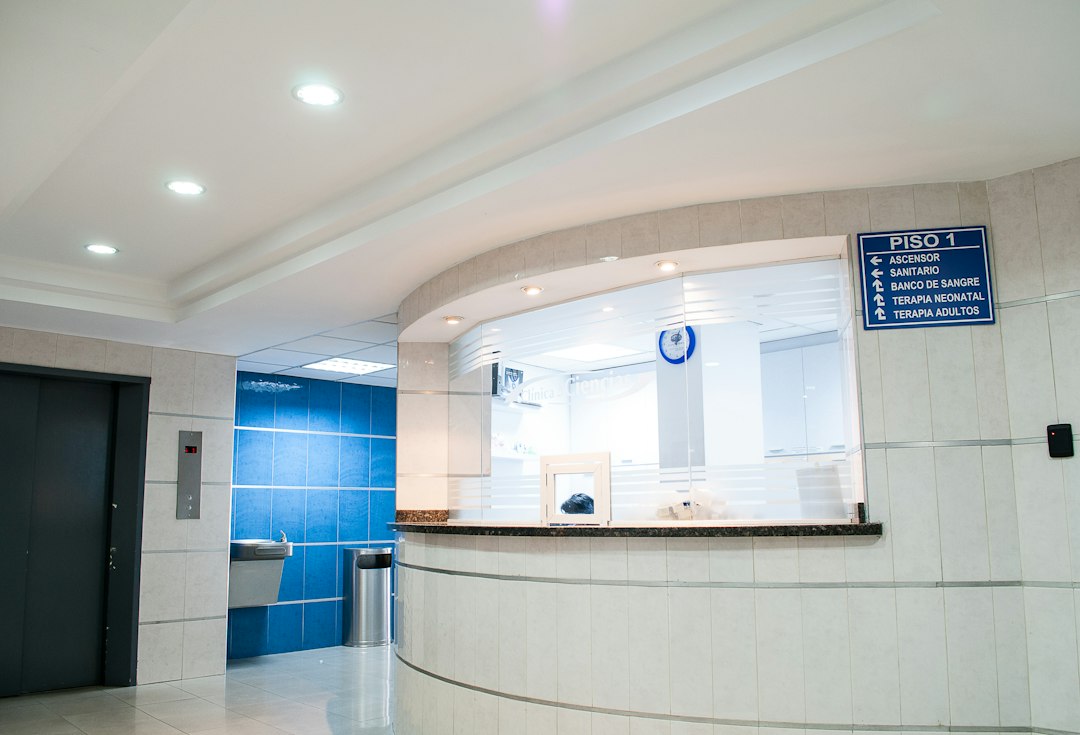
Urgent care EHR: Follow a Walk-In Visit from Registration to Result Follow-Up
An urgent care EHR supports the clinical record around a walk-in visit and its follow-up. It often connects with registration, queues, orders, results, and billing. The strongest test is whether staff can follow the same encounter across those steps without losing ownership of unfinished work.
Start with the clinic’s actual workflow. This article explains what to inspect in an EMR for urgent care, how to test interfaces and corrections, and why a completed visit should not hide a result that still needs review.
Choose an urgent care EHR for the whole encounter
Urgent care work does not end when a person leaves the building. Documentation, results, communication, and financial review may remain open.
Therefore, map the journey from arrival to the last responsible action. Give each stage an owner and define what the system status means.
For example, Experity describes an urgent care EMR and practice management platform. Its product scope shows why buyers should assess both the clinical record and the operating handoffs, rather than charting alone.
Also involve the people who perform the work. Reception, clinicians, support staff, billing, and interface administrators may see different problems in the same trial.
Match the patient before creating more records
A busy walk-in desk needs a practical patient search and verification process. Test how staff locate an existing person and avoid creating a duplicate record.
Next, inspect differences in names, contact details, or demographic fields. The software should support a reviewed correction process without encouraging staff to guess which record belongs to the person.
Also distinguish patient identity from an insurance or payment match. One successful check does not establish that every other field is correct.
For example, a returning person may have a new phone number or payer. Staff should update the suitable detail while keeping the encounter history and the reason for the change.
Then ask how the system handles a duplicate that the team finds later. Review permissions, record links, and the effect on results and billing.
Keep queue status operationally clear
A useful queue shows where a person sits in the clinic’s workflow and what the team needs to do next. Avoid status labels that combine several different events.
For example, checked in, ready for a room, in progress, and discharged can mean different things. Agree definitions before comparing time reports.
Also test appointment and walk-in arrivals together if your clinic uses both. The system should reflect your operating rules without treating an online booking as a clinical priority decision.
Clinical staff must define assessment and escalation processes. Software can support visibility and communication, but a place in a queue should not substitute for that professional process.
Next, inspect handoffs between roles. A status change should reach the intended team, and staff should know how to correct an accidental move.
Test charting with an actual documentation task
Ask clinicians to use a fictional encounter that resembles the clinic’s work. Let them enter details, review prior records, and complete the note through their normal process.
athenahealth’s urgent care offering provides another example of software designed around this setting. Verify the proposed setup directly rather than assuming a specialty label guarantees a fit.
Also review templates and copied content. Staff should be able to see what they entered for the current visit and what came from another source.
Next, test amendments. The system should keep the relevant history and make the author and timing clear through the available record controls.
If the product offers AI-assisted notes, inspect the review step. A fluent draft still needs the clinician to verify that it reflects the encounter. Do not treat generated text as an approved record by default.
Trace orders and results across the interface
An order may leave the EHR through a connected service and return with a result. Test that full journey, including the identifiers that keep it linked to the correct patient and encounter.
First, confirm the destinations and services your clinic actually uses. A broad interoperability claim does not prove that a particular interface supports your workflow.
Then use a supported test to send an order and receive a result. Ask staff to find it from both the patient record and the work queue.
Also test corrections and duplicates. A revised result should not sit beside the earlier version without clear context. Staff need to know which details requires action.
Finally, check failures. If the order does not transmit or the result does not match, give the exception a visible owner and a recovery process.
Do not confuse result receipt with follow-up completion
A result arriving in an inbox is one event. A clinician reviewing it, deciding the next step, and completing the suitable communication are other events.
Therefore, ask the vendor to show those stages separately. The clinic should define the duties and escalation rules.
For example, a result may arrive after the original clinician’s shift. The system needs a workable coverage process so the item does not depend on one person’s next login.
Also test an unsuccessful contact attempt. Staff should record the action and next step through the clinic’s process rather than mark the task complete merely because they sent one message.
The broader record and task questions in patient management software can support this review. Keep clinical decisions and responsibility clear within the urgent care workflow.
Keep discharge details tied to the current encounter
Discharge outputs should match the reviewed record and the instructions staff intend to provide. Ask how the system produces, updates, and records delivery of those materials.
Also inspect language and accessibility needs relevant to your patient population. A document available in the platform may still be hard for the recipient to use.
Next, test a correction after staff prepare the output. The old version should not continue through a queued message without a clear review.
For multi-location organizations, agree who maintains templates and approves updates. Otherwise, clinics may drift into inconsistent versions without realizing it.
Make billing a traceable handoff
The clinical record, charge capture, claim preparation, and payment process need clear boundaries. Staff should know which details supports the next financial step and who reviews exceptions.
For example, a clinician may finish a note while a billing item remains unresolved. The system should make both statuses visible without implying they are the same event.
Also test changes after charge review. Ask how the platform records corrections and notifies the right team when a change affects an already-started financial process.
Next, inspect reconciliation reports. The team should be able to trace an encounter through the suitable charges and downstream status rather than rely only on a daily total.
Keep coding and payer decisions with qualified staff and current requirements. This software review should confirm workflow support, not assume a template guarantees payment.
Run a complete visit and an unfinished follow-up
Use fictional records in an authorized test environment. Choose a scenario that includes a returning patient, a queue change, an order, and a later result.
- Find the existing patient and review a changed contact detail.
- Create the encounter and complete sample registration.
- Move the visit through the clinic’s queue stages.
- Enter and review a sample note.
- Send a test order through the intended interface.
- Complete the visit’s immediate outputs.
- Receive the result after a staff handoff.
- Assign review and record the agreed follow-up actions.
- Inspect the billing handoff and export the record.
Then introduce one failure, such as an unmatched result or an unavailable connection. Ask each team to explain its next action. That reveals whether the workflow remains usable when the ideal path breaks.
Review access and downtime in practical terms
Set roles around actual duties. A front-desk user, clinician, billing specialist, and administrator need different levels of details and control.
Also test shared workstations and session handling. Staff need a practical sign-in process that does not encourage shared credentials or leave private records open.
Next, ask the supplier to explain backups, recovery, and service interruptions. The clinic should maintain a downtime process and a way to reconcile work afterward.
For any tailored connection, review the planning questions in custom healthcare software development. Define data purpose, ownership, and failure handling before implementation.
A security feature list alone does not establish compliance for the entire clinic. Have the responsible team review the contracts, setup, and applicable obligations.
Plan migration around ongoing care and open work
Start with the records staff need to continue work safely and accurately. Include active patients, relevant history, open orders, unresolved results, and financial items according to your migration plan.
Then inspect a sample import. Verify relationships between people, encounters, attachments, and results. A matching record count does not prove those links survived.
Also decide how staff will access details that stays in the old system. Train them on the search path and the limits of the new view.
Before cutover, reconcile open work and assign owners. Unfinished items need a deliberate home rather than an assumption that the migration will recreate every queue.
Compare cost with the work your clinic performs
Include users, locations, interfaces, devices, messaging, implementation, data migration, training, and support. Ask which modules and services require separate agreements.
Also request a support trial using a realistic interface problem. Clarify which supplier investigates each part and how staff escalate an urgent operating issue.
Finally, measure the pilot across documentation quality, missing handoffs, unresolved items, and staff effort. Faster charting matters, but the complete encounter needs a reliable next step.
Test multi-location work without losing context
If the organization operates several clinics, ask which records and queues staff share. A common patient chart does not automatically create a common follow-up process.
For example, a person may attend another location while an earlier result still needs review. The system should help authorized staff find the relevant context and keep a clear owner for the open work.
Next, test staff covering another clinic. Confirm the records they can view, the tasks they receive, and the permissions that change with the assignment.
Also compare local templates and shared templates. Give updates an approval process so one clinic’s change does not unexpectedly alter another team’s workflow.
Use time reports with defined milestones
A throughput report depends on the events the system records. Agree the meaning of arrival, registration completion, room entry, clinician start, and discharge before comparing totals.
Then inspect a sample visit and its timestamps. An accidental status change can distort a report even when the underlying care record remains correct.
Also review what the report excludes. A person who leaves before completion or a record that staff reopen may require separate interpretation.
Finally, examine time alongside record quality and unresolved work. A shorter visit duration should not conceal missing notes, unclear handoffs, or an unreviewed result queue.
Frequently Asked Questions
Is an EMR for urgent care different from a general EHR?
Products may share core records, but urgent care often needs strong walk-in, queue, interface, and follow-up workflows. Test those tasks rather than relying on the label.
What should we check about laboratory interfaces?
Trace a test order and result, then inspect revisions, matching errors, and failed transmission. Confirm who owns each exception and the clinical review process.
Does discharge close every task?
No. Results, documentation review, communication, and billing may remain open. Keep those duties visible after the person’s immediate visit ends.
Choose for a complete encounter
A useful urgent care EHR keeps the visit and unfinished work connected. Test registration, charting, interfaces, follow-up, and billing with the actual teams. Select the setup that makes each record and responsibility clear.
Scope reliable clinic connections
Anomoz Softwares can help plan operational tools and integrations around your clinic’s systems and review duties.



