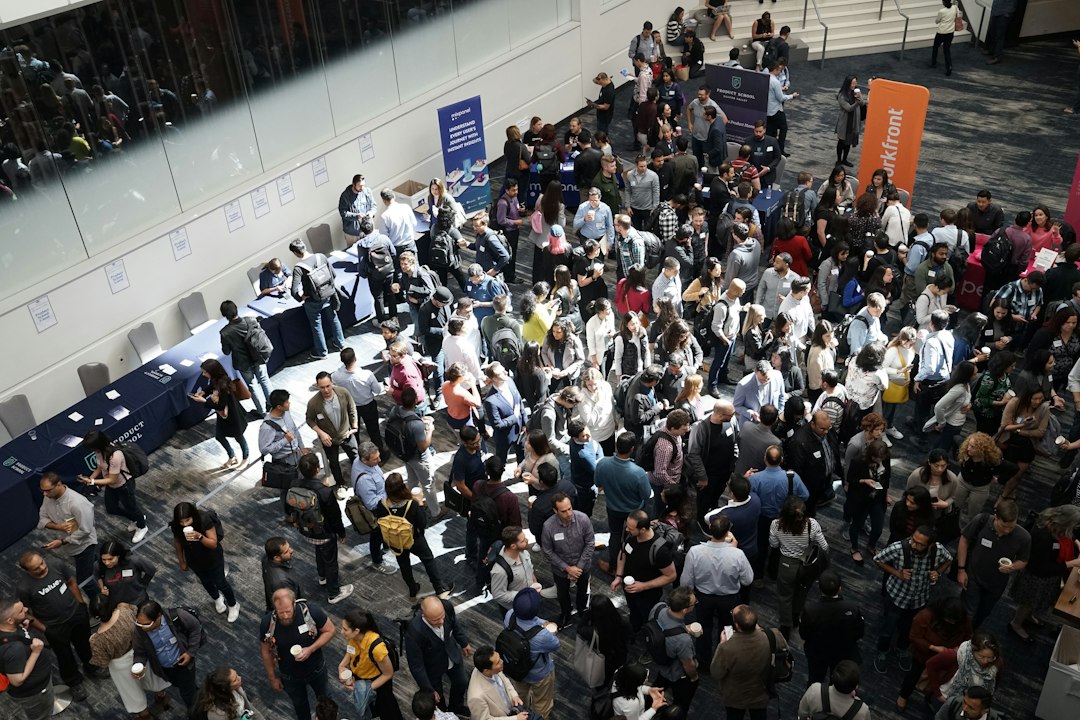
Trade Show Management Software: 9 Workflows From Booth Sales to Follow-Up
Trade show management software connects the work behind an exhibition: selling space, onboarding exhibitors, managing booth data, registering people, and handling activity at the venue. The right system keeps those records consistent as the event changes.
Before comparing tools, decide whose work you need to manage. An organizer runs the show, while an exhibitor manages its own presence and leads. This guide focuses on the organizer’s process, with nine workflows to evaluate and a practical way to test the handoffs before opening day.
Choose the right scope for your show
Exhibition management software can cover very different needs. One tool may specialize in floor plans and booth sales. Another may focus on registration, an event app, or exhibitor lead capture. A product label does not tell you where the workflow ends.
Map Your Show’s floor plan software overview illustrates layout and booth-assignment functions. Cvent’s exhibitor management learning center describes the tasks and communications around exhibitors. These are distinct parts of the show lifecycle, so test their connection rather than assuming one module covers both.
Start by listing your event’s record types. These may include exhibitor organizations, contacts, booths, packages, badges, invoices, assets, and leads. Give each a clear relationship to the event edition.
Also keep organizer and exhibitor access separate. A company managing its booth should not see another exhibitor’s private contacts, payments, or lead records.
1. Sell booth space without clashing holds
Booth availability needs a clear state, such as available, held, contracted, or unavailable. Define when a hold expires and who can override it. A colored floor-plan shape alone is not a complete sales record.
For example, a sales typical may hold a booth while the exhibitor reviews a package. Another typical should see that hold and its expiry, rather than promise the same space to a second company.
Test combined booths, split spaces, and a company booking more than one location. The contract and floor plan should remain aligned when the layout changes.
Also record commercial terms separately from the visual map. Discounts, deposits, payment schedules, and included services need traceable records that finance and operations can understand.
2. Onboard the exhibitor organization once
An exhibitor may have a sales contact, finance contact, on-site manager, and agency partner. The system should connect these people to the same organization without treating each as a separate booth booking.
Use role-based access within the exhibitor portal. A finance contact may need invoices, while a designer uploads logos and profile assets. Not everyone needs permission to change the contract.
Next, handle returning exhibitors carefully. Carry useful company data forward, but confirm what applies to the new show. Old badges, booth numbers, or sponsor benefits should not transfer by accident.
Test a contact change close to the event. The new person should gain the right access while the old person’s permissions end according to your process.
3. Collect forms, assets, and service requests
Exhibitors often need to submit logos, descriptions, staff lists, and operational data by different deadlines. A task list should show what is due, who owns it, and whether staff accepted the submission.
Separate “uploaded” from “approved.” An image may have the wrong dimensions, or a form may lack a required detail. The exhibitor needs a clear correction request, not just a completed tick.
For service requests, identify the responsible supplier. Power, furniture, internet, and freight handling may involve different parties. Show whether the portal records the request or confirms delivery of the service.
Use reminders that reflect task state. A company that submitted an asset should not keep receiving the same generic chase email while it waits for organizer review.
4. Keep the floor plan and public directory aligned
Booth moves can affect wayfinding, exhibitor listings, signs, and sales records. The system should keep the booth identity stable even when the location or company assignment changes.
Test the update across every public output. A directory may refresh quickly while a printed sign file still holds the old number. Your team needs a process for identifying those differences.
Also distinguish design tools from venue approval. A software layout does not by itself confirm that the floor plan meets venue, access, or event needs. Route the plan through the people responsible for those decisions.
If you also manage meeting rooms, keep them linked to the correct schedule. Your venue booking process can help avoid conflicts between show activity and room commitments.
5. Issue badges with clear entitlements
A badge identifies a person, but access depends on their role and package. Staff, exhibitors, attendees, speakers, and contractors may need different permissions or dates.
Define what each badge permits. For example, exhibitor setup access may begin before attendee entry. A staff badge may allow entry without granting access to a paid session.
Test replacements, changed names, and a person registered under two roles. The system should avoid duplicate identities while preserving the right access. Also decide how a revoked badge behaves at a scanner.
At the venue, staff need a clear fallback when a device or network fails. The fallback should preserve enough identity and transaction history to match later.
6. Run check-in and on-site support
On-site work brings incomplete registrations, forgotten confirmations, last-minute staff changes, and urgent exhibitor questions. Test those cases before the show, not while a queue builds.
Agents should find a person or organization quickly using several reliable fields. A misspelled name should not force a new registration if an existing record can be confirmed another way.
Keep support requests linked to the booth and owner. If a company reports a missing service, the operations team needs a queue and a next update, rather than a message lost in a group chat.
For rented equipment or kits, connect custody and return records. An event rental inventory workflow can support availability and handover without making a badge system carry the entire asset process.
7. Capture leads with useful context
Lead capture matters to exhibitors, but scanning a badge does not automatically create a qualified opportunity. The record needs context such as interest, notes, requested action, and the person responsible for follow-up.
Define what data the exhibitor receives and how attendees understand the exchange. Keep lead ownership and access clear, especially when several staff members scan the same visitor.
Also test duplicate scans and offline capture. The system should preserve useful notes without creating several clashing records for one interaction.
When exporting to a CRM, keep the event and exhibitor context. Your CRM integration plan should define field mapping and safe retries so a repeated sync does not create duplicate contacts.
8. Reconcile charges, changes, and payments
Event revenue may include booth space, sponsorships, add-ons, and badge packages. A reporting view should separate those items and preserve the terms attached to each sale.
Test a booth move with a price change, a canceled add-on, and a partial payment. Finance should be able to trace the latest balance to approved changes.
Do not assume that a successful payment means every operational task is complete. A fully paid exhibitor may still owe assets or forms. Conversely, an operationally ready booth may have an unresolved balance.
Connect the financial status to a defined policy. The system can flag exceptions, but staff need clear rules for what happens next and who can approve an override.
9. Review outcomes that support the next show
Start with clear definitions for attendance, exhibitors, booth sales, and lead activity. Registrations and actual check-ins are different counts. Likewise, scanned leads do not equal won business.
Report task completion and on-site issues as well as sales totals. These help the organizer improve the exhibitor experience and identify where staff spent time fixing avoidable problems.
For returning shows, preserve the event edition. A company may attend several years, but each year’s contract, booth, and outcomes need a separate record linked to the organization.
Then assign actions for the next cycle. Better instructions, changed deadlines, or a clearer portal may solve more than adding another feature.
A realistic change scenario to test
Imagine a hypothetical exhibitor that books a standard booth and later upgrades to a larger space. It also changes its on-site contact and adds two staff badges. This single scenario tests several connected records.
First, change the commercial booking and inspect the updated floor plan. Next, check the public directory, invoice, included benefits, and exhibitor task list. The system should show what changed without erasing the earlier agreement.
Then replace the contact and issue the new badges. Confirm that the right people receive messages and that old access behaves as intended. Finally, check what appears in the organizer’s reports.
If staff need to retype the same change in several tools, record that work as part of the buying decision. A connector may solve it, or the platform’s data model may not fit your show.
A pilot and opening-day readiness plan
Run a small mock event with staff acting as exhibitors, attendees, and on-site agents. Include a booking, asset rejection, booth move, badge replacement, offline scan, and payment correction.
Ask each role to work from its own view. This exposes access and usability issues that an administrator’s demo can hide. Also test how a coordinator finds and resolves failed updates.
Before opening day, confirm device access, printer setup where used, fallback procedures, and support ownership. Keep a short list of the systems and people needed for each critical task.
Price the whole event cycle, including setup, on-site hardware, lead capture, integration, support, and exports. Check whether fees depend on events, exhibitors, attendees, or users.
If your organizer CRM needs unusual sponsor and exhibitor relationships, custom crm development may help connect the process. Start with the missing handoffs and keep the event team involved in testing.
Give every public update a publishing owner
Trade show data often appears in a portal, event app, public directory, signage file, and printed material. These outputs may not update together. Assign someone to confirm what becomes public and when.
First, identify which fields exhibitors can edit directly and which need review. A company description may follow a different process from a booth assignment or sponsor tier. Keep draft and published states clear.
Next, test a late correction after a print deadline. Staff should know which outputs can still change and which need an on-site workaround. The system should not imply that saving a record replaced every physical sign.
Also keep a short change log for high-impact updates. The operations team may need to know that a booth moved, while marketing needs the new public listing. Route each update to the right owner instead of sending everyone every change.
Finally, inspect the attendee view on an ordinary phone. Search for the exhibitor, open the map, and check the booth number. That end-user test confirms whether the published data supports navigation at the show.
Frequently Asked Questions
Is trade show software the same as an event registration tool?
Not always. Registration may cover people and badges, while trade show operations also need booth sales, exhibitor tasks, floor plans, and supplier coordination. Check the actual modules.
Can exhibitors manage their own data?
Many products offer a portal, but permissions and review steps vary. Test uploads, contact roles, corrections, and public publishing before giving exhibitors access.
Should we judge success by the number of scanned leads?
Use scans as one activity measure. Qualification, requested follow-up, and later outcomes provide more context. Keep those stages separate so reports do not imply more than the data shows.
Choose software that keeps changes connected
Good trade show management software keeps booth sales, exhibitor tasks, people, and on-site activity aligned. Test realistic changes across the whole cycle. Then choose the setup your team can operate when the venue gets busy.