
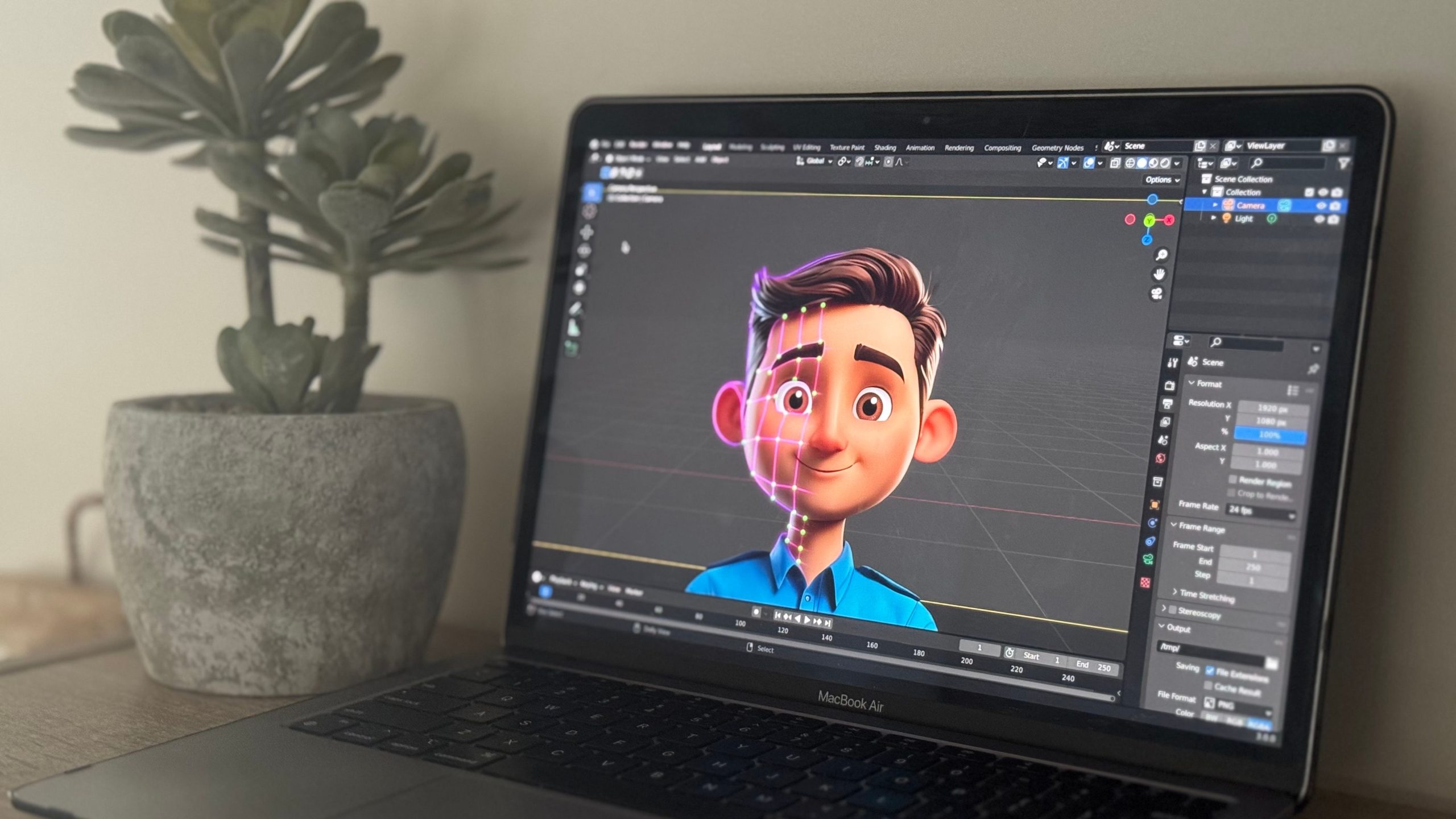
The Ultimate Guide to the Best Animation Software
Animation has become a vital part of storytelling, marketing, entertainment, and education. Whether you are an aspiring animator, a professional filmmaker, or a content creator, choosing the best animation software can elevate your work to new heights. This blog will guide you through the top animation software options available, including popular free animation software for those starting out or on a budget. Additionally, we will explore how custom CRM development can support animation studios and freelancers in managing projects and clients efficiently.
Why Animation Software Matters
Animation software provides the tools necessary to breathe life into characters, objects, and stories through motion and effects. From 2D hand-drawn animation to 3D modeling and motion capture, software solutions offer a range of capabilities tailored to different styles and expertise levels.
Benefits of Using the Best Animation Software
- Streamlined Workflow: Integrated tools for drawing, rigging, rendering, and editing save time.
- High-Quality Output: Advanced software produces professional-grade animations with smooth motion and effects.
- Creative Freedom: Powerful features allow animators to bring unique visions to life.
- Collaboration: Cloud-based and team-friendly platforms facilitate collaboration on large projects.
- Learning Resources: Top software often includes tutorials and community support.
- Cost Efficiency: Free and affordable options make animation accessible to everyone.
Key Features to Consider in Animation Software
Choosing the best animation software depends on your goals and experience. Here are essential features to look for:
1. User Interface and Ease of Use
A user-friendly interface reduces the learning curve, especially for beginners.
2. Animation Techniques Supported
Consider whether you need 2D, 3D, stop-motion, or motion graphics capabilities.
3. Drawing and Rigging Tools
Powerful drawing tools and easy rigging options help create fluid animations.
4. Rendering Quality and Speed
Look for software that offers high-quality rendering with efficient processing times.
5. Export Formats and Compatibility
Ability to export animations in various formats compatible with your distribution platforms.
6. Integration with Other Software
Seamless integration with video editing, sound design, and graphic tools enhances the workflow.
7. Cost and Licensing
Evaluate pricing plans and whether free versions offer enough features for your needs.
You can also have a look at Best data visualization software
Top Best Animation Software
Here are some of the best animation software tools widely used by professionals and hobbyists alike.
1. Adobe Animate
Adobe Animate is a leading 2D animation software favored for its robust drawing tools and timeline control.
- Supports vector-based animation for crisp graphics.
- Integrates with the Adobe Creative Cloud suite.
- Suitable for web animations, games, and cartoons.
- Offers frame-by-frame animation and motion tweens.
2. Blender
Blender is a powerful free animation software that covers 3D modeling, rigging, animation, rendering, and even video editing.
- Open-source and regularly updated by a large community.
- Supports sculpting, texturing, and motion tracking.
- Ideal for 3D animation, visual effects, and game design.
- Extensive tutorials and plugins available.
3. Toon Boom Harmony
Toon Boom Harmony is a professional-grade software used in TV shows and films for 2D animation.
- Advanced rigging and deformation tools.
- Supports both frame-by-frame and rig-based animation.
- Comprehensive drawing and painting tools.
- Strong compositing and effects integration.
4. Synfig Studio
Synfig Studio is a free and open-source 2D animation software ideal for beginners and intermediate users.
- Vector tweening reduces manual frame drawing.
- Supports layers, filters, and bones for animation.
- Cross-platform compatibility (Windows, macOS, Linux).
- Large community and tutorial resources.
5. Autodesk Maya
Maya is an industry-standard 3D animation software used extensively in film, TV, and games.
- Comprehensive modeling, rigging, and animation tools.
- High-end rendering with Arnold.
- Supports motion capture and dynamics simulations.
- Steep learning curve but powerful capabilities.
6. Pencil2D
Pencil2D is a lightweight, free animation software focused on traditional hand-drawn 2D animation.
- Minimalist interface for quick sketching and animation.
- Supports raster and vector workflows.
- Easy to learn for beginners.
- Available on multiple operating systems.
You can also checkThe Ultimate Guide to the Best Landscaping Software
Exploring Free Animation Software Options
For those starting out or working on a budget, several free animation software choices provide essential features:
- Blender: Full 3D suite with professional capabilities.
- Synfig Studio: Great for vector-based 2D animations.
- Pencil2D: Simple for hand-drawn animations.
- OpenToonz: Open-source software used by studios for 2D animation.
- Krita: Primarily a digital painting tool but includes animation features.
These free tools are excellent for learning and small projects, with many offering the ability to upgrade or add features as needed.
How Custom CRM Development Can Benefit Animation Studios and Freelancers
While software handles the creative side, managing clients, projects, and deadlines requires robust organizational tools. This is where custom CRM development can make a significant impact.
Advantages of Custom CRM for Animation Professionals
- Client Relationship Management: Track communication, preferences, and contracts.
- Project Tracking: Monitor project status, deadlines, and milestones.
- Resource Allocation: Manage teams, schedules, and budgets efficiently.
- Invoice and Payment Management: Streamline billing and payment processes.
- Marketing Automation: Automate newsletters, promotions, and follow-ups.
- Integration: Connect CRM with animation project management tools for seamless workflows.
Custom CRM solutions tailored to animation businesses help reduce administrative overhead and improve client satisfaction. For personalized systems that fit your unique needs, explore custom CRM development.
How to Choose the Best Animation Software for Your Needs
Selecting the ideal animation software involves considering multiple factors:
Define Your Animation Style and Goals
Decide whether you need 2D, 3D, stop-motion, or motion graphics capabilities based on your projects.
Assess Your Experience Level
Beginners may prefer intuitive and free software, while professionals often require advanced features.
Evaluate Your Budget
Factor in software costs, hardware requirements, and potential subscription fees.
Check Compatibility
Ensure the software works on your operating system and integrates with other tools you use.
Consider Learning Resources and Support
Look for software with tutorials, active communities, and responsive support.
Try Free Trials and Demos
Test software usability and features before committing.
Trends in Animation Software
The animation industry continues to evolve rapidly. Here are some key trends shaping the future:
AI-Assisted Animation
Artificial intelligence helps automate inbetweening, lip-syncing, and motion capture clean-up.
Cloud-Based Collaboration
Teams can work together in real-time on cloud platforms, improving remote workflows.
Real-Time Rendering
Advances in GPU technology allow animators to see near-final renders instantly.
VR and AR Animation
Virtual and augmented reality open new frontiers for immersive animation experiences.
Procedural Animation
Using algorithms to generate animations dynamically for games and simulations.
You can also checkThe Ultimate Guide to the Best Landscaping Software
Conclusion
Choosing the best animation software is vital for creating compelling, professional-quality animations. Whether you opt for powerful paid tools like Adobe Animate, Toon Boom Harmony, or Autodesk Maya, or explore top free animation software such as Blender and Synfig Studio, the right software can transform your creative process.
Pairing your animation projects with custom CRM development can streamline business management, helping studios and freelancers focus more on creativity and less on administration.
For tailored software solutions that support both your creative and business needs, consider exploring expert custom CRM development services.
Embrace the power of technology and bring your animation ideas to life with precision, efficiency, and creativity.



