
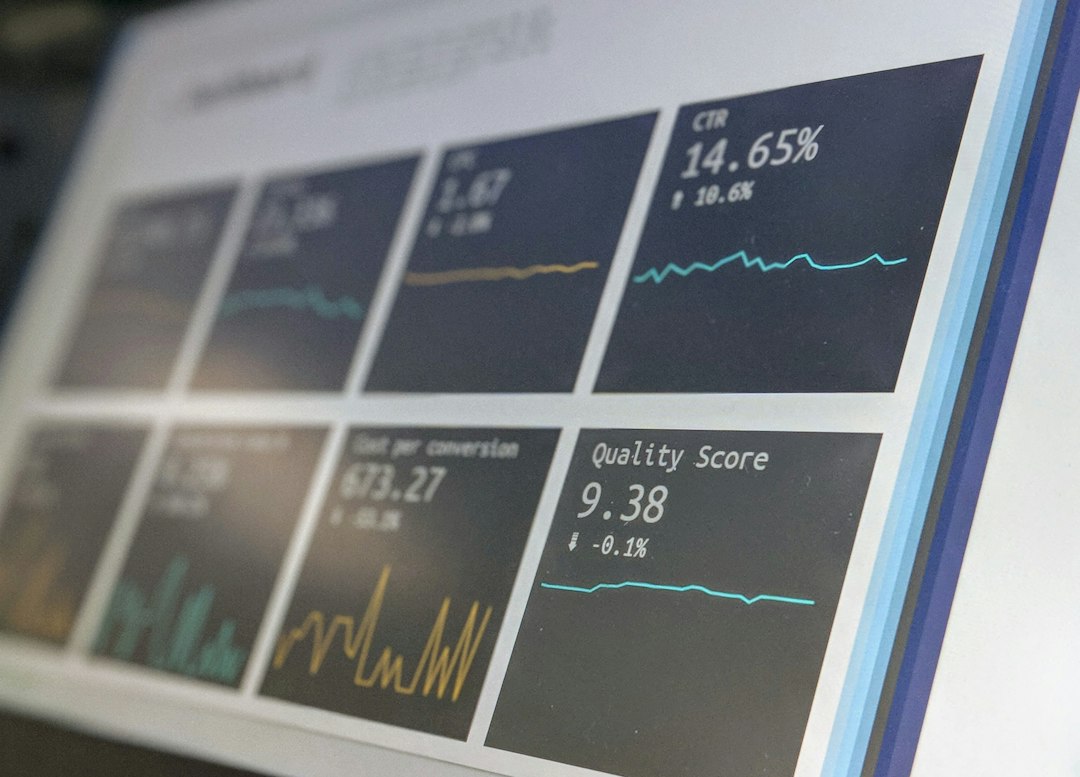
Software Performance Testing: 8 Steps to Find Limits Before Users Do
Software Performance Testing measures how an app behaves under a defined workload. It helps a business assess response times, errors, throughput, and resource use before users face slow or failed tasks. The goal is to find useful limits and bottlenecks under conditions that resemble actual work.
This article explains eight steps for app performance testing, the main test types, and how to interpret results. It also covers workload design, test data, environment limits, and a worked example for a business portal. You do not need to write test code to understand what a good test plan should show.
What performance testing measures
Performance testing asks whether users can complete key tasks at the required load. It differs from functional testing, which checks whether a task produces the right result. However, both matter: a fast error page is not a successful workflow.
Grafana k6’s metrics documentation explains how metrics provide different views of performance. Common measures include request duration, failed requests, and iteration or transaction timing. Choose measures that reflect the business task rather than collect numbers without a decision in mind.
For example, a portal search might return quickly while the later report export takes too long. Measure those operations separately. In addition, check that the response contains the expected result so errors do not count as successful speed.
Main types of Software Performance Testing
A load test checks behavior at an expected workload. A stress test pushes beyond that workload to explore limits and recovery. A spike test introduces a sudden increase, while a longer endurance test looks for problems that emerge over time.
These labels help define the purpose, but they do not replace a workload description. State the users, tasks, arrival rate, duration, and data involved. Otherwise, “we ran a stress test” says little about what the system can support.
| Test type | Main question | Example |
|---|---|---|
| Load | Does expected demand work? | Normal busy-hour task mix |
| Stress | Where does the system struggle? | Demand above the planned peak |
| Spike | Can it handle a sudden rise? | Many users after a notification |
| Endurance | Does behavior degrade over time? | Several hours of sustained work |
8 steps for a useful test plan
1. Define the business need
Start with the tasks that matter most: login, search, save, checkout, scheduling, or report generation. Then agree on acceptable response times and error levels for each. The needs should reflect user needs and operational constraints.
For example, a dispatcher may need fast job search during a busy shift. A monthly export may tolerate a longer run if the tool shows progress and completes reliably. Therefore, avoid one universal time limit for every operation.
2. Describe the workload
Estimate how often users perform each task and when peaks occur. Include normal pauses and a realistic mix of reads and writes. In addition, distinguish simultaneous logged-in users from actively running requests.
A thousand logged-in accounts may create little demand if most users remain idle. Conversely, a smaller group running large exports can strain the database. Specify arrival rates or task rates as well as any virtual-user count.
3. Prepare realistic test data
Use data sizes and relationships that resemble the intended production workload. A customer search against a hundred records does not explain how it behaves against several years of history. Also, include common and awkward cases, such as broad search terms.
Use synthetic or suitably protected data rather than needless personal records. Ensure test users have distinct sessions and suitable roles. Shared accounts can create caching or locking behavior that real users would not produce.
4. Choose the environment and record its limits
A production-like environment gives more useful proof, but it may cost more to run. If the test environment differs, document hardware, database size, cache, network, and background services. Next, explain how those differences limit the conclusion.
For example, a test server with twice the memory of production may hide a capacity problem. A shared hosting account may also vary due to other workloads. Therefore, retain environment details with the result.
5. Build scenarios and success checks
A scenario should represent a complete task, including authentication and related data. Check status, content, and business outcome. Do not assume every successful HTTP response means the user achieved the intended result.
Grafana’s API load testing guide discusses scenario design and thresholds for API tests. Use task-level checks alongside timing so the team can distinguish slow success from fast failure.
Also, avoid testing only the home page. The hardest work may happen in saves, searches, exports, or link calls. Select scenarios based on actual business use.
6. Run gradually and observe the system
Begin with a low-load baseline to check the test itself. Next, increase demand in planned stages while watching app and infrastructure metrics. Collect CPU, memory, database activity, connection use, and queue behavior where available.
Keep a timeline of test stages and events. If errors begin when a background report runs, the team needs that context. A final summary without a timeline can hide the cause.
7. Diagnose, change, and repeat
Look for the bottleneck that limits the key task. It may involve a slow query, external service, connection limit, large response, or app logic. Use proof rather than assume the server needs more resources.
Change one meaningful factor at a time where practical. Then rerun the same workload to compare results. If you change data, environment, and code together, it becomes harder to explain the improvement.
8. Report limits and readiness
Show the workload, environment, results, failures, and unresolved concerns. State what the test supports and what it did not cover. In addition, recommend the next action with a clear owner.
For example, the test may support the expected busy-hour mix but not a major import running at the same time. That is a useful conclusion if the business can schedule imports separately. Avoid turning it into a claim that the system handles any load.
Interpret response times with care
Averages can hide slow experiences. A percentile shows the point below which a given share of observations falls. For example, a 95th percentile helps describe the slower end of the measured requests without treating one isolated maximum as the whole experience.
However, percentiles still need context. A combined number for login, search, and export may mix tasks with different expectations. Report key operations separately and show the sample size.
Also, distinguish server request timing from the user’s full experience. A page may need several requests, scripts, and rendering before it becomes usable. API load tests and browser performance checks answer related but different questions.
Set thresholds before the test
Agree on pass/fail criteria in advance. Use thresholds for key timing and error metrics, then retain them with the scenario. Otherwise, teams may redefine “good enough” after seeing a disappointing result.
Choose values from business needs and expected load, not a generic benchmark. For a sample planning exercise, a team might set separate limits for search and export. Those example limits should not become production needs without agreement.
Also, account for test failures. A script that cannot authenticate should fail its checks rather than produce a misleading timing report. The first low-load run helps catch those issues.
A worked example for a customer portal
Imagine a business portal lets customers view orders, download documents, and submit service requests. The team expects a morning peak after it sends status notifications. It builds a workload with those three tasks and distinct customer accounts.
The baseline run passes functional checks. At the planned peak, order views remain quick but document downloads slow down. Meanwhile, server data shows that files pass through the app worker rather than a suitable delivery path.
The team changes that path and repeats the same test. Downloads improve, but a higher stress stage reveals a connection limit during request submission. Staff then review database connection handling and the expected demand.
The final report supports the planned peak and records the higher-load limit. It also recommends monitoring after launch. This gives the business a practical capacity decision rather than a broad promise that the portal is fast.
Common mistakes that weaken results
One common mistake is using only cached requests. Caching may be valid for some tasks, but the scenario should reflect real cache hits and misses. Otherwise, the test measures an ideal path that users rarely see.
Another mistake is running the load generator until it becomes the bottleneck. Monitor the test machine as well as the app. If the generator cannot create the intended demand, the system result needs that limit.
Also, avoid unplanned load against external services. Use suitable test endpoints or agreed substitutes where suitable, and document how that affects the conclusion. An link mock cannot prove the real provider’s response under load.
Finally, do not ignore cleanup. Tests can create jobs, invoices, emails, and large files. Use controlled environments and a plan for test records so later runs begin from a known state.
Performance testing for custom business software
Custom CRMs often have workload patterns that differ from simple public websites. Large searches, dashboards, imports, and reports may compete with routine saves. Therefore, include those background activities in the plan where they overlap in real use.
Our article on CRM system integration explains the broader connected workflow. When testing performance, include the impact of those connections or state which ones the test replaces.
Database changes can also alter query behavior. The article on database migration services covers migration readiness, where performance checks form one part of acceptance. Keep a baseline before major changes so comparisons have meaning.
If you commission custom crm development, agree on workload and performance needs during planning. That lets the team design and test for actual use rather than debate expectations at launch.
What a useful report should contain
- The business tasks and agreed needs.
- The workload mix, rates, stages, and duration.
- Test setup and dataset details.
- Timing, errors, throughput, and success checks by task.
- System observations tied to the test timeline.
- Changes made and repeat-test comparisons.
- Known limits, unresolved issues, and next actions.
Keep raw results and scenario versions where the team can retrieve them. In addition, note which app release the test used. Without those records, a later comparison can become guesswork.
Use a small repeat baseline
After the initial assessment, keep a stable set of key scenarios for future releases. Run them when changes could affect performance, such as new reports or database updates. A consistent baseline helps reveal regressions early.
Do not rerun every expensive test for every small change without a reason. Match test depth to the change and its likely effect. Meanwhile, production monitoring can show whether real workloads differ from the original model.
Often Asked Questions
How many users should Software Performance Testing simulate?
Use expected task rates, active users, and peak patterns. A user count alone does not describe demand. Start with the business workload and model its key actions.
Can we test on staging?
Yes, but record differences from production. The result is strongest when the environment and data resemble real use. Explain any limits before making a capacity decision.
Does a passed load test guarantee launch success?
No. It supports a conclusion for the tested workload and conditions. Keep monitoring, review new demand, and retest when key assumptions change.
Test the workload your business actually has
Software Performance Testing provides useful proof when the scenario, data, and needs are clear. Begin with core tasks, observe the system, and repeat tests after meaningful changes. Then report the supported load and its limits in language the business can act on.



