
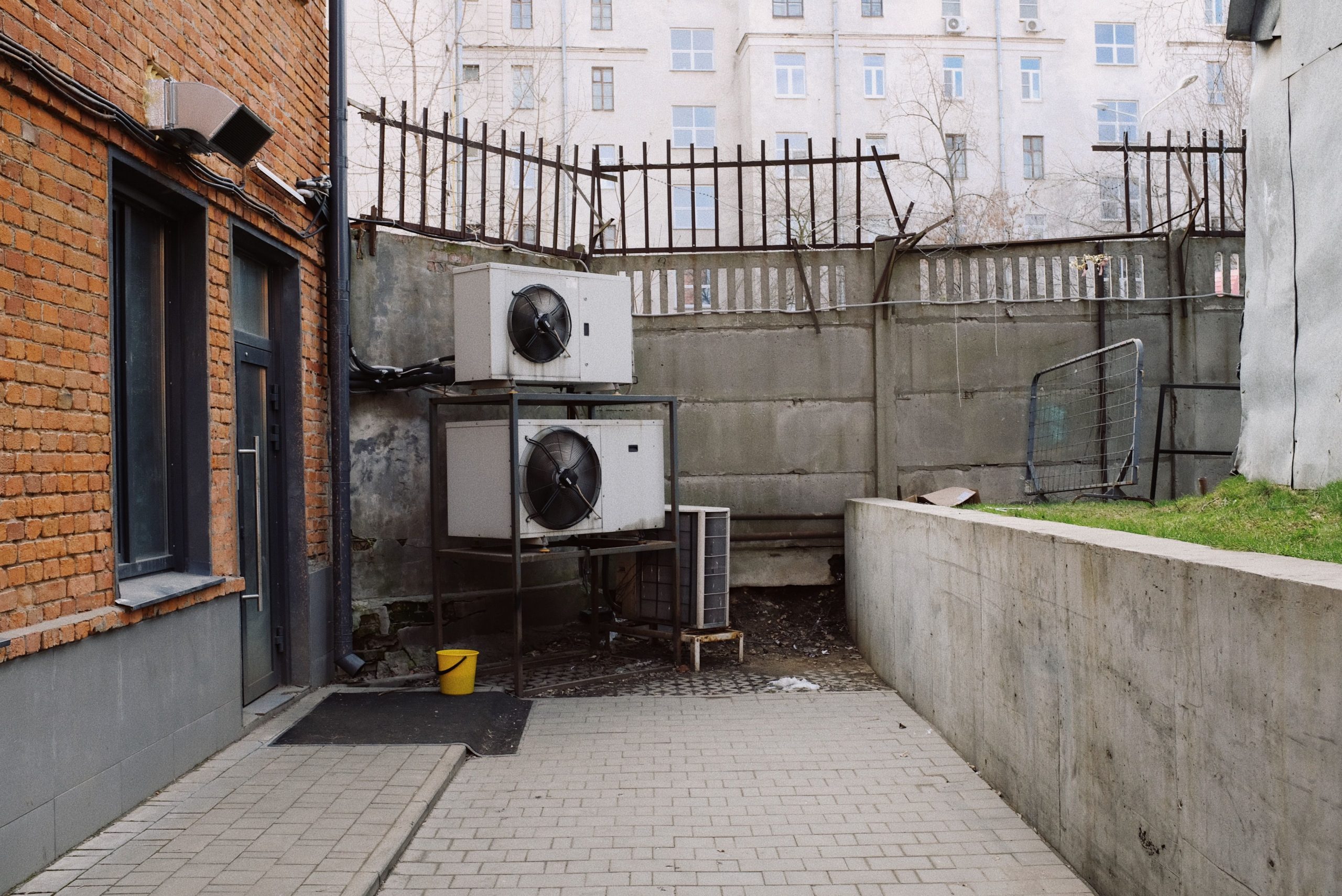
Software for HVAC Contractors: 9 Features That Simplify Service, Dispatching, and Growth
Software for HVAC contractors helps heating, ventilation, and air conditioning businesses manage the work that happens before, during, and after a service call. Instead of relying on spreadsheets, paper job sheets, separate calendars, and scattered customer records, contractors can bring scheduling, dispatching, estimates, invoices, technician updates, and customer communication into one system.
This matters because HVAC work depends on fast response times, accurate scheduling, skilled technicians, and clear job information. In this guide, we’ll cover the key features of HVAC contractor software, how HVAC service dispatching software works, the benefits and limitations to consider, and practical steps for choosing a system that fits your business.
What Is Software for HVAC Contractors?
Software for HVAC contractors is a business management system designed around the daily needs of heating and cooling companies. It can help office teams manage leads and customers while giving dispatchers and technicians the information they need to complete service calls.
Depending on the platform, the system may cover scheduling, dispatching, estimates, work orders, invoicing, payments, inventory, customer communication, equipment records, reporting, and more. The goal is not simply to replace paperwork. Instead, good HVAC software connects these activities so information moves smoothly from one stage of a job to the next.
For example, when a customer calls about a broken air conditioner, an office employee can create a service request, check technician availability, schedule the visit, assign the right technician, and send the appointment details. The technician can then access the job information from the field, record findings, update the work order, and collect the required details for billing.
Businesses that want a broader view of HVAC technology can also explore HVAC software for modern businesses.
Why HVAC Contractors Need Dedicated Software
HVAC companies often coordinate several moving parts at once. A dispatcher may need to handle emergency calls while technicians work across different locations. At the same time, office staff may prepare estimates, answer customer questions, order parts, and follow up on completed jobs.
Without a central system, these tasks can become difficult to coordinate. For instance, a technician may arrive without important equipment details, or a dispatcher may not have a clear view of which technician is closest to a new service call.
Dedicated software gives the business one place to organise these workflows. As a result, teams can spend less time searching for information and more time managing actual service work.
The most useful HVAC software connects customer records, job information, scheduling, dispatching, field updates, and billing instead of treating each task as a separate process.
9 Key Features of Software for HVAC Contractors
1. HVAC Service Scheduling
Scheduling sits at the centre of most HVAC service operations. Software should allow office teams to view available technicians, open time slots, appointment details, and job priorities from one screen.
Instead of maintaining several calendars, dispatchers can assign appointments based on technician availability, location, skills, and job requirements. This approach also makes it easier to reschedule jobs when emergencies or cancellations occur.
For example, if a customer reports that their heating system has stopped working, the dispatcher can look for an available technician who handles that type of repair and assign the appointment without manually checking multiple records.
2. HVAC Service Dispatching Software
HVAC service dispatching software helps businesses coordinate technicians and service calls in real time. Dispatchers can create jobs, assign technicians, update schedules, and communicate changes without depending on phone calls or paper job sheets.
More importantly, dispatching should connect directly with scheduling. When a job changes, the schedule should reflect that change so the office team has a current view of field operations.
A useful system can also store job priority, customer information, service location, equipment details, reported problems, and technician notes. Therefore, the technician receives more context before arriving at the property.
3. Technician Mobile Access
HVAC technicians spend much of their working day away from the office. Consequently, mobile access can make a major difference in how quickly they receive and update job information.
A mobile-friendly system can let technicians view assigned jobs, customer details, service history, equipment information, checklists, notes, and attachments. They can also update job status from the field instead of waiting until they return to the office.
This creates a clearer flow of information between technicians, dispatchers, and customers.
4. Estimates and Work Orders
HVAC contractors often need to turn service findings into an estimate or work order. Software can connect these steps so the information does not have to be entered repeatedly.
For example, after inspecting a faulty cooling system, a technician can record the problem, required parts, labour details, and recommended work. The office team can then use those details to prepare the next stage of the job.
This structure can also reduce confusion when a customer approves additional work after the initial visit.
5. Invoicing and Payment Management
Once technicians complete a job, the business needs an efficient way to turn completed work into an invoice. HVAC software can connect job records with billing information, helping office staff avoid re-entering the same details.
Depending on the system, contractors may also manage payment records, invoice status, taxes, discounts, and outstanding balances. Therefore, the finance process becomes part of the service workflow rather than a completely separate task.
6. Customer and Equipment Records
Customer history becomes increasingly valuable as an HVAC company builds a larger service base. A central customer record can store contact details, previous appointments, service notes, estimates, invoices, and communication history.
Equipment records add another layer of useful context. Contractors can track information such as equipment type, installation details, service history, and maintenance needs.
For recurring customers, this history can help technicians understand what happened during earlier visits before they begin a new service call.
7. Inventory and Parts Tracking
HVAC work often depends on having the right parts available at the right time. A software system with inventory tools can help contractors track parts, quantities, usage, and replenishment needs.
For example, if technicians frequently use a particular component, the business can monitor stock levels and plan purchases before supplies become a problem. This can also help connect parts used on a job with the related work order.
However, contractors should check how deeply an inventory module integrates with the rest of the platform. A basic item list may not provide the same operational value as inventory that connects directly with jobs and purchasing.
8. Customer Communication
Clear communication can make service operations easier for both customers and staff. HVAC software may support appointment reminders, status updates, notifications, and other customer messages.
For instance, a business can notify a customer when an appointment gets scheduled or when a technician is on the way. This reduces the need for staff to make repetitive manual calls.
Customer communication can also continue after the visit through follow-ups, maintenance reminders, or service notifications.
9. Reporting and Performance Tracking
Reporting helps owners understand what happens across the business. Depending on the platform, reports may cover revenue, completed jobs, technician activity, outstanding invoices, service types, or customer trends.
These reports can help managers identify operational issues that are difficult to see from individual job records. For example, a contractor may notice that certain types of jobs frequently require follow-up visits and investigate the reason.
Keep customer, equipment, scheduling, work order, and billing details connected instead of scattered across different tools.
Give dispatchers a clearer view of technician availability, job requirements, and schedule changes.
Let technicians receive and update job information while working at customer locations.
How HVAC Service Dispatching Software Works
HVAC service dispatching software usually connects the office, field technicians, and customer records in a shared workflow. Although individual platforms differ, the process often follows several steps.
- Receive the request: Staff create a customer and service request with the reported problem, location, and relevant details.
- Review availability: The dispatcher checks the schedule and identifies technicians who can handle the job.
- Assign the job: The dispatcher assigns the service call and sends the technician the required information.
- Complete the visit: The technician reviews the job, performs the service, and records notes, parts, photos, or other relevant details.
- Update the work order: The system records the job outcome and any additional work the customer approves.
- Complete billing: The business uses the completed job information to create an invoice and record payment.
- Follow up: Staff can use the customer record for maintenance reminders, future appointments, and service communication.
In practice, the biggest benefit comes from connecting these stages. A scheduling tool that does not communicate with work orders or customer records may still leave staff with duplicate data entry.
Benefits of HVAC Contractor Software
Less manual administration
When teams manage schedules, customer information, job notes, and invoices in separate places, employees often repeat the same work. A connected system can reduce unnecessary data entry and keep information in one location.
Better coordination between office and field
Dispatchers can see job progress while technicians can receive updated information from the office. As a result, both sides work from a more consistent view of the schedule.
More consistent customer service
Customer records give staff access to previous service information when customers call. Meanwhile, appointment notifications can keep customers informed without requiring staff to make every update manually.
Improved visibility into operations
Managers can use reports and dashboards to understand completed work, open jobs, technician activity, and billing status. Therefore, decisions can rely on current business information rather than disconnected spreadsheets.
Support for recurring maintenance
HVAC companies often handle more than emergency repairs. They may also provide inspections, seasonal maintenance, equipment servicing, and repeat visits. Software can help organise these recurring activities and keep customer histories accessible.
What to Consider Before Choosing HVAC Software
Not every HVAC contractor needs the same system. A small company with two technicians may have different requirements from a multi-location contractor with several dispatchers and field teams.
Before choosing a platform, consider the following areas:
- Business size: Make sure the system can support your current team and expected growth.
- Dispatching: Check whether dispatchers can quickly assign, reschedule, and update jobs.
- Mobile access: Confirm that technicians can use the important features from the field.
- Customer records: Look for useful service history and equipment information.
- Billing: Check whether estimates, invoices, payments, and job records connect properly.
- Integrations: Review connections with accounting, payment, communication, mapping, or other tools your business already uses.
- Reporting: Make sure the system provides reports that match the decisions your managers need to make.
- Ease of use: A feature-rich platform can still create problems if technicians and office staff struggle to use it.
It is also worth checking data access, user permissions, backup practices, and support options before implementation.
HVAC Software vs. General Field Service Software
General field service software can support many types of service businesses, including HVAC, plumbing, electrical, and maintenance companies. Dedicated HVAC software, however, may organise its workflows around heating and cooling service requirements.
| Area | General Field Service Software | HVAC-Focused Software |
|---|---|---|
| Scheduling | Supports general service appointments | Can support HVAC-specific job workflows |
| Dispatching | Assigns field workers to jobs | Can consider HVAC technician skills and service requirements |
| Equipment records | Often supports asset information | Can organise HVAC equipment and service history |
| Work orders | Designed for multiple service industries | Can reflect HVAC repair and maintenance workflows |
The right choice depends on the business. A contractor that handles HVAC alongside other field services may prefer a broader platform, while a specialised HVAC company may want workflows tailored more closely to its operations.
Common Mistakes When Implementing HVAC Software
Buying software does not automatically improve operations. Businesses also need to implement it carefully.
Choosing features instead of workflows
A long feature list does not guarantee a good fit. Instead, map your current workflow from the first customer call through dispatch, service, invoicing, and follow-up. Then check whether the software supports those steps naturally.
Ignoring technician adoption
Technicians need to use the system consistently for field data to remain useful. Therefore, choose interfaces that are practical on mobile devices and provide training before requiring full adoption.
Keeping disconnected tools
Adding another app without connecting it to existing systems can create more data silos. Review your current accounting, CRM, payment, communication, and scheduling tools before selecting new software.
Skipping data cleanup
Old customer records, duplicate contacts, outdated equipment information, and inconsistent addresses can create problems after migration. Clean important data before importing it into the new system.
HVAC software should support your existing processes while also helping you improve them. Avoid automating a workflow that is already unclear or unnecessarily complicated.
When Custom HVAC Software Makes Sense
Off-the-shelf software can cover many common HVAC workflows. However, some contractors have specialised processes that standard platforms cannot handle without workarounds.
For example, a company may need a custom customer portal, unique approval workflows, specialised reporting, complex technician permissions, or integrations with existing business systems. In those cases, custom software can provide more control over how information moves through the organisation.
Custom CRM development can also make sense when customer management needs to connect closely with service operations, sales, communication, and other internal workflows.
However, custom development requires more planning than buying an existing platform. Businesses should define the required workflows, integrations, user roles, data structure, and long-term maintenance needs before development begins.
Important Compliance Considerations for HVAC Businesses
Software can help contractors organise compliance-related information, but it does not replace legal or technical requirements. For businesses operating in the United States, for example, EPA Section 608 rules apply to technicians who maintain, service, repair, or dispose of equipment where their work could release regulated refrigerants.
The EPA Section 608 technician certification requirements explain the certification rules and the different certification types. Contractors can use software to store technician information or service records, but they should verify current regulatory requirements for their location and type of work.
The EPA also provides guidance on managing refrigerants in stationary air-conditioning equipment, including information related to service practices, refrigerant recovery, recordkeeping, and other requirements.
Therefore, contractors should treat software as an operational support tool, not as a substitute for professional compliance guidance.
How to Get More Value From HVAC Software
Start with the workflows that create the most manual work. For many contractors, this may include appointment scheduling, dispatching, technician updates, estimates, invoicing, or customer follow-up.
Next, standardise the information your team records. Consistent job statuses, service notes, customer fields, equipment details, and work order processes make reports more useful.
Finally, review the system after implementation. Ask where employees still duplicate work, where technicians struggle to update jobs, and where customers experience delays. Use those findings to refine workflows and system settings.
The goal should be a connected process rather than simply adding another software subscription.
Frequently Asked Questions
“`
What is software for HVAC contractors?
Software for HVAC contractors helps manage customer records, scheduling, dispatching, work orders, estimates, invoicing, technician activity, equipment history, and other service operations from a central system.
What does HVAC service dispatching software do?
HVAC service dispatching software helps office teams assign technicians to service calls, manage schedules, communicate job updates, and track field work as appointments progress.
Can HVAC software help with technician scheduling?
Yes. HVAC software can provide a central view of technician availability and appointments, making it easier to assign and reschedule service calls.
Should a small HVAC company use dedicated software?
A small company can benefit when manual scheduling, customer tracking, dispatching, or invoicing starts taking significant time. The right system should match the company’s current needs and budget.
Can HVAC software integrate with accounting systems?
Many platforms offer accounting or payment integrations, although available connections vary. Contractors should verify the exact integrations and data flow before choosing a system.
“`
Conclusion
Software for HVAC contractors can bring scheduling, dispatching, field service, customer management, work orders, billing, and reporting into a connected workflow. The most important feature is not simply the number of tools included. Instead, the system should make everyday work easier for dispatchers, technicians, office staff, and managers.
For contractors evaluating options, start by mapping the current service process and identifying the areas that create the most manual work. Then compare software based on dispatching, mobile access, customer records, billing, integrations, reporting, ease of use, and future growth.
With the right workflow and implementation plan, HVAC software can become a central operational system rather than another disconnected tool.
Build software around how your HVAC business works
When standard tools do not match your service workflows, custom software can connect customer management, dispatching, field operations, and business processes in one system.



