
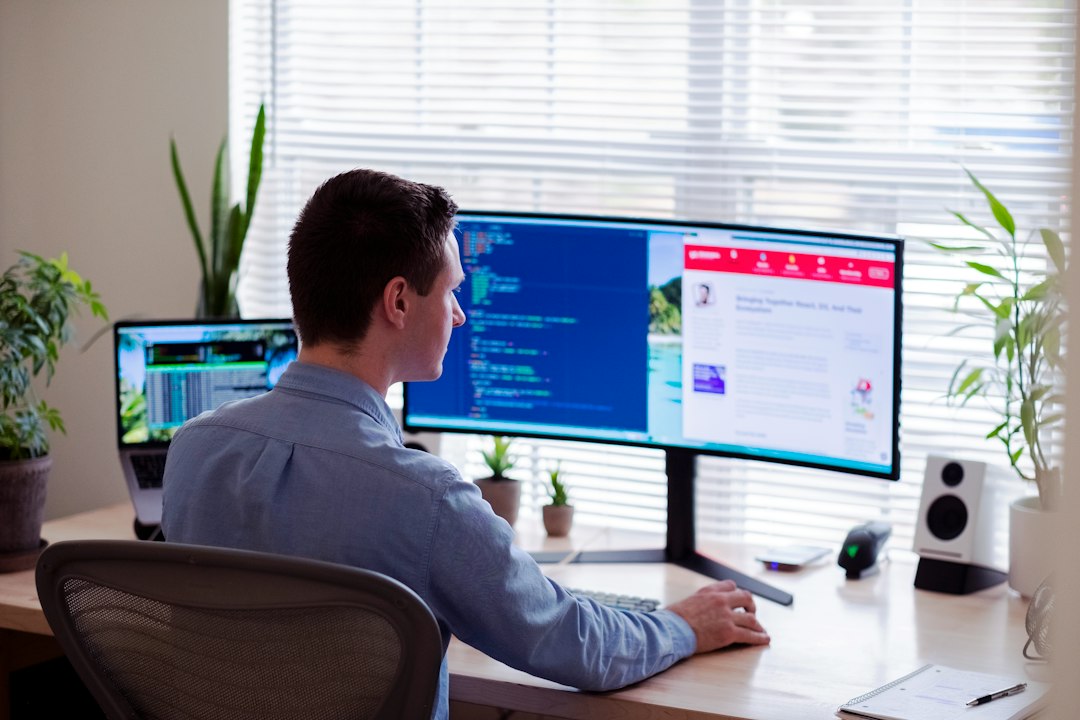
Remote Monitoring and Management Software: 9 RMM Features That Matter
Remote monitoring and management software gives IT teams and managed service providers a central way to monitor endpoints, detect operational problems, perform maintenance, deploy scripts, manage patches, and support devices without being physically present. For organizations responsible for dozens, hundreds, or thousands of computers, servers, and network-connected systems, RMM software can replace many repetitive manual checks with consistent monitoring and controlled automation.
This guide explains how RMM works, the features that matter most, common use cases, security considerations, implementation steps, and the differences between RMM, endpoint management, and remote access tools.
RMM is most useful when it turns endpoint data into action. Monitoring alone is not enough. Teams need useful alerts, safe automation, patch visibility, remote support, asset context, and clear accountability.
What Is Remote Monitoring and Management Software?
Remote monitoring and management software is an IT operations platform used to supervise and maintain computers, servers, and other supported endpoints from a central console. An RMM agent commonly runs on each managed endpoint and reports health, inventory, performance, and status information to the management platform.
Administrators can then respond remotely. Depending on the product, they may run scripts, install software, apply patches, restart services, review logs, change configurations, or start a remote support session.
RMM also supports broader security and maintenance practices. The Cybersecurity and Infrastructure Security Agency publishes practical cyber guidance for businesses, while the NIST Guide to Enterprise Patch Management Planning explains why organizations need structured processes for identifying, prioritizing, installing, and verifying patches.
How RMM Software Works
Most RMM platforms use lightweight software agents installed on managed endpoints. The agent collects permitted information and communicates with a central service. As a result, technicians can review many systems without signing in to each computer individually.
Teams define monitors for conditions that matter. For example, an alert might trigger when disk space falls below a threshold, a critical service stops, a backup fails, or a device has remained offline longer than expected. The platform can then notify a technician or launch an approved automated response.
Therefore, a mature RMM setup has three layers: visibility, prioritization, and action. Collecting thousands of metrics creates little value if technicians cannot tell which conditions require attention.
9 RMM Software Features to Evaluate
1. Endpoint Health Monitoring
Monitoring should cover the operating conditions that matter for your environment. Common examples include CPU use, memory, storage, services, event logs, uptime, and connectivity. However, teams should avoid alerting on every temporary fluctuation. Useful thresholds reduce noise and focus attention on actionable problems.
2. Alerting and Escalation
Good alerts explain what happened, which device is affected, how serious the issue is, and what technicians should do next. In addition, escalation rules can route critical events differently from routine maintenance warnings.
Alert tuning matters because excessive notifications create fatigue. Review recurring alerts and remove conditions that do not lead to useful action.
3. Patch Management
Patch visibility helps teams identify missing updates and coordinate deployment. RMM platforms may support approval policies, maintenance windows, staged rollouts, restart controls, and reporting.
Still, patching should not become a blind one-click process. Critical systems may require testing, rollback planning, and change controls. Therefore, align the RMM configuration with the organization’s patch policy.
4. Remote Scripting and Automation
Automation can save substantial technician time on repetitive work. Teams may use scripts to collect diagnostics, clean temporary files, restart services, install approved applications, or correct known configuration problems.
Because scripts can change many devices quickly, governance matters. Use permissions, testing, version control, and audit history for automation that can affect production systems.
5. Remote Access and Support
Technicians often need interactive access when automation cannot resolve a problem. Integrated remote support can reduce the time required to move between monitoring and troubleshooting.
Remote access should use strong authentication and appropriate permissions. For additional context, see our guide to remote access software.
6. Hardware and Software Inventory
RMM agents can maintain useful endpoint records, including device details, operating systems, installed applications, storage, and other supported inventory data. This helps IT teams understand what they manage before making changes.
Inventory also supports lifecycle planning. For example, teams can identify old operating systems, devices nearing replacement, or applications that should no longer be installed.
7. Reporting and Service Visibility
Reports should answer operational questions rather than simply display every available metric. Useful views may cover endpoint health, patch status, recurring incidents, device inventory, maintenance work, and technician activity.
Managed service providers may also need client-specific reports. Internal IT teams, meanwhile, may focus more on risk, reliability, and workload.
8. Role-Based Access and Audit Logs
RMM platforms can perform powerful actions across many endpoints. Therefore, technicians should receive only the permissions required for their roles. Sensitive functions such as script deployment, policy changes, and mass actions deserve tighter control.
Audit logs should record important administrative activity. This creates accountability and helps teams investigate unexpected changes.
9. Integrations
RMM data becomes more useful when it connects with service desks, ticketing systems, documentation, identity platforms, security tools, and asset records. An alert can automatically create a ticket, while device details can give the technician context before troubleshooting begins.
Organizations building connected internal systems can also integrate operational records through custom CRM development when standard connectors do not fit their processes.
RMM vs. Remote Access vs. Endpoint Management
| Tool type | Main purpose | Typical capabilities |
|---|---|---|
| RMM | Ongoing remote IT operations | Monitoring, alerts, automation, patching, support |
| Remote access | Interactive connection | Screen control, troubleshooting, remote sessions |
| Endpoint management | Endpoint configuration and lifecycle | Policies, apps, configuration, compliance, inventory |
These categories overlap. Many RMM products include remote access, and modern endpoint platforms may include monitoring or automation. Therefore, compare actual capabilities rather than relying only on product labels.
Who Uses Remote Monitoring and Management Software?
Managed service providers: MSPs use RMM to operate technology across multiple client environments from one platform.
Internal IT departments: Distributed companies can monitor branch, office, and remote employee devices without requiring technicians at every location.
Small IT teams: Automation and centralized visibility can help a small team manage a larger endpoint fleet.
Specialized support teams: Organizations responsible for kiosks, point-of-sale devices, operational workstations, or other distributed systems may also benefit from remote monitoring.
Benefits of RMM Software
First, centralized monitoring improves visibility. Technicians can see device conditions without manually checking each endpoint. Next, automation can reduce repeated maintenance work. In addition, remote support can shorten the path from alert to troubleshooting.
RMM can also make maintenance more consistent. Standard scripts, policies, and patch processes reduce variation between technicians. Finally, inventory and reporting provide useful context for planning upgrades and replacements.
Security Risks and Controls
RMM software deserves strong protection because administrators can use it to control many endpoints. A compromised RMM account or unsafe automation can have a broad effect.
- Require strong authentication and use multi-factor authentication where supported.
- Apply least-privilege administrative roles.
- Restrict and review high-impact automation.
- Protect API credentials and integration secrets.
- Review administrative and remote-session logs.
- Remove inactive accounts promptly.
- Keep the RMM platform and agents current.
- Test scripts before broad deployment.
Treat RMM as privileged infrastructure. The same capabilities that make remote administration efficient also make access control, monitoring, and change governance essential.
How to Choose RMM Software
Start with the endpoints and operating systems you actually manage. Then document the tasks technicians perform repeatedly and the problems that create the most support work.
- Does the platform support your endpoint types?
- Can you tune monitors and alerts precisely?
- How does patch approval and deployment work?
- Can technicians automate routine tasks safely?
- What remote support options are included?
- How granular are roles and permissions?
- Are administrative actions auditable?
- Which service desk and security tools integrate with it?
- Can reports be separated by site, department, or client?
- How does pricing change as endpoint count grows?
Run a pilot before broad deployment. Measure alert quality, agent reliability, technician workflow, and the amount of manual work the platform actually removes.
RMM Implementation Steps
- Inventory the environment. Identify endpoints, operating systems, sites, owners, and critical applications.
- Define monitoring standards. Decide which conditions need alerts and what severity each condition deserves.
- Create device groups. Separate servers, employee computers, specialized devices, clients, or locations as needed.
- Configure permissions. Give technicians the minimum access required for their responsibilities.
- Build a patch process. Define testing, approval, maintenance windows, exceptions, and reporting.
- Test automation. Validate scripts on a limited device group before wider deployment.
- Connect the service desk. Route actionable events into the team’s normal support process.
- Review after launch. Tune noisy alerts and remove monitors that do not lead to action.
Common RMM Mistakes
A common mistake is enabling every available monitor. This creates noise and makes urgent alerts harder to identify. Instead, begin with a small set of actionable conditions and expand deliberately.
Another mistake is deploying automation without enough testing. A script that works on one device may behave differently across operating-system versions or application configurations. Therefore, use staged deployment.
Finally, avoid treating RMM as a complete IT strategy. It is an operations platform. Teams still need documented security, backup, incident response, asset, and change-management processes.
Frequently Asked Questions
What does RMM software do?
RMM software helps IT teams remotely monitor, maintain, automate, patch, inventory, and support managed endpoints from a central platform.
Is RMM only for managed service providers?
No. MSPs are major RMM users, but internal IT teams also use it to manage distributed computers, servers, and remote endpoints.
Is RMM the same as remote desktop software?
No. Remote desktop software mainly provides interactive access. RMM adds continuous monitoring, alerting, maintenance, automation, inventory, and other management functions.
What should small businesses look for in RMM tools?
Focus on reliable monitoring, manageable alerting, patch support, safe automation, strong permissions, remote support, useful reporting, and pricing that fits the endpoint count.
Conclusion
Remote monitoring and management software can give IT teams a much clearer and more scalable way to maintain distributed technology. The strongest RMM deployments combine useful monitoring with controlled automation, patch processes, remote support, asset context, and disciplined access controls.
Before selecting a platform, define the operational problems you want it to solve. Then pilot the software with real endpoints and technician tasks. A focused implementation usually creates more value than enabling every available monitor and automation on day one.



