
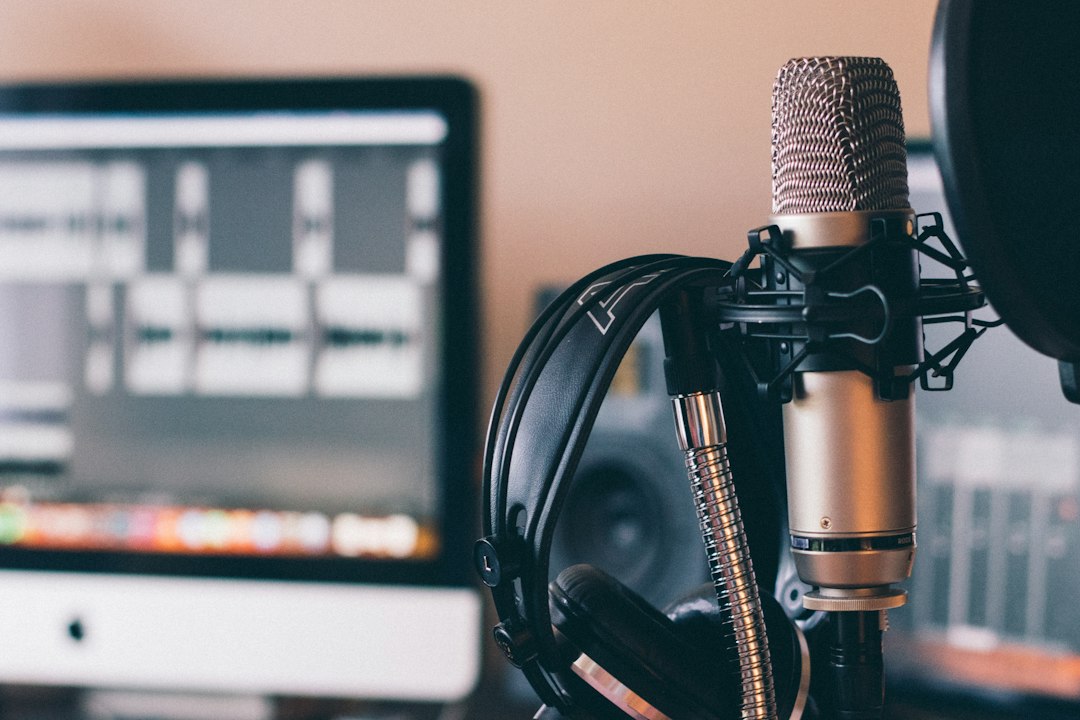
Podcasting Software: 10 Features to Plan a Reliable Show Workflow
Podcasting software brings the work of planning, recording, editing, publishing, and measuring a show into a repeatable process. The right setup helps solo creators avoid production friction and helps teams coordinate guests, audio files, approvals, and releases. This guide explains what podcast software should do, which features matter at each stage, how to compare tools, and how to choose a setup that fits your show instead of buying features you will not use.
What podcasting software includes
Podcasting software is an umbrella term rather than one single product category. Some products record remote conversations; others edit audio, host RSS feeds, distribute episodes, or report audience behavior. A complete workflow can use one all-in-one platform or several connected tools.
Start by mapping the journey from idea to listener. A typical show needs a content calendar, guest and release details, a recording method, editing and quality checks, a hosting account, distribution metadata, and performance review. The software should make handoffs visible and preserve a dependable source of truth for each episode.
10 capabilities to evaluate
1. Recording quality and control
Check supported microphones, local recording, separate tracks, sample rates, and backup behavior. Local recording captures audio on each participant’s device before uploading it, which can reduce the impact of an unstable call. Test how the product handles a dropped connection, a full disk, and a late guest before relying on it for an important interview.
2. Editing that matches your skill level
Editors range from simple trim-and-join interfaces to multitrack workstations with automation, effects, and detailed waveform controls. A beginner may value fast cleanup and templates. An experienced producer may need precise track grouping, noise reduction, loudness tools, keyboard shortcuts, and non-destructive edits that preserve the original recording.
3. Remote guest workflow
For interview shows, examine guest links, browser requirements, device checks, waiting rooms, consent reminders, and file delivery. A clear guest experience matters because a guest should not need a long technical briefing. Also verify whether a producer can monitor the session and whether each speaker receives an isolated track for post-production.
4. Episode and asset organization
Every recording should connect to its working title, final title, host, guests, release date, transcript, artwork, and edit status. Searchable libraries, tags, version history, and role-based access reduce confusion when a team revisits an older episode. Establish file naming rules before the archive grows.
5. Hosting, RSS, and distribution
A podcast host stores and serves the audio, creates an RSS feed, and often submits or helps submit the show to listening directories. Confirm that the feed retains a stable address, supports redirects when you migrate, and gives you control over episode descriptions, artwork, explicit-content labels, and release timing. Apple’s show submission requirements explain why a valid feed and complete metadata matter for directory review.
6. Publishing checks and scheduling
Scheduling lets a team prepare an episode in advance and release it consistently. Look for draft previews, time-zone clarity, episode numbering, trailer support, and checks for missing artwork or descriptions. A final checklist should confirm that the audio is the approved master, links work, names are spelled correctly, and the call to action matches the episode.
7. Analytics with clear definitions
Analytics can show plays, listeners, follows, completion, or audience trends, but platforms define and report these measures differently. Do not compare numbers blindly across providers. Spotify explains its creator metrics in its podcast analytics documentation, while Apple describes its own listener analytics. Use one source consistently for each decision and document what each metric means to your team.
8. Collaboration and permissions
Assign clear roles for hosts, producers, editors, and guests. Permissions should prevent accidental publication while letting the right people review scripts and audio. If collaborators work across organizations, consider approval history, expiring access, and secure file sharing rather than passing large recordings through personal accounts.
9. Accessibility and repurposing
Transcripts can improve accessibility, make quotes easier to find, and give editors material for show notes or social clips. Automated transcripts still need human review, especially for names, specialist terms, and overlapping speech. Check whether the platform exports transcripts and whether it can separate episode text from private production notes.
10. Portability, security, and cost
Review file export, feed ownership, data retention, backups, account recovery, and cancellation terms. Ask what happens to your audio and analytics if you leave. Compare the full cost at the size you expect to reach, including extra seats, storage, transcription minutes, and distribution features.
Choose the right podcast software stack
Before demos, list the tasks your team performs and mark each as essential, useful, or unnecessary. Then compare tools by workflow rather than feature count. A solo host who records in person may need an editor and host more than a remote studio. A weekly interview team may prioritize guest access, isolated tracks, shared review, and scheduled publishing.
Run a pilot with one complete episode. Include a difficult but realistic case, such as a remote guest, a correction after review, or a last-minute release-date change. Measure time spent on repetitive work, error rates, and how easily another team member can take over. This reveals operational fit better than a polished demo.
Keep an independent archive of final audio, transcripts, artwork, and episode metadata. A tool should support production, but your show history should remain portable.
A practical workflow from idea to release
- Plan: Record the audience problem, episode promise, format, guest, and intended release date.
- Prepare: Share a briefing, test recording devices, confirm permissions, and gather names or terminology.
- Record: Capture a backup when possible and check audio levels before the conversation starts.
- Edit: Preserve the original, make changes in versions, review transitions, and listen to the final master on more than one device.
- Publish: Add accurate metadata, accessible transcript or show notes, artwork, and a release schedule.
- Learn: Review a small set of consistent metrics and record what to change in the next episode.
Common selection mistakes
- Buying around hypothetical scale: First solve today’s bottleneck, then confirm the product has a reasonable growth path.
- Confusing hosting with production: A host distributes files; it may not provide a complete editor or recording studio.
- Overvaluing headline analytics: A metric only helps when its definition is stable and connected to a decision.
- Ignoring exit costs: Test exports and feed migration before committing your archive to a platform.
- Skipping a real-world test: Evaluate the same episode workflow your team will actually use.
When a custom workflow makes sense
Off-the-shelf podcast software works well when the show follows a familiar production pattern. A custom application may help when a media company manages many shows, approvals, rights, sponsor requirements, and distribution tasks across separate systems. In that case, first map what the existing tools cannot do, then integrate or build only around the gap. Custom CRM development may also fit when the production team needs to connect guest relationships, sponsorship opportunities, and follow-up records to its editorial process.
For example, a network may want one episode record to connect a guest release, sponsor placement, transcript review, and channel-specific publication status. That requirement could call for integration or a focused internal app, not necessarily a full replacement for audio tools. Define ownership, access, and export rules before starting development.
Frequently Asked Questions
What is the difference between podcast recording software and hosting?
Recording software captures conversations and may help edit audio. Hosting stores and serves published episodes, maintains the RSS feed, and often supports directory distribution. Some products combine both roles.
Can one tool handle an entire podcast workflow?
Sometimes. All-in-one products can reduce handoffs, but a team may prefer specialist tools for recording, editing, hosting, and analytics. Choose based on workflow quality and portability.
Which podcast metrics should a new show track?
Start with a consistent measure of plays or listeners, follows, and episode-to-episode trends. Add completion or engagement measures only after you understand how the platform defines them.
How do I move to a different podcast host?
Export your episodes and metadata, configure the new feed, and use the old host’s redirect process where available. Confirm that directories resolve the feed and that older episode links still work.
Plan the episode as a small production project
A shared episode brief reduces avoidable revisions. Include the intended audience, one sentence describing the promise of the episode, the format, the host, a guest outline, and the desired release date. Keep research links and approved talking points in one record. The brief should guide the conversation without turning it into a script that removes spontaneity.
Assign a person to each handoff. The host confirms the guest and recording time; the producer checks equipment and consent; the editor owns the first cut; and the publisher verifies the final metadata. If one person holds several roles, the checklist still helps them change modes and catch an omitted task. Track status changes so a team member can see whether a file is a rough edit, an approved master, or a published episode.
Protect the listener experience
Use headphones during recording and ask participants to pause notifications. Record a short test before an interview, then check for clipping, echo, and background noise. For remote sessions, tell guests how to choose a quiet room and position a microphone. A clear recording improves editing time, but it cannot fix every room or device problem.
After release, review listener feedback alongside platform analytics. A sharp drop at a particular moment may signal a pacing issue, but it can also reflect how a platform calculates engagement. Treat it as a question for the production team, not proof that a segment failed. Shows built around video or live sessions can also compare their workflow with Anomoz’s overview of streaming software, while keeping audio hosting and podcast distribution needs distinct.
Keep an editorial archive that can travel
Store final audio, a clean transcript, artwork, episode notes, guest permissions, and the published feed details in a folder or repository that the organization controls. Include the recording date and software version when it matters for future edits. Do not rely on a platform’s active subscription as the only copy of a show’s source material.
Set a retention rule for raw recordings. A team may need them for corrections or repurposing, but keeping every file forever can increase privacy and storage risk. Decide who can approve deletion and how the team handles a guest request or a rights concern. A documented archive makes it easier to respond consistently.
Choose hosting and recording separately when needed
Creators sometimes assume a single podcasting product must do everything. In practice, a recording service, desktop editor, and podcast host can work well together if the handoff is predictable. Decide where the master audio lives, who can replace it, and how metadata moves between tools. If you use separate products, test one episode from recording through feed delivery before making the stack permanent.
Keep a simple record of the RSS feed address and any directory accounts. When a host change becomes necessary, plan redirects, verify that old episode links resolve, and avoid changing the public show identifier without understanding the effects. A migration checklist can protect subscribers and search visibility.
Make the workflow resilient to change
Shows evolve: a solo interview can become a network with multiple feeds, sponsors, and languages. Revisit tool permissions, file formats, and reporting whenever the workflow changes. Keep a short operating guide with the recording setup, export settings, naming convention, and publishing checklist. A substitute producer should be able to release an approved episode without guessing.
When evaluating a new tool, ask the team that will use it to test a complete episode. Review friction as well as features, then choose the smallest stack that protects quality and keeps the show’s assets portable.
Conclusion
The best podcasting software is the setup that helps your team publish reliably, protect its recordings, and learn from listeners without adding needless production work. Compare complete workflows, test a real episode, check analytics definitions, and make sure you can export your show assets. With those basics in place, your tools can support a consistent show as its audience and production needs grow.
Build software around how your business works
When your publishing or customer workflows need to connect across systems, Anomoz can help scope a practical software solution.



