
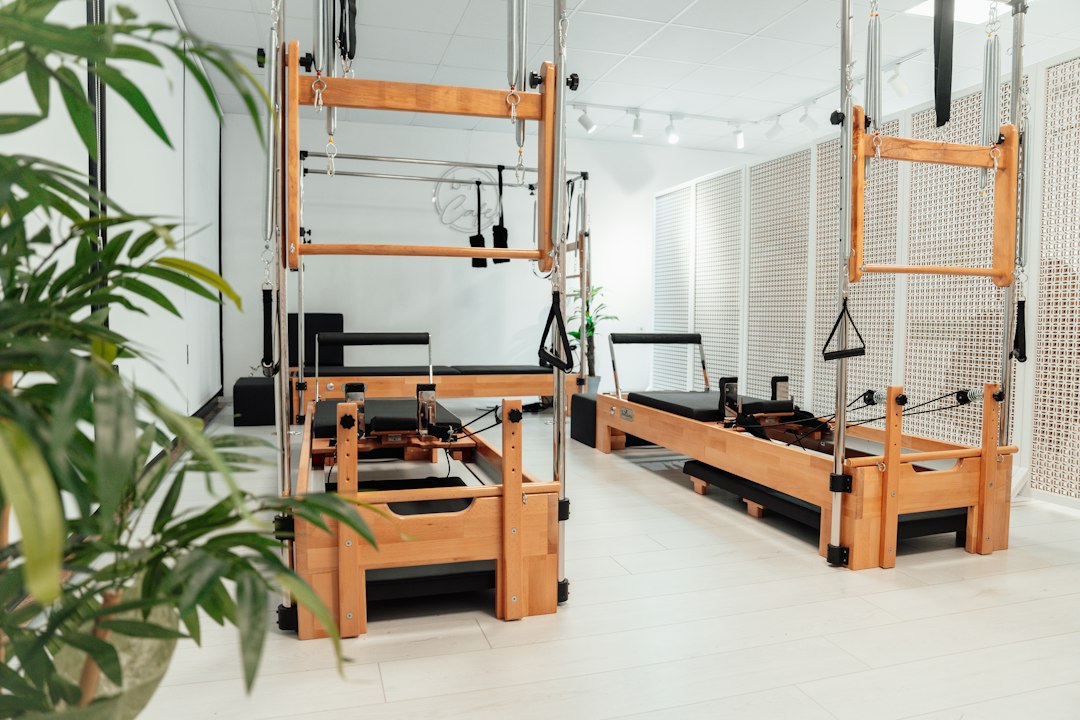
Pilates Studio Software: 8 Checks for Reformer Booking and Billing
Pilates studio software manages class bookings, private sessions, memberships, payments, and client records. For a reformer studio, the key test is whether the tool protects limited equipment capacity while making booking easy. A schedule can look full and still hide conflicts, unused credits, or payment problems.
This article covers eight checks for Pilates studio booking software, a practical waitlist test, and the steps for moving client accounts. It also explains how to compare costs and measure performance without confusing bookings with attendance.
What makes Pilates scheduling different?
A Pilates studio may offer reformer groups, mat classes, private sessions, and small shared appointments. Each format uses space, staff, and equipment in a different way. Therefore, the booking system must understand more than one class capacity.
For example, a private session may share a room with a scheduled group class. Even when a teacher is free, the studio may lack the needed equipment. The tool should check both before checking a booking.
Mindbody’s Pilates software page gives a current example of connected booking, staffing, payments, and client records. Use those categories to define your needs. Then test the details that match your class mix.
8 checks before choosing Pilates studio software
1. Reformer capacity and room rules
Set capacity from the equipment the studio can actually use. A room with ten reformers should not sell ten places if one machine is out of service. Also check whether different class formats share that equipment.
Ask the vendor to remove one reformer for a day. The system should update the needed availability and flag any affected bookings. Staff need a clear way to resolve the conflict rather than silently cutting capacity.
Next, test preparation time between sessions. A tight calendar may leave no time for turnover or instructor changes. The schedule should reflect the operating rhythm your team can deliver.
2. Private and semi-private appointments
Private sessions need instructor availability, a location, and the right room or equipment. Semi-private sessions add shared capacity and sometimes linked clients. Test these as split products rather than forcing them into a group-class template.
For example, two clients may attend one shared appointment but pay from different packs. Staff should see each client’s balance and attendance without splitting the booking into confusing duplicates.
Also ask how the software handles recurring appointments. A standing weekly slot should not bypass valid membership rules or ignore a public holiday. Test an instructor absence and a client cancellation within the series.
3. Packs and memberships with clear entitlements
A class pack and a recurring membership represent different promises. Define which services each plan covers, how credits expire, and whether clients can share or transfer them. Then check that the software applies those rules.
Next, test a client who holds both a reformer pack and a mat membership. The system should use the correct entitlement for each booking. Staff should not need to repair the balance after every visit.
Check what happens when a membership pauses. The studio needs a clear rule for future bookings and billing. In addition, the client should see an correct account rather than a generic active or inactive label.
4. Waitlists and cancellation windows
A waitlist should create a fair, predictable path into a class. Decide whether the system auto-enrolls the next person or sends an offer that expires. Both approaches need clear consent and notice rules.
For example, a space may open shortly before a morning class. The client needs enough time to respond or travel. Therefore, test the cutoff for automatic offers and how staff handle a last-minute opening.
Also test credit restoration. A cancellation within the allowed window may return a credit, while a late cancellation may follow a different policy. The software should explain the outcome to staff and clients.
5. Attendance and no-show handling
Split reserved places from actual visits. A booked client who does not attend should not inflate attendance reports. Likewise, a walk-in should not sit outside the record because staff forgot to add the booking.
Ask a teacher to check in clients from a phone. Then test a late arrival, a no-show, and an wrong attendance mark. The team should be able to correct the record with visible history.
No-show rules need clear rules. Before adding fees or removing credits, define the policy and how clients accept it. Also keep staff discretion for approved exceptions without hiding the adjustment.
6. Client notes and controlled access
Teachers may need brief notes about a client’s preferences or the session plan. However, not every staff member needs access to every detail. Limit sensitive details and make the purpose of each field clear.
For example, a front-desk user may need a booking note but not a teacher’s detailed session record. Ask the vendor to show how those permissions work on both desktop and mobile screens.
The software supports administration, not clinical judgment. Avoid storing needless health details or treating a booking flag as an assessment of fit. Keep the studio’s professional intake and referral process split where needed.
7. Billing, refunds, and instructor pay
Payments, visits, and staff pay often follow different rules. A membership payment may cover a few weeks, while an instructor’s pay depends on sessions or attendance. Therefore, test each calculation apart.
Ask the vendor to show a refund, failed recurring payment, and corrected class attendance. Then check the effect on client credits and payroll reporting. One change should not quietly alter unrelated records.
Also check card processing, taxes where needed, and finance exports. A dashboard total is not enough if the bookkeeper cannot match sales, refunds, and processor settlements.
8. Follow-up based on actual behavior
Useful follow-up reflects a client’s stage. A first-time visitor may need a welcome message, while a pack holder nearing expiry may need a clear reminder. Keep those messages practical and consent-based.
Momence’s Pilates studio software overview describes connected client records, packs, reformer booking, and follow-up. Use that as another feature reference. Verify which functions the quoted plan adds and how your team controls automation.
Next, test whether a client receives messages after a pause, cancellation, or complaint. The studio should be able to stop a sequence and respond personally. Automation needs an owner who reviews its rules and exceptions.
A waitlist test that reveals real fit
Create a fictional class with six available reformers and six bookings. Add two clients to the waitlist, each with a different account type. Then cancel one booking within the studio’s allowed window.
The tool should handle the released place, credit adjustment, and notice together. Next, let the first offer expire. Staff should see what happened and whether the second client can receive the place.
Finally, remove one reformer from service. Ask the vendor to show the conflict and the options for resolving it. This test exposes capacity and account rules that a normal booking demo can miss.
For the broader scheduling foundation, Anomoz’s fitness class booking system article explains calendar and booking controls. A Pilates studio should add equipment and session-specific checks.
Compare a booking tool with a studio tool
| Need | Basic booking tool | Studio tool to test |
|---|---|---|
| Single appointment | Reserves a time | Checks staff and resources |
| Class pack | May need manual tracking | Applies service-specific credits |
| Waitlist | May use a contact list | Handles offers and cutoffs |
| Recurring plan | May use split billing | Links access and account status |
Product capabilities vary, so check the exact behavior in a trial. A solo teacher with a simple schedule may need fewer features. However, a studio with reformers, a few instructors, and mixed memberships needs stronger planning.
Move memberships and credits carefully
Start with a full client list, active plans, remaining credits, expiration dates, and future bookings. Also find balances, refunds, and payment issues. Those records matter more than copying every old marketing tag.
Next, check duplicates and household relationships. A client’s second email address should not create two split balances. Check the correct record before import.
Stored payment methods may not transfer between providers. Ask both vendors what they support and how clients should update details if needed. Also verify which provider will handle refunds for older payments.
After import, match a sample of accounts and every upcoming class. Compare credit balances and capacity with the original system. Then send clear instructions to clients about login, booking, and support.
Measure the studio’s results
Track occupancy, attendance, no-shows, waitlist conversions, and repeat visits using stable definitions. For example, occupancy can use reserved places, while attendance uses actual check-ins. Keep those measures split.
Also review pack usage and intro-offer conversion. Anomoz’s membership management software article covers renewals and account work. For Pilates, connect that broader view to class formats and equipment capacity.
A full class does not on its own mean a profitable class. Compare instructor cost, pricing, and the studio’s own overhead assumptions. Use your finance records rather than a vendor’s general revenue claim.
Costs and custom work to consider
Ask about location fees, payment processing, text messages, branded apps, staff users, and migration. Also check which features need add-ons. Review the cost at your latest size and at the next planned location.
Custom work can help when your studio needs a unique lead journey or multi-location client view. Custom crm development can connect those relationships around an established booking system. Keep one source for live capacity and credits to avoid conflicting balances.
Check the booking experience from the client’s side
Ask someone outside the studio to make a training booking on a phone. They should understand the class format, level, location, price, and account rule before they check. A short checkout should still give the details needed to make a sound choice.
Next, test a new client who has not done the studio’s intake process. The system should show the needed next step clearly. Staff need to know whether the booking is checked, pending review, or waiting for a form.
Check a pack purchase followed by a class reservation. The client should see how many credits remain and which services they cover. If the tool uses different names in checkout and the account view, the front desk may face avoidable questions.
Also try canceling within and outside the allowed window. The account should explain whether it restored a credit, kept the charge, or sent the case for staff review. Do not force clients to guess from a changed balance.
Finally, test a class move between locations. A client may hold access at one branch but not another. Check the entitlement and notice rules before enabling cross-location booking.
Use the trial to observe real friction. Count the steps that need staff help and note where clients misunderstand the offer. Those findings can guide setup before the studio trains everyone.
Frequently Asked Questions
Does Pilates studio software need reformer spot booking?
Only if your studio offers assigned reformers or wants clients to choose a place. Capacity control remains essential either way. Test equipment outages and room sharing before deciding.
Can one plan cover mat and reformer classes?
Yes, if the tool supports your entitlement rules. Check credit limits, booking windows, and service eligibility. A broad unlimited label may not reflect the plan you intend to sell.
What should a studio test first?
Test a full reformer class, a cancellation, a waitlist offer, and a credit adjustment. Then test a private session that shares equipment with the class schedule.
Choose around equipment and client promises
Pilates studio software should keep bookings, capacity, and account rules clear. Use a real class mix in the demo and verify migrated credits before launch. Then choose the system that makes daily work clear for staff and clients.
Build software around your daily workflow
Talk with Anomoz Softwares about connecting your client records, staff tasks, and existing business tools.



