
PCB Design Software: 8 Capabilities to Check Before a Board Release
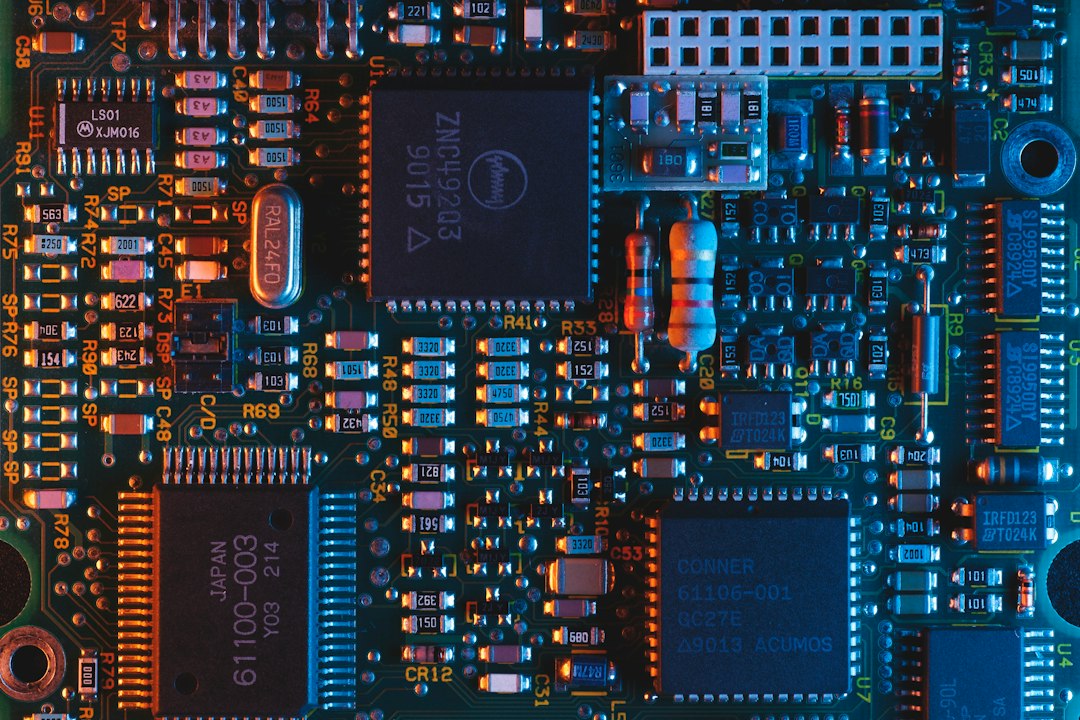
PCB design software helps engineers turn a circuit idea into a manufacturable printed circuit board. A typical workflow combines schematic capture, component footprints, board layout, design-rule checks, 3D review, and manufacturing outputs. The software matters because a logical circuit can still fail if footprints, clearances, stack-up, or fabrication files do not match the physical board and its production process.
This guide explains the main capabilities of PCB design tools, how to choose between them, what to verify before releasing a board, and how to keep design changes controlled.
What PCB design software does
Printed circuit board design software, also called electronic design automation software, connects the electrical design to the physical layout. The engineer draws a schematic to define components and connections. The layout editor places components and routes copper traces across board layers. Then the tool checks the design against electrical and manufacturing rules.
Many packages also manage component libraries, design variants, 3D board views, simulation, collaboration, and manufacturing exports. For example, KiCad describes its toolset as covering schematic capture, PCB layout, simulation, 3D viewing, and export workflows in its official documentation.
Core capabilities to evaluate
Schematic capture and net management
A schematic should make the intended electrical connections clear and maintain a reliable link to the board. Look for understandable net naming, hierarchy support, reusable blocks, and design checks that find unconnected pins or conflicting identifiers before layout begins.
Component and footprint libraries
Libraries save time, but incorrect data creates expensive mistakes. Evaluate how teams create, review, and version symbols, footprints, 3D models, and supplier details. Confirm that the footprint matches the package drawing and the part that purchasing can actually source.
Placement and routing
Layout tools should support the board layers, routing styles, differential pairs, constraints, copper planes, and interactive editing that your product needs. Their value depends on how well they enforce the project’s design rules. A visually neat layout is not enough if it violates spacing or signal requirements.
Design-rule checks
Design-rule checks, or DRC, flag problems such as insufficient clearance, unconnected nets, unsupported hole sizes, or board-edge conflicts. Define rules with the fabricator’s actual capabilities and the product’s electrical needs. A default ruleset may not fit every process.
Manufacturing outputs
Before a board goes to fabrication, the team needs trustworthy outputs such as Gerber or ODB++ data, drill files, a bill of materials, and assembly drawings. Confirm that the tool can generate the file formats your fabrication and assembly partners request, and that the release package includes revision information.
Industry standards can support this review. IPC lists design documents such as IPC-2221 for generic printed-board design and standards for particular board types and design concerns. Confirm which standards apply to your product and manufacturing partners rather than assuming one document covers every need.
How to choose PCB design software
- Project complexity: Compare the tools using a representative design, not a demo schematic. Include the board layers, constraints, library size, and collaboration demands you expect.
- Team skills: Consider the learning curve, training materials, and availability of experienced users who can maintain libraries and templates.
- Collaboration and versioning: Check how the software handles simultaneous editing, review, change history, and project archives. Confirm that engineers can tell which board revision is ready for release.
- Simulation and analysis: Decide whether the team needs circuit simulation, signal-integrity analysis, thermal analysis, or other tools. Validate the assumptions behind each analysis method.
- Library governance: Determine who can add or modify approved parts, how substitutions are handled, and how teams record lifecycle or sourcing concerns.
- Interoperability: Test data exchange with mechanical CAD, PLM, ERP, procurement, and manufacturing systems. Re-entering part numbers and revision data creates avoidable errors.
- Cost and support: Compare subscription or license costs with support, update cadence, automation, and the cost of changing tools later.
Small teams may prefer a focused or open-source package if it supports the required outputs and review process. Larger organizations often prioritize centralized libraries, access control, managed collaboration, and links to product lifecycle systems. Neither approach is automatically better; the fit depends on how the company develops and releases boards.
A practical PCB design workflow
- Capture requirements. Document power, interfaces, size limits, environmental conditions, safety requirements, and expected volumes.
- Choose verified components. Select parts with accurate symbols, footprints, and sourcing data. Resolve uncertain or obsolete components before routing begins.
- Draw and check the schematic. Run electrical checks and review connections with another engineer.
- Define stack-up and rules. Agree on layer count, copper thickness, impedance needs, clearances, hole sizes, and board-edge constraints with the fabricator.
- Place parts and route connections. Consider assembly access, thermal paths, sensitive signals, and test points alongside routing efficiency.
- Run design checks and reviews. Resolve DRC issues deliberately. Record any accepted exceptions and the reasons for them.
- Release a controlled package. Export manufacturing data, BOM, assembly notes, and revision details together. Keep a record of the approved release.
If the PCB is part of a broader product, connect the design release to the bill of materials software workflow so approved components and revisions stay aligned across engineering, purchasing, and production.
Common mistakes that create board rework
One common problem is using a footprint copied from an unverified library. Check pad dimensions and pin numbering against the component’s data sheet. Also verify that the selected manufacturer part number matches the footprint revision.
Another issue is routing before the team agrees on constraints. A late change to stack-up or impedance can force expensive rework. Bring the fabricator into the conversation early when board dimensions, material, or signal requirements are unusual.
Finally, avoid treating DRC as a ceremonial button. Review each exception and verify that the exported files match the final reviewed layout. A board can pass software checks and still contain a wrong part, a mistaken revision, or missing manufacturing notes.
Keep a release checklist that ties the schematic revision, board files, BOM, fabrication notes, and approval record together. This makes it easier to reproduce or update a board later.
How to roll out a design tool across a team
Start with a pilot board that represents the team’s normal complexity. Build a shared library policy, naming conventions, templates, and release checklist while the project is still small. Then test the complete path from schematic through fabrication files with the intended board house.
As the team grows, define ownership for component libraries, tool versions, and review steps. Back up project files in a controlled repository and document how the organization handles branches, variants, and approved exceptions. Training should include not just drawing and routing, but also the quality checks and release process.
When custom integrations help
Custom software can connect design data with part sourcing, product configuration, approvals, and production records. It can be useful when the same product data moves through several disconnected systems. Before building an integration, identify the authoritative source for each field, such as part number, revision, approval state, and lifecycle status.
Frequently Asked Questions
Is PCB design software the same as schematic software?
Not always. Many PCB tools include both schematic capture and board layout, while some teams use separate applications for parts of the workflow.
What files does a PCB designer send to a manufacturer?
Common release packages include Gerber or ODB++ data, drill files, a board outline, fabrication notes, and assembly information. Confirm the exact requirements with the manufacturer.
Can free PCB design software be used for commercial products?
Some free or open-source tools permit commercial use. Review the specific license and confirm the software supports your production and support needs.
Why do design-rule checks matter?
They identify layout conditions that violate electrical or manufacturing constraints. They reduce avoidable errors, but they do not replace engineering review or manufacturer confirmation.
The best PCB design software supports the full path from circuit intent to a controlled manufacturing release. Choose it using a real project, verify your libraries and design rules, and keep board files linked to their approved BOM and revision history. That process is what makes a design repeatable.



