
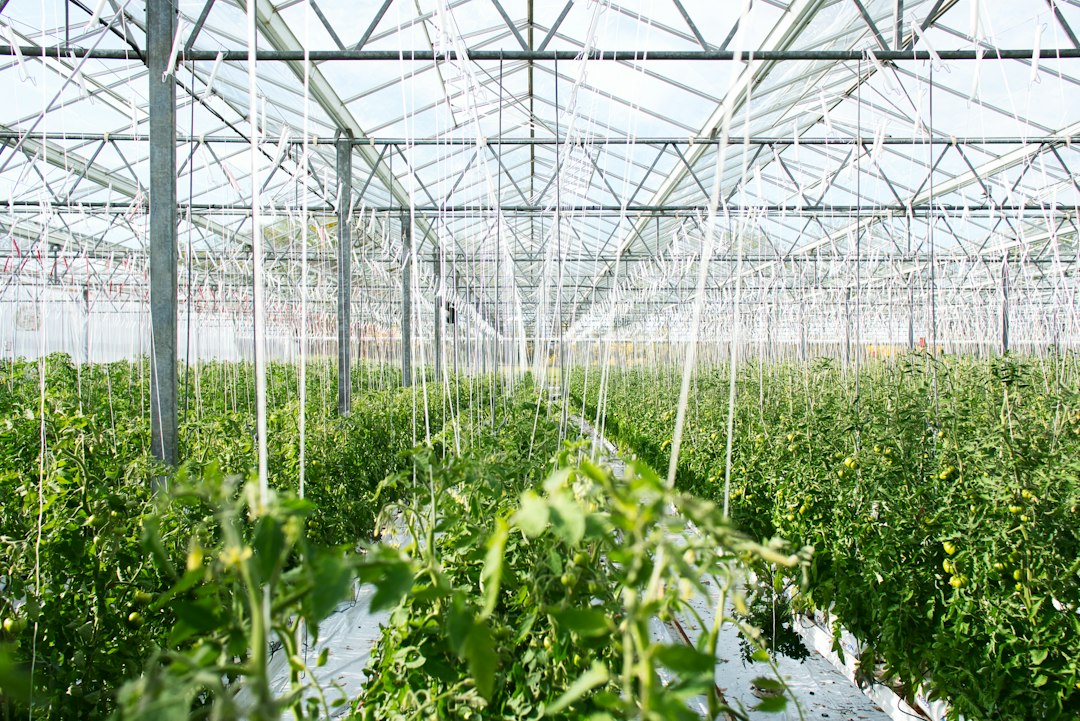
Greenhouse Management Software: Connect Crop Plans, Stock, Orders, and Controls
Good greenhouse management software connects the crop plan with the plants, space, people, and orders needed to deliver it. The first buying decision is scope: do you need production and nursery records, climate and irrigation control, or a reliable connection between them? Those functions can share data while serving different purposes.
This article explains the main software categories, nine operational tests, a fictional batch-to-order example, and a practical pilot. It focuses on business records and information flow rather than prescribing growing conditions or irrigation settings.
Separate production records from environmental control
A production system tracks crop batches, stages, locations, quantities, work, and commitments. A control system manages relevant equipment and environmental processes. A sales and inventory system connects available plants with customer orders.
Priva’s horticultural solutions overview covers climate, irrigation, workload, and other greenhouse processes. WPS’s horticulture overview describes plant-order and internal-logistics automation. These illustrate why the category contains more than one kind of system.
Before comparing products, write a simple ownership map. Identify which tool owns crop identity, equipment settings, stock quantity, customer orders, and financial records. A shared screen does not necessarily make every underlying value authoritative.
9 tests for greenhouse management software
1. Crop and batch identity
Give each tracked crop batch a stable ID and the relevant variety, source, dates, product format, and status. Keep the batch distinct from its current bench or growing zone.
Test a batch split into two locations. The resulting records should preserve their relationship to the original batch without creating unrelated stock.
Also test a product rename. Earlier work and sales records should retain the context needed to understand what the team actually grew and supplied.
2. Growing-space planning
Space is a time-based resource. A bench can be available today but committed to another crop next week. Therefore, the system needs dates and stage assumptions, not just a map of current occupancy.
Test an extended growing period and its effect on the next planned batch. The planner should see the conflict and evaluate alternatives rather than silently double-booking the same space.
Keep planned and actual location histories separate. A crop plan describes intent; movement records describe what staff completed.
3. Nursery stock with useful status
Physical plant quantity, saleable stock, reserved stock, and expected future availability are different measures. One total can conceal material still growing or awaiting review.
Ask the vendor to show a batch with some plants available, some reserved, and some excluded under the business’s process. Sales staff should see which quantity they can actually promise.
Plant nursery software should also support the product formats you sell. Trays, individual plants, pots, packs, and other sales units need explicit relationships rather than a universal conversion.
4. Production activities and labor
Work records should identify the batch, location, activity, planned date, responsible team, and actual completion. Add quantities or hours where they help planning or cost review.
Test a partially completed task and a task moved to another day. The record should preserve what happened instead of copying the whole task as complete.
Also separate time estimates from actual hours. Comparing them can help the planner improve assumptions, but a variance needs context such as changed quantity, conditions, or work scope.
5. Materials and packaging
Growing media, containers, labels, and packaging may need inventory and purchasing records. Use the relevant item, unit, location, and reservation information.
Test a purchase pack that contains several individual units. Receiving one pack should not create one item if production consumes the contents separately.
Anomoz’s inventory tracking guide explains general receipts, reservations, use, and corrections. Apply those controls with nursery-specific product definitions.
6. Customer orders and future commitments
An order may use ready stock or expected production. The system should show which basis supports the promise and what remains uncertain.
Test a partial allocation, a changed delivery date, and a customer requesting more plants. Staff should see the effect on stock and future crop commitments before confirming the change.
Also preserve the original order and revised agreement. Editing a total without history can leave production and sales working from different expectations.
7. Climate and sensor links
If the business connects environmental data, preserve the parameter, unit, location, time, and source. A current-looking dashboard should distinguish a fresh reading from stale or missing data.
Test a disconnected sensor and a late reading. The system should not treat no data as a measured zero. It should also avoid attaching one zone’s measurements to another batch without the correct location history.
Keep control authority explicit. Business software can share records with specialist systems, but it should not make unreviewed growing or equipment decisions from a generic template.
8. Quantity changes and quality review
Record relevant losses, reclassifications, and stock adjustments with their reason and review. A staff member should not need to overwrite the batch’s opening quantity to make today’s balance look correct.
Test an adjustment after an order has reserved stock. The system should reveal the affected commitment and route the issue to the responsible person.
Also retain the distinction between a field observation and a technical diagnosis. Appropriate growers or advisers need to review the actual conditions and response.
9. Integration and complete exports
Define the source of truth for crops, locations, quantities, equipment information, customers, and finance. Then test a failed transfer, retry, and correction.
A distinctive grower-to-customer workflow may benefit from custom crm development. First compare supported interfaces and keep environmental control within the appropriately reviewed operational system.
Export batch history, movements, activities, stock, commitments, and changes with stable IDs. Also review permissions, backups, support, and record access when the contract ends.
A fictional crop-to-order example
Imagine a grower planning Batch G-104 for a future delivery period. The plan reserves space using expected stage dates and a defined product format.
As work proceeds, staff record actual movements and quantities. Sales allocates part of the expected availability to a customer while retaining the distinction between forecast and ready stock.
A later review reduces the saleable quantity. The system identifies the affected order rather than leaving the original promise hidden in a separate spreadsheet.
The planner and sales team review alternatives under the business’s process. They record the agreed change and preserve the original batch and order history.
Availability should have a date and a basis
A report showing “2,000 plants available” needs more context. It may refer to ready stock, expected stock next month, or a mixture of both.
For a fictional batch with 2,000 recorded plants, suppose 300 remain unavailable under review and 900 are reserved. The unreserved ready balance is 800 if the other 1,700 are ready under the same defined status model.
This arithmetic does not determine plant suitability. It shows why the report needs explicit categories and a review date.
Also keep forecast confidence visible. A future quantity based on a plan should not appear identical to stock staff have counted and released.
Space utilization can mean different things
Occupied area divided by available area measures one form of utilization at a particular time. Planned area over a future period measures another.
For example, 700 occupied square meters out of 1,000 operational square meters gives 70% current utilization. That does not show whether the space is available for a specific crop or date.
State whether walkways, unavailable zones, and temporary holds enter the denominator. Otherwise, two sites can report different percentages for similar operations simply because they define capacity differently.
Costing needs the product and period
Define which material, labor, energy, outside service, and overhead costs the business includes. Review the policy with finance rather than accepting a default unit-cost calculation.
For a fictional management example, $3,600 of included cost divided by 1,800 saleable units equals $2 per unit. If the denominator changes, the result changes even when recorded spending stays the same.
It is not net profit or a recommended selling price. Keep revenue, excluded costs, and provisional invoices separate so managers understand the figure.
When a simple record tool is enough
A small grower may manage well with a controlled batch register, task list, and order record. The key is consistency and clear ownership.
Consider a specialist platform when repeated crop movements, several sales formats, growing-space conflicts, or future commitments make manual coordination unreliable.
Anomoz’s farm software guide covers broader operational records. Greenhouse operations need the additional time-based space and plant-availability model.
A practical pilot
- Select one crop group and a limited growing area.
- Clean batch, location, product-format, and unit definitions.
- Plan space and record actual movements.
- Run tasks, material use, and a partial quantity adjustment.
- Allocate stock to an order and test a changed promise.
- Export the chain and review it with growing, sales, and finance staff.
Use the devices and network conditions staff actually encounter. Test labels, scanning, and interrupted entry rather than relying only on an office demonstration.
Also test the handover between shifts. The incoming team should find the current location, open work, and unresolved exceptions without depending on one person’s memory.
Migration and master-data ownership
Reconcile opening batches and stock before import. A matching grand total can still hide the wrong product format or location.
Define a cutoff and record activity during migration so movements and sales do not enter twice or disappear. Preserve legacy IDs where older labels and documents still use them.
Assign owners for crop definitions, unit conversions, location changes, and order rules. Uncontrolled edits can affect many later records.
Cost and implementation questions
Compare users, sites, modules, control interfaces, equipment, labels, migration, training, integrations, support, and ongoing configuration. A subscription quote may cover only part of the operating setup.
Measure duplicate entry, stock-search time, space conflicts, missed tasks, and order changes caused by unclear availability. Include data quality alongside speed.
Do not promise better yields from software alone. The pilot can establish whether information and coordination improve; growing outcomes need wider evidence and technical interpretation.
Common buying mistakes
One mistake is treating a climate dashboard as a complete nursery inventory system. Another is selling forecast stock as if it were ready quantity.
Teams also lose history when they rename locations or overwrite batch totals. Preserve events and reviewed adjustments instead. Finally, test the order-to-production link before connecting every greenhouse.
Test the promise date after a production change
A delayed batch can affect more than one order. Ask the vendor to move an expected readiness date and identify every commitment that uses the affected quantity.
The system should let staff review those promises without automatically telling customers a new date that nobody has approved. Keep the internal forecast change and external communication as separate actions.
Next, test a customer order that includes both ready and future stock. Sales should see which lines can ship now and which remain dependent on production. A single order-level status can hide that difference.
Frequently Asked Questions
Is greenhouse management software the same as climate control?
No. Control systems and production records serve different roles. A platform may connect them, but confirm the exact functions and source ownership.
Can plant nursery software handle trays and individual plants?
Some can. Test the exact sales and production units, conversions, reservations, and stock adjustments your business uses.
What should a pilot prove?
Prove that one crop remains traceable through space planning, activities, movements, quantity changes, stock availability, and customer commitment.
Connect the crop plan to a promise the business can explain
Good greenhouse management software keeps plans, actual work, available plants, and orders linked. Test the distinctions and exceptions before rollout. Then choose the tool that growers and sales staff can maintain together.



