
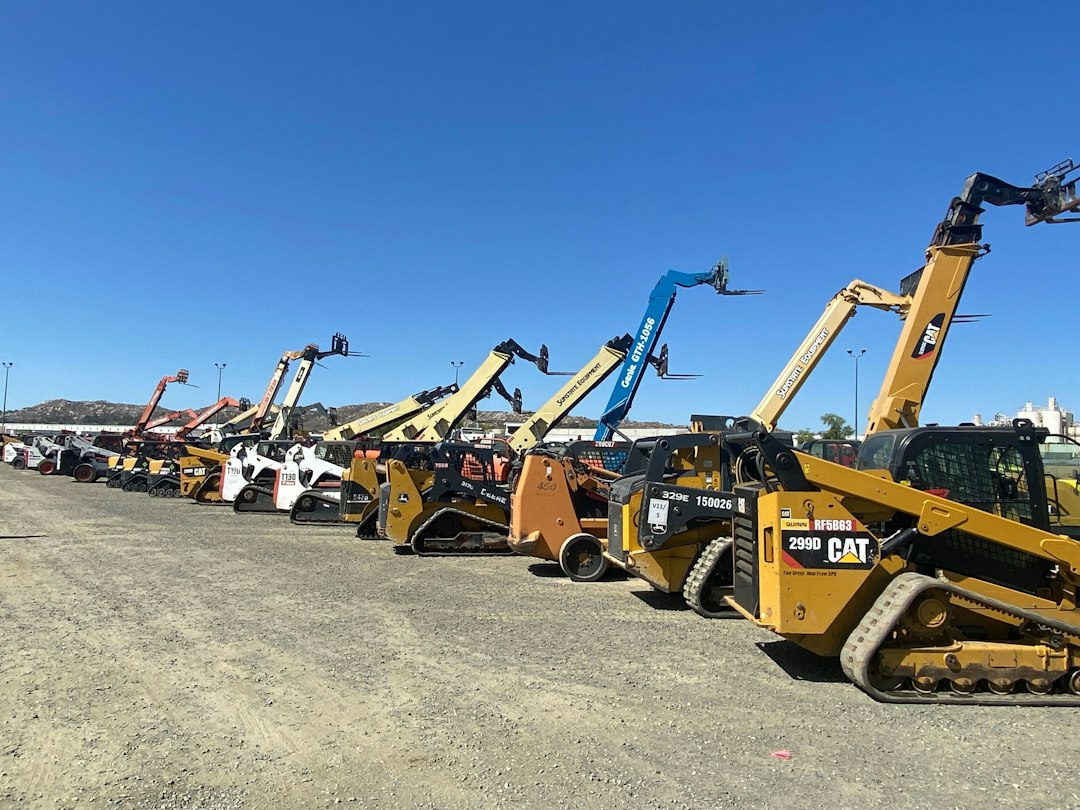
Equipment Rental Software: 11 Features That Boost Utilization and Revenue
Equipment rental software is a system that helps rental businesses manage inventory, reservations, contracts, pricing, deliveries, maintenance, and billing in one place. It shows which items are available, out on rent, or in the shop, and it automates quotes, agreements, and invoices. As a result, rental companies keep more equipment earning money, avoid double bookings, and give customers a faster, more professional experience.
Whether you rent construction machinery, party supplies, tools, AV gear, or medical equipment, managing assets with spreadsheets and whiteboards quickly becomes risky. In this guide, we explain how equipment rental management software works, the 11 features to compare, the metrics that matter, benefits and limitations, and a step-by-step process for choosing the right system.
What Is Equipment Rental Software?
Equipment rental software is built for businesses that earn revenue by lending assets for a fee and getting them back. Unlike standard inventory software, it tracks each item’s availability over time, not just its quantity on a shelf. In addition, it handles rental-specific tasks such as deposits, damage waivers, late fees, and return inspections.
The industry is large and diverse. Trade groups such as the American Rental Association represent companies across construction, industrial, general tool, and event rental, each with different operational needs.
In rental, time is inventory. The best equipment rental software shows not just what you own, but exactly when each item is free to earn revenue again.
How Equipment Rental Management Software Works
Most systems follow the rental cycle from inquiry to return.
- Inquiry and quote: Staff or customers check availability and generate a quote with rates, delivery, and options.
- Reservation: The system holds the equipment for the requested dates and prevents double booking.
- Contract: It produces a rental agreement with terms, deposits, and e-signature.
- Dispatch: Delivery or pickup jobs go to drivers with routes and checklists.
- On rent: The system tracks the rental period, extensions, and any swaps.
- Return and inspection: Staff check condition, fuel, hours, and damage, often with photos.
- Billing: Invoices include rental time, extras, damage, and fees, then sync to accounting.
- Turnaround: Items go to cleaning or maintenance before returning to available stock.
Throughout this cycle, the software keeps every asset’s status current. Therefore, the counter team always knows what they can promise.
11 Features to Look For in Equipment Rental Software
Rental businesses differ widely. Even so, these eleven features cover most operational needs.
1. Real-Time Availability Calendar
A visual calendar shows when each item or category is available. As a result, staff can answer “Do you have it Friday?” in seconds.
2. Serialized and Bulk Inventory
High-value items like excavators need serial-level tracking, while bulk items like chairs or barriers are tracked by quantity. Good systems handle both.
3. Flexible Pricing
Support for hourly, daily, weekly, and monthly rates, plus seasonal pricing, customer-specific rates, and minimum charges, keeps quotes accurate.
4. Online Booking
Customers can check availability and reserve equipment from your website. Consequently, you capture bookings outside business hours.
5. Digital Contracts and E-Signatures
Agreements with terms, waivers, and deposits can be signed on a tablet or phone, which speeds up pickups.
6. Delivery and Pickup Scheduling
Dispatch tools assign deliveries to drivers and vehicles, with routes and proof of delivery.
7. Check-In and Inspection
Mobile checklists capture condition, meter hours, fuel levels, and photos at checkout and return. This record protects you in damage disputes.
8. Maintenance Tracking
Service schedules based on hours or rentals keep equipment safe and reliable. For more on this area, see our guide to heavy equipment repair software.
9. GPS and Telematics Integration
Telematics show equipment location, run hours, and usage. In addition, they help recover items and bill accurately for actual use.
10. Billing and Accounting Integration
Automated invoicing for long-term rentals, extensions, and extras reduces errors. Sync with accounting software keeps finances accurate.
11. Reporting and Utilization Analytics
Reports show which assets earn the most, which sit idle, and when to buy or sell equipment.
Require photos at both checkout and return. Time-stamped images settle most damage disputes quickly and fairly.
Key Rental Metrics to Track
Rental profitability depends on a few core numbers. Your software should make them easy to see.
| Metric | What it shows |
|---|---|
| Time utilization | Share of available time an asset spends on rent |
| Dollar utilization | Rental revenue compared with the asset’s original cost |
| Turnaround time | Days between return and availability for the next rental |
| Maintenance cost per asset | Repair and service spending for each item |
| Damage and loss rate | Share of rentals returned damaged or not returned |
For example, if a compact loader shows low time utilization but high maintenance cost, it may be time to sell it and invest in a more popular model.
Benefits of Equipment Rental Software
When rental companies move from manual tools to dedicated software, they usually gain in several areas.
Clear availability and faster turnaround keep more equipment on rent.
Real-time reservations prevent promising the same item to two customers.
Quotes, contracts, and payments take minutes instead of paperwork-heavy visits.
Automated rental time and fee calculations reduce missed charges and disputes.
Scheduled maintenance and inspection records support safe operation and customer trust.
Safety and Compliance Considerations
Many rental items, such as lifts, loaders, and power tools, carry safety risks. Rental companies often provide operating instructions, safety materials, and inspection records. Workplace safety rules from agencies such as the Occupational Safety and Health Administration may apply to the equipment and to customers who use it on job sites.
Your software can support compliance by storing inspection checklists, maintenance histories, and signed acknowledgments with each rental.
Never release equipment with overdue safety inspections or open repair tickets. Configure the system to block those items from checkout automatically.
Limitations to Consider
Equipment rental software is valuable, but it has limits:
- Industry fit varies: A party rental tool may lack features construction rental needs, and vice versa.
- Setup effort: Loading assets, rates, and rules takes time.
- Telematics costs: GPS hardware and data plans add expense.
- Staff discipline: Skipped inspections or late check-ins weaken data accuracy.
- Complex pricing: Unusual rate structures may need custom configuration.
How to Choose Equipment Rental Software: 7 Steps
A clear process helps you pick a system that fits your business.
- Define your rental model. Note equipment types, rental lengths, locations, and delivery needs.
- Check industry focus. Look for vendors experienced in your segment.
- Test the counter workflow. Run a quote, booking, checkout, and return during a demo.
- Review mobile tools. Drivers and yard staff should handle inspections on phones or tablets.
- Confirm integrations. Include accounting, payments, telematics, and your website.
- Compare total cost. Factor in subscriptions, hardware, setup, and training.
- Plan data migration. Clean asset lists and customer records before importing.
If you also need to track tools and assets used internally, our article on equipment tracking software covers that side. For booking-heavy businesses, our guide to reservation management systems explains related scheduling features.
When Custom Rental Software Makes Sense
Packaged rental systems fit many businesses. However, some companies have unusual needs, such as rent-to-own programs, complex job-site billing, multi-branch transfers, or integration with a proprietary telematics platform. In those cases, custom software or tailored integrations can close the gaps. Rental businesses that serve contractors on repeat projects also benefit from linking rentals with account history through custom crm development, making it easier to manage key accounts and anticipate future demand.
Frequently Asked Questions
What is the difference between equipment rental software and inventory software?
Inventory software tracks quantities on hand. Equipment rental software tracks availability over time, along with reservations, contracts, returns, and rental billing.
Can small rental companies use this software?
Yes. Many cloud-based tools offer plans for small fleets, and even a few dozen assets benefit from online booking and accurate availability.
Does equipment rental software handle deliveries?
Many platforms include delivery and pickup scheduling, driver apps, and proof of delivery. Some integrate with separate routing tools instead.
How does rental software improve utilization?
It shows real-time availability, speeds turnaround after returns, and reports which assets sit idle, so you can adjust pricing, marketing, or fleet size.
Conclusion
Equipment rental software gives rental businesses control over their most important resource: available equipment time. It manages bookings, contracts, deliveries, inspections, maintenance, and billing in one connected system, which leads to higher utilization, fewer errors, and happier customers.
Start by defining your rental model and testing the full rental cycle during demos. Then choose a platform that fits your industry segment and plan a clean migration of assets and customers.
Build software around how your business works
Need rental software shaped around your pricing, fleet, and customers? Our team builds custom rental platforms that fit your operation.



