
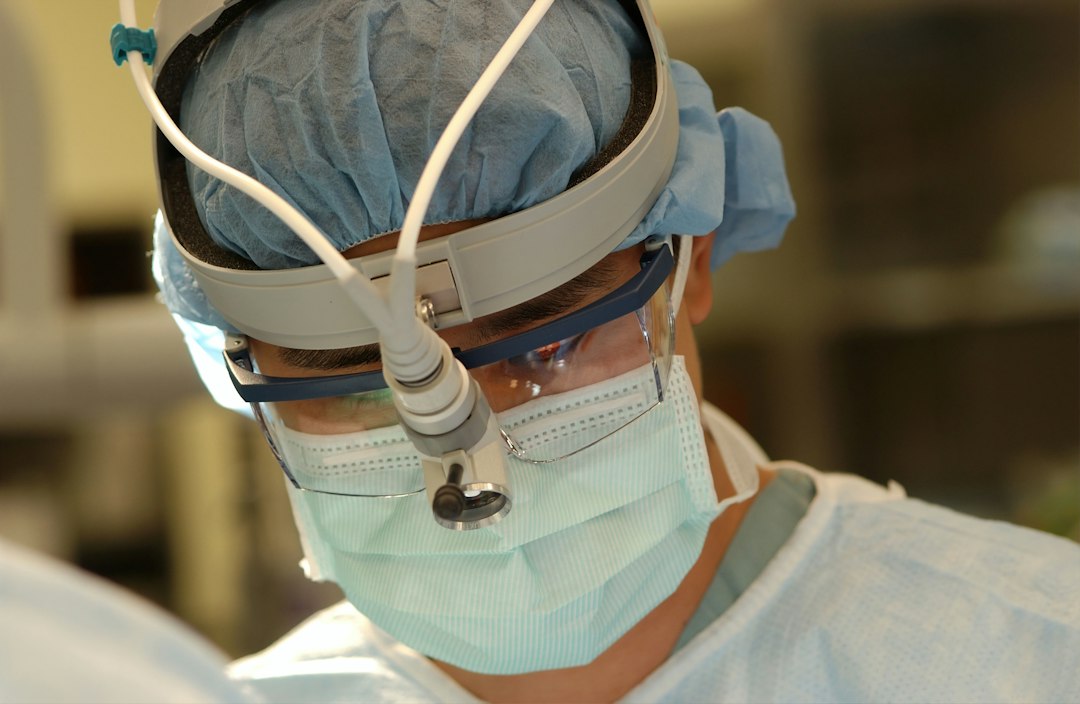
Endoscopy Software: 9 Workflows to Evaluate Before Implementation
Endoscopy software supports the administrative and clinical workflows around gastrointestinal procedures, from scheduling and preparation through documentation, image management, reporting, and follow-up. A system may function as an endoscopy reporting tool, a procedure-room workflow platform, or a larger module connected to an electronic health record (EHR).
Choosing endoscopy software is about making the full procedure journey easier to coordinate while preserving accurate records. This guide explains the workflows to map, the capabilities to compare, the integrations to test, and the measures to review after launch.
Map the procedure journey
Start with the path from referral to completed follow-up. Include referral intake, scheduling, preparation instructions, consent documentation, room and equipment readiness, procedure notes, images, pathology or laboratory workflows, discharge instructions, billing handoff, and follow-up recommendations. Identify who owns each step and what information needs to move between systems.
Different settings have different needs. An ambulatory center may focus on room turnaround and throughput, while a hospital department may need to coordinate with inpatient services, multiple specialties, and shared equipment. A platform should support your actual mix of procedures, staff, locations, and documentation rules.
Nine endoscopy software capabilities to assess
1. Scheduling and resource coordination
Check how the system manages referrals, procedure types, provider calendars, room capacity, equipment, and patient preparation. Test a cancellation, late arrival, urgent slot, and change in procedure duration. Ask whether the schedule communicates updates to the EHR, registration, nursing, and room staff without duplicate entry.
2. Pre-procedure readiness
Review how staff track required forms, preparation instructions, medication information, allergies, and readiness checks. The platform should show incomplete tasks and their owner. Ask how staff document patient questions or a preparation issue that requires escalation. Keep clinical decisions with qualified staff rather than treating a checklist as an automated decision.
3. Procedure documentation
Evaluate structured templates for common procedures, findings, devices, medications, staff, and relevant timestamps. Check how users document deviations and whether they can complete a note without unnecessary navigation. Templates should support consistent reporting while allowing a clinician to record meaningful details that do not fit a default field.
4. Image and video management
Confirm how still images and video are captured, labeled, stored, and associated with the correct patient and procedure. Test review, export, retrieval, and access after a provider leaves the room. Ask how the system prevents a mislabeled image or makes a missing attachment visible before documentation is finalized.
5. Quality measures and registries
Ask whether reports support the quality measures your organization uses and how data moves to a registry. The ASGE’s practice guidelines and quality-in-endoscopy resources provide context for quality indicators and measurement. GIQuIC explains that an endoscopy report writer can capture data for registry transmission in its description of the registry workflow. Confirm current requirements with your clinical and quality teams.
6. Follow-up and results coordination
Determine how the software records pathology orders, result status, recommendations, follow-up intervals, and communication tasks. A procedure note alone does not ensure that a downstream result reached the right person. Test a missing result, an amended report, and a patient who needs a follow-up appointment.
7. EHR, billing, and equipment integration
Map connections to the EHR, scheduling, registration, billing, imaging, pathology, and endoscope equipment systems. Confirm which application owns patient identity, procedure status, and clinical documentation. Ask how an interface reports a rejected message and what staff do during downtime.
8. Access, privacy, and audit controls
Review user roles, authentication, audit logs, device access, backups, data retention, and vendor support. Confirm that staff can access the information needed for a procedure while limiting unnecessary exposure. Test how the system handles a workstation left open, a staff member changing roles, or an image sent to the wrong record.
9. Reporting, support, and lifecycle
Look at reports for procedure volume, room utilization, incomplete notes, cancellations, quality measures, and follow-up status. Review vendor support hours, upgrades, training, implementation, and contract-end data export. Ask how the vendor tests a release and informs customers of changes that affect templates, interfaces, or reporting.
Evaluate with scenarios from the procedure room
Build a vendor test around real tasks: schedule a case, complete readiness steps, capture an image, document a finding, send a result-related follow-up, and correct a report. Add an exception such as a patient identity mismatch, room change, system outage, or delayed pathology message. Ask both clinicians and administrative staff to use the same scenarios.
Score candidates on documentation time, data re-entry, image retrieval, interface reliability, completeness of follow-up tasks, and staff usability. Check whether the platform supports your existing devices and room setup. A successful demo on a test patient does not prove the integration works with your actual identity and scheduling processes.
For adjacent healthcare operations context, see Anomoz’s healthcare management software guide. A separate medical equipment service software article covers maintenance workflows that may matter to facilities managing procedure equipment.
Implementation steps
- Document current workflows. Include clinical, administrative, technical, and result-follow-up steps.
- Standardize data. Align procedure names, provider identifiers, room names, and template fields.
- Design templates with clinicians. Review the balance between structured fields and useful narrative documentation.
- Test every interface. Verify patient identity, schedule updates, images, reports, billing data, and results.
- Pilot in one setting. Include representative procedures and staff roles.
- Plan downtime and training. Define how teams continue work and reconcile records after service returns.
- Review performance after launch. Collect user feedback and address defects before expansion.
Measures worth monitoring
Establish a baseline for scheduling accuracy, room turnaround, note completion time, image association errors, interface failures, cancellation reasons, and follow-up completion. Choose measures that reflect both operational efficiency and documentation quality. Review by procedure type and location so a broad average does not hide a specific workflow problem.
Set a regular governance review for templates and quality definitions. A clinical guideline, registry field, or reporting requirement may change, and the team should know who assesses whether that change affects configuration. Keep release notes and a record of approved changes.
Common mistakes to avoid
- Buying only for report templates: Evaluate preparation, images, results, and follow-up too.
- Accepting duplicate data entry: Map what each connected system should own.
- Skipping identity and image tests: Confirm associations using realistic cases and exceptions.
- Overbuilding templates: Structured fields should improve clarity without making documentation cumbersome.
- Leaving result ownership unclear: Assign a person or team to close follow-up tasks.
- Training after go-live only: Involve clinicians and administrators in testing and rehearsal.
Frequently asked questions
Is endoscopy software the same as an EHR?
No. Some EHRs include endoscopy modules, while specialized systems focus on procedure-room workflow, image capture, and reporting. Confirm how the chosen product integrates with the organization’s EHR.
What should endoscopy reporting software include?
Typical needs include structured procedure documentation, image association, relevant timestamps, staff and equipment details, quality reporting, and a reliable handoff to follow-up tasks.
Can endoscopy software send data to a registry?
Some products support registry workflows or exports. Verify the data fields, interface process, validation, and fees with the vendor and your quality team.
How do I test a system before choosing it?
Use real procedure scenarios and include scheduling, readiness, documentation, images, results, interfaces, and downtime. Have clinicians and support staff evaluate the workflow.
Choose for the complete care workflow
Endoscopy software should help teams coordinate each procedure step and keep the record connected from scheduling through follow-up. Evaluate the full workflow, test interfaces and image handling, and include clinical users in the pilot. Clear ownership and ongoing quality review help the platform remain useful as procedures, staff, and reporting needs change.
Review downtime and data recovery in advance
Every department should know what happens if the endoscopy application, EHR interface, image store, or network becomes unavailable. Identify which paper or approved downtime process staff follow, where temporary notes and images are stored, and who re-enters the information. After recovery, reconcile records against the schedule and procedure log so no image, result, or follow-up task is missed.
Test a partial outage as well as a full outage. For example, the note editor may work while image capture does not, or the system may be available in the procedure room but not in recovery. Clear instructions should explain how staff proceed without creating duplicate records or attaching information to the wrong encounter.
Review vendor support and data ownership
Ask who supports the system during clinical hours, how critical incidents are escalated, and what response expectations apply to interfaces and image capture. Confirm whether your team can retrieve all notes, images, audit logs, and structured data in a usable format if you change vendors. Review storage costs, retention settings, and the process for testing a data export.
Ask how updates affect report templates, device compatibility, registry fields, and interfaces. Request release notes and a test environment where clinical and technical owners can validate material changes before they reach the live workflow.
Use a role-based rollout
Build training around each job. Schedulers need practice changing appointments and communicating room updates. Nurses need to complete readiness and recovery tasks. Clinicians need to use templates and image workflows. Quality and administrative staff need to review reports and close follow-up tasks.
During the first weeks, provide an issue log that captures the user role, workflow step, system involved, and operational impact. Review recurring issues each day at first, then move to a regular cadence once the workflow stabilizes. Give staff a clear path for an urgent patient-care issue.
Set a clear system-of-record map
Endoscopy departments may use several connected products for patient identity, scheduling, clinical documentation, image storage, pathology, billing, and quality reporting. Create a simple map of which system owns each record and which system displays it. For instance, if a patient demographic changes in the EHR, determine how the endoscopy platform receives the update and how staff know the change succeeded.
Ask technical teams to test duplicate, delayed, and rejected messages. Keep a reconciliation report for procedures where a note, image, order, or result did not move as expected. Assign an owner to investigate exceptions rather than expecting clinicians to spot every interface issue during care.
Prepare for vendor and workflow changes
Before a software update, review whether it affects templates, quality fields, connected devices, image workflows, or permissions. Test representative procedure types and have clinical owners approve changes that alter documentation. Keep training material aligned with the active version and remove obsolete instructions.
At contract review, confirm data export, image retrieval, audit history, and support for older records. A department should be able to locate and understand procedure information even if it later replaces the platform. Include storage and migration costs in the long-term estimate.
Use a go-live readiness checklist
- Patient and appointment data match the EHR in test cases.
- Images attach to the correct encounter and can be retrieved afterward.
- Templates have clinical approval and reflect local practice.
- Follow-up tasks have a named owner and escalation path.
- Downtime steps and post-recovery reconciliation are rehearsed.
- Users know where to report a defect or urgent workflow issue.
Review the checklist in a simulation with staff who will use the system on a typical day. A short rehearsal often reveals unclear roles or missing handoffs before patients depend on the new workflow.



