
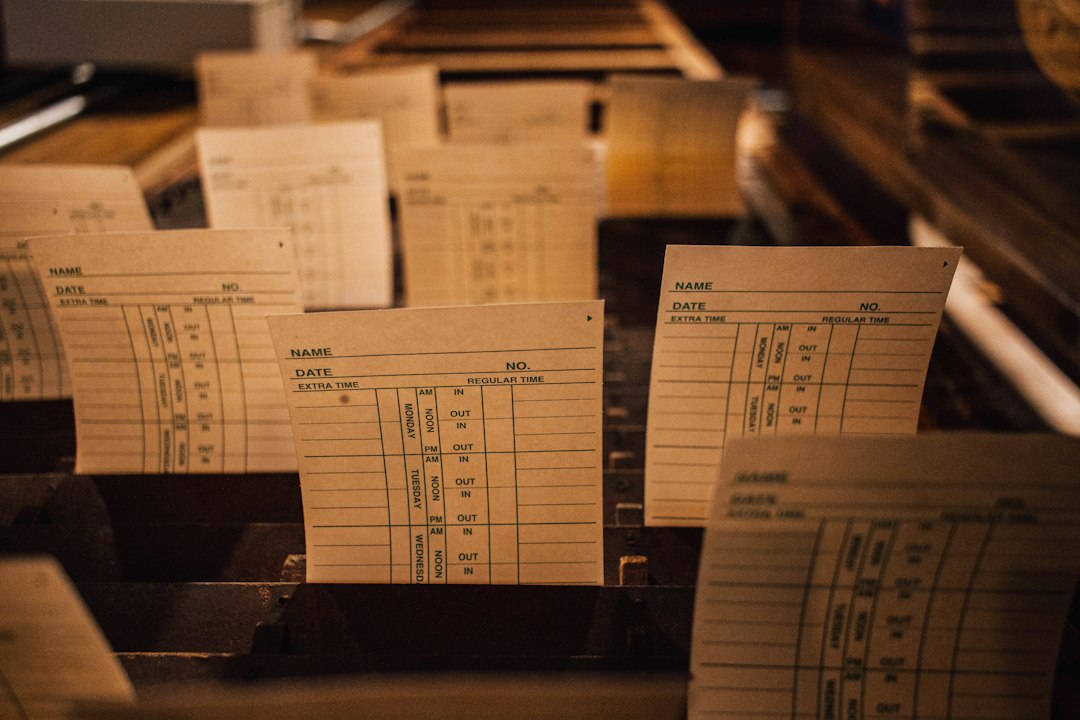
Employee Attendance System: 10 Features, 5 Clock-In Methods, and How to Choose
An employee attendance system is software that records when employees arrive, leave, take breaks, and miss work, then turns that data into accurate timesheets, leave balances, and payroll-ready reports. It replaces paper registers and manual punch cards with digital clock-ins through mobile apps, kiosks, biometric devices, or web browsers. As a result, businesses reduce payroll errors, spot attendance problems early, and stay ready for labor audits.
Attendance affects scheduling, customer service, payroll costs, and team morale. In this guide, we explain how staff attendance management software works, the main clock-in methods, the 10 features worth comparing, compliance considerations, benefits and limitations, and a step-by-step plan for choosing and rolling out a system.
What Is an Employee Attendance System?
An employee attendance system tracks presence at work. At its simplest, it logs clock-in and clock-out times. However, most modern systems go much further. They match attendance against schedules, calculate overtime, track leave and absences, flag late arrivals, and export approved hours to payroll.
Most platforms now run in the cloud. Consequently, managers can check who is on shift from anywhere, and employees can clock in from a phone at a job site or a tablet at the front door.
An attendance system is the bridge between your schedule and your payroll. When it works well, people get paid correctly and managers see problems before they grow.
How Staff Attendance Management Software Works
Most attendance systems follow the same basic cycle.
- Scheduling: Managers create shifts or standard working hours for each employee.
- Clock-in: Employees record arrival using an app, kiosk, badge, or biometric device.
- Breaks and clock-out: The system logs breaks and departure times.
- Exception alerts: It flags late arrivals, missed punches, early departures, and no-shows.
- Leave management: Employees request time off, and managers approve it in the system.
- Timesheet approval: Managers review and approve hours at the end of each pay period.
- Payroll export: Approved hours, overtime, and leave flow into payroll.
Because each step is digital, the data stays consistent. Therefore, payroll teams no longer decode handwritten timesheets.
5 Common Clock-In Methods
Different workplaces need different ways to record attendance. The table below compares common options.
| Method | How it works | Best for |
|---|---|---|
| Mobile app | Employees clock in on their phones, often with GPS | Field, remote, and multi-site teams |
| Web browser | Employees clock in from a computer | Office and hybrid staff |
| Shared kiosk | A tablet at the entrance with PIN or photo capture | Retail, restaurants, warehouses |
| Badge or card reader | Employees tap an ID card | Large facilities with access control |
| Biometric device | Fingerprint or face recognition | Sites where buddy punching is a concern |
Each method has tradeoffs. For example, biometric devices reduce “buddy punching,” where one employee clocks in for another. However, they also involve sensitive personal data and may face legal restrictions in some places.
10 Features to Look For in an Employee Attendance System
Feature lists vary. Still, these ten capabilities matter most for most organizations.
1. Flexible Clock-In Options
Support several methods, such as mobile, kiosk, and web, so every type of worker can clock in easily.
2. GPS and Geofencing
Geofencing allows clock-ins only within set locations. As a result, field teams cannot clock in from home before reaching the job site.
3. Schedule Integration
Comparing actual attendance with scheduled shifts highlights lateness and no-shows automatically. Our guide to work scheduler software explains how scheduling and attendance connect.
4. Overtime and Rules Engine
The system should calculate overtime, shift differentials, and break rules based on your policies and local laws.
5. Leave and Absence Tracking
Employees request vacation, sick days, and other leave in the app. Meanwhile, balances update automatically. For deeper leave workflows, see our article on absence management software.
6. Real-Time Dashboards
Managers see who is in, who is late, and who is absent at a glance. This visibility helps them cover gaps quickly.
7. Exception Alerts
Automatic notifications for missed punches, late arrivals, and approaching overtime let managers act the same day.
8. Timesheet Approvals
Managers review and approve timesheets, and employees can confirm their own hours. This two-step check reduces disputes.
9. Payroll Integration
Direct export to payroll eliminates retyping and reduces errors.
10. Reporting and Audit Trails
Reports on attendance trends, overtime, and absences support planning. In addition, audit trails show every edit to time records.
Write your attendance policy before configuring the system. Rules for grace periods, rounding, and breaks should come from policy, not from software defaults.
Compliance Considerations
Attendance data often forms the basis of wage calculations, so accuracy matters legally. In the United States, the Department of Labor’s guidance on hours worked under the FLSA explains what time must be counted and paid. Leave tracking may also need to account for laws such as the Family and Medical Leave Act, which provides eligible employees with job-protected leave for certain reasons.
Rules differ by country, state, and industry. Therefore, configure your system with input from HR or legal advisors who know your jurisdictions.
If you use biometric clock-ins, check local privacy laws carefully. Some jurisdictions require written consent, retention limits, and specific notices before collecting biometric data.
Benefits of an Employee Attendance System
When organizations move from manual tracking to software, several benefits appear.
Digital records remove guesswork and reduce overpayments and underpayments.
Geofencing, photo capture, and biometrics discourage buddy punching and padded hours.
Attendance patterns reveal issues like chronic lateness or burnout before they escalate.
Automated timesheets and alerts cut hours of weekly admin.
Organized records with edit histories support labor audits and dispute resolution.
Limitations to Keep in Mind
Attendance systems help a lot, but they are not perfect. Consider these limits:
- Hardware costs: Kiosks and biometric devices add upfront expense.
- Connectivity issues: Mobile clock-ins may fail in areas with poor signal unless offline mode exists.
- Employee concerns: GPS and biometrics can feel intrusive without clear communication.
- Configuration complexity: Overtime and break rules vary widely and must be set up correctly.
- Attendance is not engagement: Being present does not guarantee productivity.
How to Choose an Employee Attendance System: 7 Steps
A structured process helps you select a system that fits your workforce.
- Profile your workforce. Note how many employees are office-based, remote, shift-based, or in the field.
- Choose clock-in methods. Match methods to each group’s work environment.
- Document policies. Define grace periods, overtime, breaks, and leave types.
- Check payroll integration. Confirm a reliable connection to your payroll provider.
- Review privacy features. Make sure you can control GPS, photos, and biometric data.
- Pilot with one team. Test with a single location or department first.
- Train and communicate. Explain the reasons for the change and how data will be used.
For a broader view of related features, see our guide to attendance management software. Larger organizations planning labor across many sites may also benefit from WFM software, which combines scheduling, attendance, and forecasting.
Common Mistakes to Avoid
Attendance system rollouts often run into the same problems:
- Skipping employee communication: Surprise tracking breeds mistrust. Instead, explain the purpose openly.
- Using default rules: Software defaults may not match your policies or local laws.
- Ignoring missed punches: Fix exceptions weekly so payroll does not become a scramble.
- Choosing one method for everyone: Field staff and office staff often need different options.
When a Custom Attendance Solution Makes Sense
Standard attendance systems fit most businesses. However, some organizations have unique rules, such as union agreements, rotating multi-site crews, or attendance tied to client billing. In those cases, a custom system or integration can match the way the business actually runs. Staffing and service firms, for example, often link attendance with client and job records through custom crm development, so billing and placements reflect the hours each worker actually delivered.
Frequently Asked Questions
What is the difference between an attendance system and a time tracking tool?
An attendance system focuses on presence, such as shifts, lateness, and leave. A time tracking tool focuses on how time is spent on tasks or projects. Many platforms combine both.
Can small businesses use an employee attendance system?
Yes. Many cloud tools offer affordable plans and mobile clock-in, which work well even for teams of a few people.
How do attendance systems prevent buddy punching?
They use methods that confirm identity, such as photo capture, biometrics, personal PINs, or GPS-verified mobile clock-ins.
Does attendance software integrate with payroll?
Most attendance systems integrate with popular payroll platforms or export payroll-ready files. Always confirm the integration with your specific provider.
Conclusion
An employee attendance system gives businesses accurate, real-time visibility into who is working and when. By digitizing clock-ins, matching attendance to schedules, tracking leave, and feeding payroll, staff attendance management software reduces errors, saves manager time, and supports compliance.
Start by profiling your workforce and documenting your policies, then pilot a system with one team. Communicate openly about what you track and why, and refine the setup before rolling it out company-wide.
Build software around how your business works
Need attendance tracking built around your shifts, sites, and pay rules? Our team builds custom workforce tools that fit your operation.



