
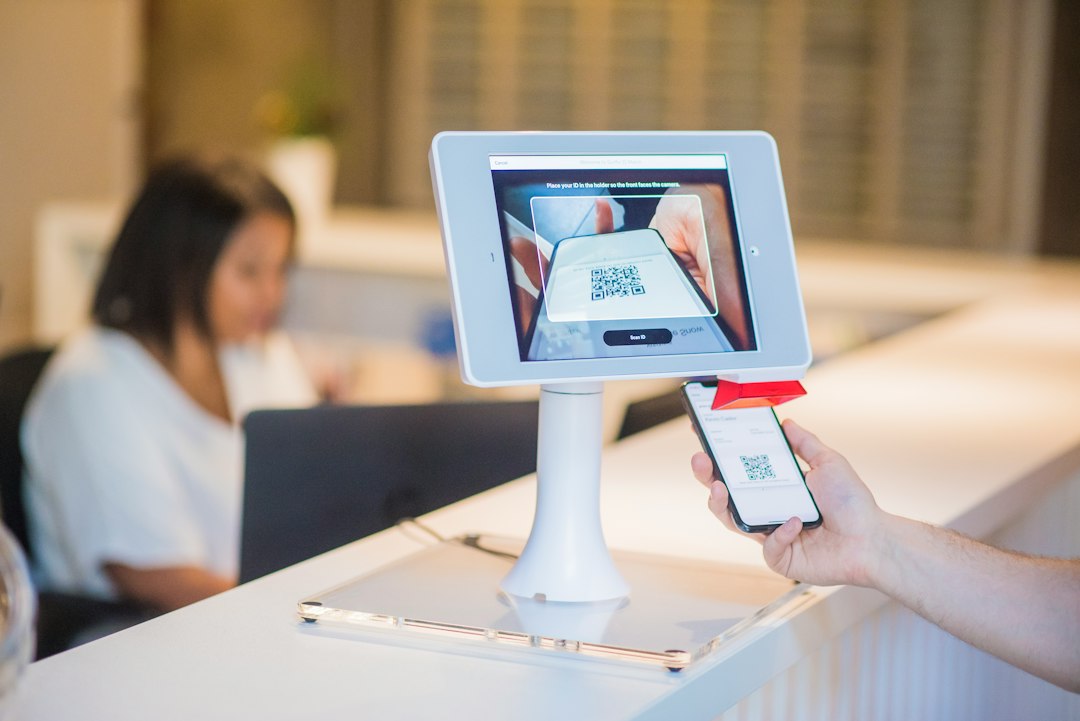
Electronic visit verification software: 6 Handoffs Agencies Must Test
Electronic visit verification software records and exchanges information about covered in-home service visits. For an agency, the practical challenge is to connect the planned visit, the worker’s field record, any correction, the required submission, and the later billing process. A successful clock-in is only one step.
This guide covers six handoffs to test before choosing EVV software. It explains the core visit data, state and payer fit, offline work, exception review, submission status, and billing links. It also provides a pilot plan that includes the difficult cases agencies handle outside a sales demo.
What EVV means for a home-based service agency
EVV stands for electronic visit verification. In the US Medicaid context, it relates to specified personal care and home health services. The exact programme, service, and reporting requirements need review for the agency’s operating area and contracts.
The Medicaid EVV guidance page provides the federal starting point. Use current state and payer instructions to confirm what applies before selecting a capture method or integration. A generic vendor claim does not answer every programme-specific question.
EVV is distinct from a schedule, care plan, clinical note, payroll record, or claim. Those records may share data, but they serve different purposes. Therefore, define their relationships rather than treating a verified visit as proof that every other task is complete.
Anomoz’s guide to home health software covers the wider agency workflow. This article concentrates on the verification record and the handoffs that make it usable.
1. Match the planned visit to the correct people and service
Begin with stable records for the person receiving service, the worker, the agency, and the service. Then define how the scheduled visit connects to the verification record. Names alone are not enough to match data across several systems.
Check the identifiers required by the applicable programme and receiving system. A correct display name can still accompany an incorrect code. Therefore, test mapping with the people who manage authorisations and submissions.
Next, change the assigned worker before the visit. Confirm that the new worker sees the correct task and the original assignment no longer causes confusion. Also test a late schedule change that reaches the device after the worker starts the day.
Keep planned and actual facts separate. A scheduled hour range describes the plan, while the field record describes the visit information captured. The system should not silently copy the plan into missing actual fields as if it were observed evidence.
Finally, test a cancelled visit. Staff need a clear record of the cancellation and any required follow-up. A missing clock-in should not be the only way the system represents a visit that did not occur.
2. Capture the required visit data in a usable field workflow
The CMS EVV outcomes repository identifies six core elements: the service type, recipient, date, location, worker, and start and end times. Confirm how your proposed solution captures and transmits them under the applicable programme.
Do not assume that one capture method fits every situation. Ask which methods your state or payer permits and how the product supports them. Then test the actual phones, connectivity, and user needs involved.
Next, check the field screen with a worker who has not seen the product. Can they identify the right person and service, start the record, finish it, and understand whether the data saved? Short, clear prompts matter during a real visit.
Also define what staff can add to notes and where clinical documentation belongs. The verification screen should not become an uncontrolled place for unrelated sensitive information.
Use training that explains the purpose of each step and the route for problems. Workers need a way to report a mismatch or device issue without guessing how to make a green status appear.
3. Recover from weak signal and incomplete capture
Visits may take place where mobile coverage is poor or a device fails. Therefore, test the permitted fallback process before launch. Ask exactly what the product can do offline and what requires another approved route.
Create a sample visit in a safe test environment with connectivity disabled. Then restore service and inspect the record. The system should make pending sync work visible and preserve the captured information as designed.
Next, interrupt the app or upload process. Confirm how the worker knows whether the action succeeded. An unclear result can lead to repeated entries and duplicate visits.
Also test a missing end event. The agency needs an exception workflow with an owner and the evidence required for a correction. The software should not close the gap by inventing an actual time from the schedule.
Write a practical downtime procedure. Define who workers contact, how staff record the issue, and how the agency reconciles the records later. Align that procedure with the programme’s allowed methods and correction rules.
4. Review exceptions without erasing the original record
Exceptions may involve a wrong service selection, missing event, duplicate, unexpected location information, or another mismatch. Group them by the action needed and give each one a responsible owner.
Separate a proposed correction from an approved correction. The system should show who changed the record, when, why, and what supporting evidence the process requires. Shared logins weaken that history.
Next, test a worker’s request to correct a visit. A reviewer should understand the issue without a private conversation that leaves no record. Then inspect what remains visible after approval.
Do not treat every exception as the same kind of problem. A technical capture failure and a service mismatch may need different review routes. Clear reason codes can help, provided staff understand them.
Also track the age of unresolved items. A large queue can delay downstream work even when most visits capture successfully. Review what remains open and why, rather than report only the percentage of first-pass success.
5. Prove that the required receiver accepted the data
The agency’s software may send records to a state system, aggregator, payer-related service, or another required destination. Confirm the exact model for each programme you serve. Support for one route does not prove support for all.
Ask vendors to identify approved connections, required onboarding, testing steps, and ongoing maintenance. Then verify the current requirements with the receiving programme. A sales statement that a product “integrates with EVV” is too broad.
Next, distinguish created, sent, received, accepted, and rejected where the workflow uses those states. A successful outbound transfer does not always mean that the receiving system accepted the record.
Test a rejected sample through an appropriate test route. Staff should see the error, correct the underlying issue, and resubmit without creating a duplicate. Keep the response reference with the visit history.
Finally, reconcile expected submissions against accepted records. A daily queue should reveal visits that never reached the destination as well as explicit rejections. Name an owner who can coordinate recovery with the vendor or programme.
6. Connect reviewed visits to billing and payroll carefully
EVV data can support billing and payroll workflows, but those processes have their own rules. A complete verification record does not by itself establish every condition for payment or wages. The responsible finance and programme staff should define the handoff.
Keep service authorisation, visit capture, review, and claim readiness visible as distinct facts. This helps staff identify whether a visit waits on data, approval, documentation, or another issue.
Next, test a correction after a downstream export. The billing or payroll team needs to know that a reviewed value changed. A silent edit in the source can leave inconsistent records in other systems.
Anomoz’s guide to API integration services explains how to define those updates. Specify visit identifiers, service mappings, timing, retries, and the route for rejected messages.
Also test duplicate prevention. The same accepted visit should not create another payable record simply because an integration retries. Reconciliation must compare the business records, not only report that the connection is online.
Privacy and access are part of workflow design
Visit verification involves sensitive information about people, workers, locations, and services. Give each role the access needed for its task. Then test ordinary worker, scheduler, reviewer, and billing accounts.
Ask about authentication, device access, support access, logging, exports, and account removal. Have the agency’s privacy and security leads assess the product and necessary agreements. Broad labels do not replace that review.
Next, inspect location handling and user communication. People should understand the information the process collects and the controls that apply. Avoid adding continuous tracking simply because a device can support it.
Define retention and export rules for the agency’s setting. Also check how the business retrieves useful records if it changes vendors. A clear exit process supports continuity when contracts or programme systems change.
A pilot with the cases agencies actually face
Create a controlled test set with an ordinary visit, changed worker, cancelled visit, weak-signal case, missing end event, duplicate, and rejected submission. Include the programme connections the agency actually needs.
Have field workers and office staff run their normal tasks. Record help needed, manual entry, exception handling, and the time from visit capture to accepted submission. Then inspect the downstream billing-ready state separately.
Test the worker-support route during the hours the agency operates. A weekday office response may not fit evening or weekend visits. Ask who handles urgent access and capture problems.
After the pilot, compare visit counts, accepted records, and exported items. Sample the actual links between them. Matching totals alone do not prove that the correct visit reached the correct recipient and claim workflow.
Compare total cost and system scope
Include workers, visits, administrative users, devices, telephony or other capture methods, integrations, training, support, and programme onboarding. Ask how retries, extra locations, and multiple programme connections affect cost.
A standalone EVV product may fit an existing agency stack. A wider platform may reduce some handoffs if its scheduling, documentation, and billing tools also fit. Test each function rather than assume that one platform removes every integration issue.
If the main gap is a tailored exception or approval process, custom crm development may support it around established systems. Keep verification evidence and programme submission ownership clear.
Design the support handover around the visit
A worker reporting a problem needs help that preserves the correct visit context. Give support staff a way to find the visit, inspect its capture and sync state, and route the issue to an authorised reviewer. Avoid asking workers to send sensitive screenshots through informal channels.
Next, test an evening issue that the day team must resolve later. The record should show what happened, what staff advised, and what remains open. A vague note saying “app problem” does not provide enough context for a reliable correction.
Review recurring issues by cause and device or workflow where appropriate. Some problems need training, while others require a product or integration fix. Use that evidence to improve the process instead of asking workers to repeat the same workaround indefinitely.
Finally, confirm that support actions do not bypass the agency’s review controls. Helping a worker regain access and approving a visit correction are different responsibilities.
Frequently Asked Questions
Is EVV the same as employee time tracking?
No. EVV records specified service-visit information under the applicable programme. Payroll time tracking has a separate purpose, even when the systems share some data.
Can any EVV app work in every state?
Do not assume so. Confirm current programme requirements, permitted methods, receiving systems, and connection approval for the services and locations your agency covers.
Does a sent visit count as accepted?
Not necessarily. Test the receiving response and reconciliation route. Staff need to find missing and rejected records as well as successful outbound messages.
Choose a complete verification chain
Electronic visit verification software should connect the planned service to a clear, reviewed, and accepted record. Test the six handoffs with field and office staff, then choose the system that handles exceptions as well as ordinary visits.
Build software around how your business works
Need visit exceptions and office systems to share a clearer workflow? Discuss the integration and approval process with Anomoz.



