
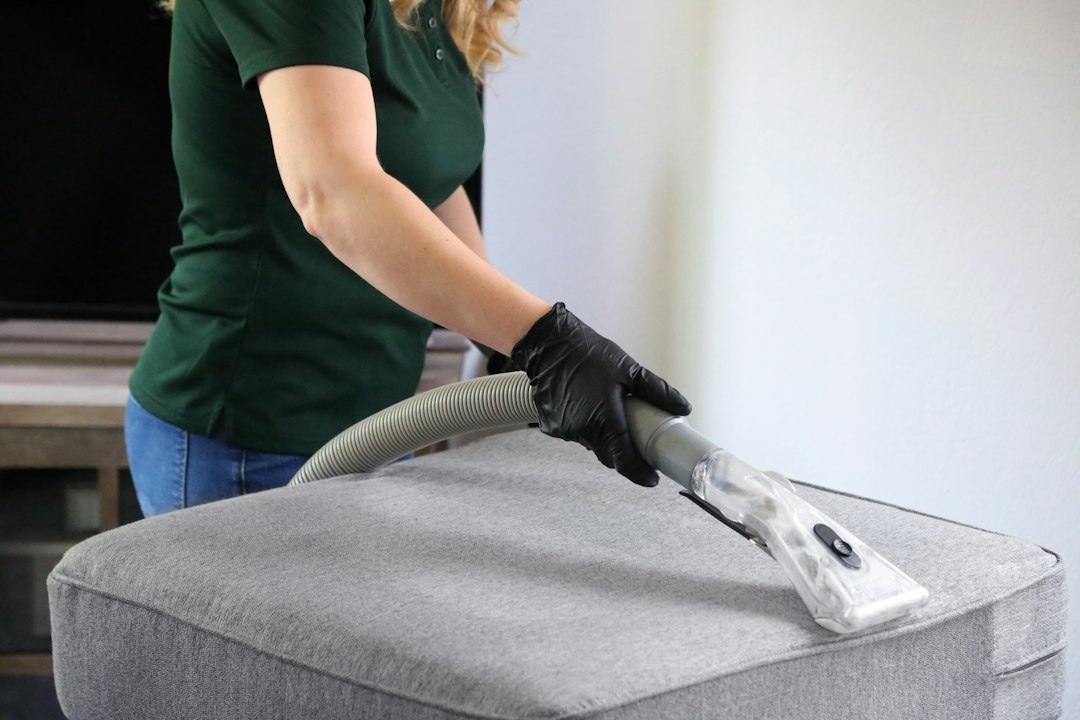
Carpet Cleaning App: 9 Features to Streamline Your Cleaning Business
A carpet cleaning app helps carpet cleaning companies manage bookings, jobs, technicians, customer details, estimates, invoices, payments, and follow-up from one place. For growing teams, carpet business software can replace scattered spreadsheets, paper work orders, and disconnected communication with a clearer workflow.
This guide explains what a carpet cleaning app does, the features that matter most, how it can improve daily operations, what to check before choosing one, common mistakes to avoid, and when custom software makes sense.
What Is a Carpet Cleaning App?
A carpet cleaning app is a mobile or web-based tool designed to help carpet cleaning businesses organize their service operations. Instead of keeping customer information, appointments, job notes, and invoices in separate places, teams can manage these tasks through a connected system.
For example, when a customer requests a cleaning, an office manager can create the customer record, schedule a technician, add the service address, record special instructions, and send confirmation. The technician can then open the job, review the details, update progress, add notes, and complete the work without calling the office for every small update.
In practice, carpet business software can cover much more than scheduling. Depending on the platform, it may support estimates, customer communication, route planning, payments, reporting, recurring services, and team management.
The value of carpet business software comes from connecting the entire service cycle, not simply adding another calendar. Look for a system that links customers, scheduling, field work, billing, and reporting.
Why Carpet Cleaning Businesses Need Specialized Software
Carpet cleaning involves many moving parts. A company may handle several appointments in one day, send different technicians to different locations, manage special stain or fabric requirements, collect payments, and answer customer questions at the same time.
Without a central system, small gaps can create larger problems. A missed appointment can waste technician time. An incorrect address can delay a route. Missing job notes can force a technician to call the office. Delayed invoices can also slow down cash flow.
Therefore, a carpet cleaning app can create a single workflow from booking to payment. It gives office staff and field workers access to the information they need while reducing repeated data entry.
9 Features to Look for in a Carpet Cleaning App
1. Online Booking and Appointment Scheduling
Scheduling sits at the center of a carpet cleaning operation. A useful app should let staff create appointments quickly and capture key details such as service type, address, preferred time, customer notes, and assigned technician.
Online booking can also reduce phone traffic. Customers can request a service while office staff focus on active jobs and urgent questions. Meanwhile, automated confirmations can reduce confusion around appointment times.
2. Customer and Job Management
A central customer profile helps teams keep service history in one place. Staff can see contact information, previous jobs, notes, estimates, invoices, and communication records without searching through separate files.
Job records should also hold practical details for technicians. For instance, a record might include room counts, carpet type, stain concerns, access instructions, pets, parking notes, or other customer requests.
This approach becomes especially useful when customers book repeat cleaning. The team can review past work before arriving and provide more consistent service.
3. Mobile Access for Field Technicians
A carpet cleaning app should work well for people who spend most of their day outside the office. Technicians need quick access to schedules, customer details, directions, job instructions, and status updates.
Mobile access also lets technicians update a job as work progresses. For example, they can mark an appointment as started, add notes, record additional services, capture photos, and close the job when the work ends.
As a result, office staff get a clearer view of field activity without relying on repeated calls or messages. Businesses with more complex technician workflows can also review technician scheduling software for related scheduling practices.
4. Estimates, Quotes, and Service Pricing
Carpet cleaning jobs can vary by room count, square footage, carpet condition, stain treatment, furniture, and additional services. Software can help businesses create consistent estimates based on the pricing rules they choose.
For example, a technician can review the original estimate and record approved add-on services before completing the job. The system can then carry those details into the invoice, reducing duplicate entry.
5. Invoicing and Payments
Billing should connect naturally with completed jobs. A good system can create invoices from job information, track outstanding balances, and record payment status.
Digital invoices can also make the customer experience smoother. Instead of waiting for an office employee to prepare paperwork later, the business can send billing information as part of the job completion workflow.
If the software supports online payments, customers may have an easier way to settle balances. Businesses should still review processing fees, supported payment methods, and refund procedures before choosing a platform.
6. Route and Technician Scheduling
When several technicians work across different service areas, scheduling becomes more complex. A carpet cleaning app can help dispatchers assign jobs while considering technician availability, working hours, and location.
Route planning can reduce unnecessary travel when the software provides mapping or routing features. However, businesses should confirm how routing works rather than assuming every scheduling tool offers route optimization.
7. Customer Communication and Notifications
Customers usually want clear information before, during, and after a service visit. Software can help businesses send appointment confirmations, reminders, arrival updates, receipts, and follow-up messages.
Centralized communication also helps staff maintain context. Instead of checking several messaging channels, they can keep important customer interactions connected to the relevant job or customer profile.
8. Photos, Notes, and Service Documentation
Photos and job notes can provide useful records before and after cleaning. A technician might document a difficult stain, carpet condition, damaged area, or completed work.
For professional cleaning practices, the IICRC S100 Standard for Professional Cleaning of Textile Floor Coverings covers carpet inspection, cleaning methods, equipment, safety, and post-cleaning procedures. Software does not replace professional standards, but it can help businesses document and manage the operational side of their work.
9. Reports and Business Performance Tracking
Once jobs, customers, payments, and technician activity live in one system, the business can build useful operational reports. Depending on the platform, managers may track completed jobs, revenue, outstanding invoices, technician workloads, repeat customers, and service demand.
These reports can help owners spot operational patterns. For example, a business may notice that certain service areas create longer travel times or that repeat customers account for a large share of bookings.
How a Carpet Cleaning App Works in Practice
A simple workflow shows why connected software matters. First, a customer books a service through the office or an online form. Next, the dispatcher reviews availability and assigns the job to a technician.
The technician receives the appointment with the address, service details, customer notes, and other relevant instructions. At the property, the technician can update the job, document the work, and record approved changes.
Finally, the business completes the invoice, collects payment, and stores the service history. Follow-up messages can then encourage feedback or support future bookings.
- Book: Capture the customer, service, location, and preferred appointment time.
- Schedule: Assign the right technician and organize the day’s workload.
- Prepare: Give the technician clear job instructions and customer history.
- Service: Record work, notes, photos, and additional approved services.
- Bill: Generate the invoice and record payment status.
- Follow up: Send a receipt, request feedback, or schedule recurring service.
Carpet Business Software vs. Generic Scheduling Tools
A basic calendar can help a small cleaning company book appointments. However, it may not handle the full workflow of a field service business.
Carpet business software can connect scheduling with customer records, job details, technician activity, estimates, invoices, payments, and reporting. Therefore, the difference is not simply the number of features. The bigger issue is whether the system connects the tasks your team performs every day.
| Capability | Basic Calendar | Carpet Business Software |
|---|---|---|
| Appointment scheduling | Usually | Yes |
| Customer service history | Limited | Centralized |
| Technician job details | Limited | Field-focused |
| Estimates and invoices | Usually separate | Often connected to jobs |
| Operational reporting | Limited | More detailed |
For broader cleaning operations, you can also review software for janitorial companies to see how similar field-service workflows apply to cleaning teams.
Benefits of Using Carpet Business Software
Centralized scheduling gives office teams one place to view appointments and assignments. As a result, staff can reduce duplicate bookings and avoid relying on separate calendars.
Technicians can access current job information from the field. Therefore, dispatchers can spend less time repeating instructions and more time managing exceptions.
When job details flow into invoices, staff do not need to re-enter the same information. This can shorten the gap between completed work and billing.
Service history gives staff useful context when customers call. They can quickly review previous services, notes, and outstanding balances.
Standard workflows help teams handle similar jobs consistently. This becomes more valuable as the company adds technicians or expands into new service areas.
For a wider look at cleaning operations, businesses can also explore cleaning business software and compare the workflows that matter most to their operation.
What to Consider Before Choosing an App
Not every carpet cleaning company needs the same system. Therefore, start with your workflow instead of choosing a tool based only on its feature list.
Technicians should complete common tasks quickly from a phone. If every update requires several screens, adoption may suffer.
Test the app on the devices technicians actually use. Check job updates, notes, photos, navigation, and connectivity in the field.
Review connections with payment providers, accounting tools, calendars, messaging platforms, and other systems your company already uses.
Make sure administrators can control who can view customer data, edit prices, issue refunds, or change important records.
Consider whether the system can support more technicians, locations, customers, and service types as your company grows.
Ask vendors to demonstrate your real workflow. Give them a sample booking and ask them to show how it moves from scheduling to technician assignment, job completion, invoicing, and follow-up.
Common Mistakes to Avoid
Choosing software based only on a long feature list can create problems. More features do not automatically mean a better fit for your business.
- Ignoring technician usability: A system that works well for office staff may still frustrate field workers.
- Skipping workflow testing: Test a complete job instead of checking individual features in isolation.
- Overlooking data migration: Ask how the vendor will move existing customer and job records into the new system.
- Forgetting integrations: Confirm that the app can connect with the tools your business already depends on.
- Neglecting support: Check the vendor’s support channels, onboarding process, and documentation before committing.
When Custom Carpet Business Software Makes Sense
Off-the-shelf software can work well when your processes match the platform. However, some companies develop workflows that standard products cannot handle without workarounds.
Custom software can make sense when you need unique pricing rules, specialized technician workflows, complex scheduling, customer portals, or integrations with existing business systems.
For companies with broader customer-management needs, custom CRM development can provide a foundation for building customer records, communication workflows, automation, and business-specific integrations around the way the company operates.
How to Get More Value From Your App
Implementation matters as much as software selection. First, define the core workflow you want the app to manage. Next, standardize the information technicians and office staff must enter for every job.
Then, train employees around real scenarios instead of generic feature demonstrations. For example, walk through a new booking, a rescheduled appointment, an added service, a failed payment, and a completed job.
Finally, review usage after launch. If technicians skip certain fields or staff keep using spreadsheets for specific tasks, investigate why. The goal should be a simpler workflow, not another layer of administration.
Frequently Asked Questions
What is a carpet cleaning app?
A carpet cleaning app is software that helps cleaning companies manage bookings, customers, technicians, job details, estimates, invoices, payments, and follow-up from a connected system.
What features should carpet business software include?
Core features often include scheduling, customer management, mobile technician access, estimates, invoicing, payments, job notes, photos, communication, routing, and reporting.
Can a carpet cleaning app help technicians in the field?
Yes. A mobile app can give technicians access to schedules, addresses, customer notes, service instructions, job updates, photos, and completion details while they work.
Is carpet business software useful for small cleaning companies?
It can be useful when manual scheduling, paperwork, billing, or customer tracking starts consuming too much time. Small teams should choose a system that matches their workflow and growth plans.
Should a carpet cleaning company build custom software?
Custom development can make sense when a company has specialized workflows, pricing rules, integrations, or customer experiences that standard software cannot support without major compromises.
Final Thoughts
A carpet cleaning app can connect the daily tasks that keep a service business moving, from the first booking to the final payment. The most useful systems bring scheduling, customer records, technician workflows, billing, communication, and reporting into one practical process.
Therefore, focus on workflow fit rather than feature count. Test the app with real jobs, involve field technicians in the evaluation, check integrations and data controls, and choose software that can support the way your business operates today and as it grows.
Build software around how your business works
If your carpet cleaning business needs a workflow that standard software cannot handle, custom development can help connect scheduling, customer management, field operations, billing, and other business processes in one solution.



