
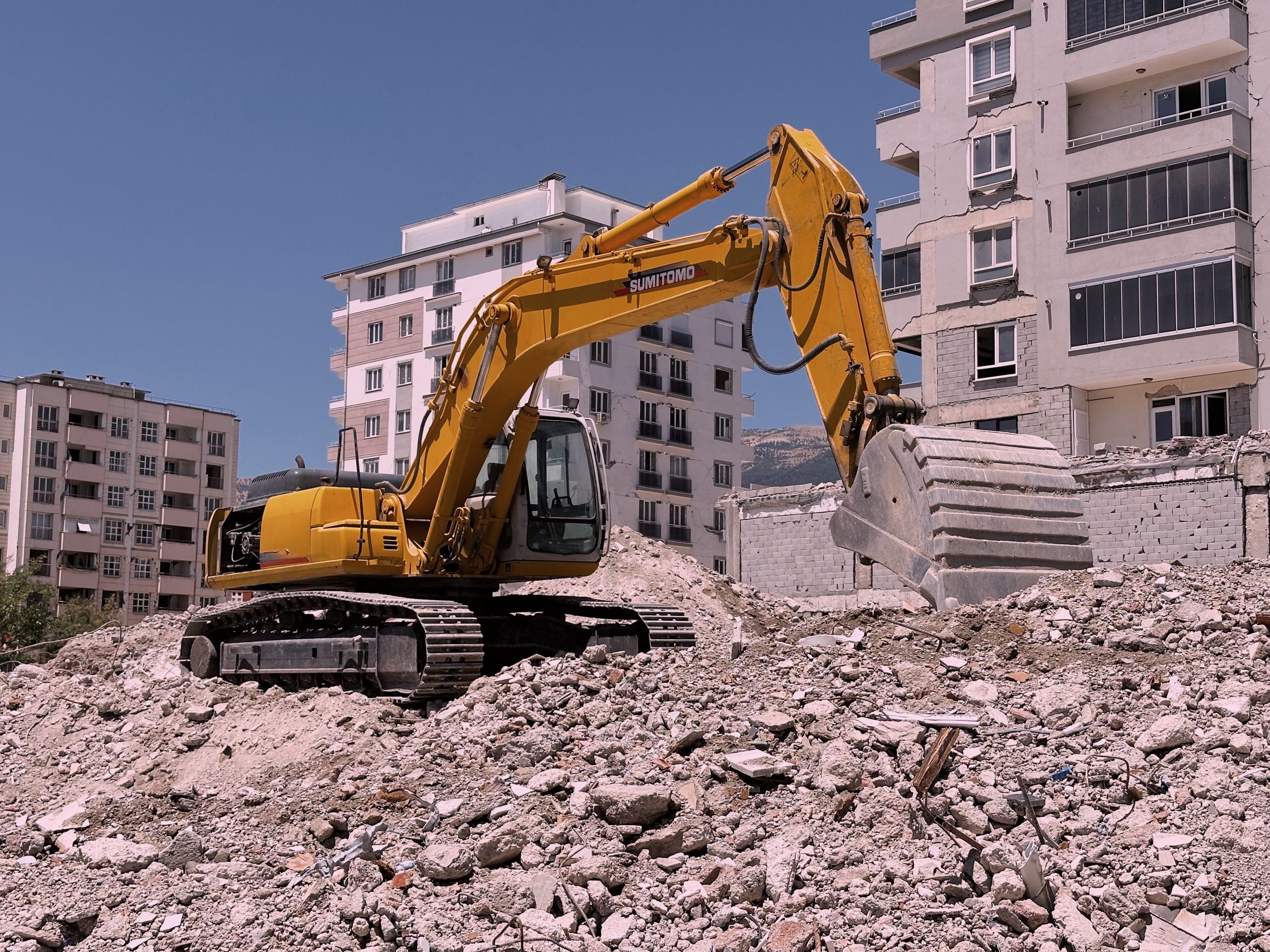
9 Demolition Estimating Software Features That Improve Bids and Project Control
Demolition estimating software helps contractors turn site details, quantities, labor, equipment, disposal costs, and overhead into clear project estimates. It matters because demolition bids often depend on more than the cost of tearing down a structure. Contractors also need to account for equipment time, crew requirements, debris handling, permits, subcontractors, site conditions, and unexpected work. The right software brings these details into one estimating workflow, so teams can build consistent bids faster and make decisions with better cost visibility.
This guide explains how demolition estimating software works, the features that matter most, how it supports demolition management software workflows, common estimating mistakes, and what to consider before choosing a solution.
What Is Demolition Estimating Software?
Demolition estimating software is a digital tool that helps contractors calculate the expected cost of a demolition project before work begins. Instead of building every bid from scattered spreadsheets, notes, emails, and price lists, estimators can organize project quantities and costs in one place.
Depending on the system, an estimator may create line items for labor, equipment, hauling, disposal, subcontractors, permits, and other project expenses. The software can then calculate totals, apply markups, and turn the estimate into a proposal or job record.
More importantly, the software creates a repeatable process. For example, an estimator can use standard cost items for excavator hours, operator labor, dump truck trips, debris disposal, concrete removal, or site cleanup. That makes it easier to build a new estimate without starting from scratch.
Demolition estimating software is not just a calculator. It helps contractors organize project scope, costs, resources, and bid information before a demolition job moves into execution.
How Demolition Estimating Software Works
The exact workflow varies by product, but most estimating processes follow a similar path. First, the estimator gathers information about the property and the planned scope. Next, the team converts that information into quantities, tasks, resources, and costs.
- Define the project scope. Record the structure, areas to remove, demolition methods, site constraints, and other known requirements.
- Build cost items. Add labor, equipment, disposal, hauling, subcontractor, permit, and other expected costs.
- Enter quantities. Estimate quantities such as square footage, cubic yards, tons, truckloads, equipment hours, or crew hours.
- Calculate direct costs. The system totals the expected costs associated with the work.
- Add overhead and markup. Apply the company’s pricing rules, contingency allowance, overhead, and desired margin.
- Create the proposal. Turn the estimate into a client-ready bid with the scope, pricing, exclusions, and terms.
- Convert the winning bid into a project. When the customer accepts, the information can move into scheduling and project management instead of being entered again.
In practice, this workflow reduces duplicate data entry. It also gives project managers a clearer connection between what the company estimated and what the field team needs to deliver.
9 Features to Look for in Demolition Estimating Software
1. Detailed Cost Estimating
Cost estimating sits at the center of the system. Look for flexible line items that let your team separate labor, equipment, hauling, disposal, subcontractors, permits, and other expenses.
For example, a demolition contractor might estimate excavator hours separately from operator labor and then add expected hauling and disposal costs. This structure makes the estimate easier to review and update.
2. Quantity and Unit-Based Estimating
Demolition bids often depend on measurable quantities. A useful system should support units that match the way your team prices work, such as square feet, cubic yards, tons, hours, loads, or fixed amounts.
As a result, estimators can change a quantity without rebuilding the entire estimate. This becomes especially useful when site measurements or project scope change during the bidding process.
3. Labor and Equipment Cost Tracking
Labor and heavy equipment can represent major parts of a demolition estimate. Software should let estimators account for crew roles, hourly rates, equipment rates, operating time, and other resource costs.
For instance, an estimate might include an excavator, skid steer, operator, labor crew, trucks, and equipment mobilization. Separating those costs helps the estimator understand where the bid comes from.
4. Debris, Hauling, and Disposal Calculations
Debris management deserves special attention in demolition estimating. Concrete, wood, metals, drywall, asphalt, masonry, and other materials can require different handling or disposal approaches. The EPA guidance on construction and demolition materials provides useful background on common C&D materials and their management.
Therefore, estimating software should make it easy to include expected debris quantities, hauling trips, disposal fees, recycling costs, and related charges when they apply to the project.
5. Estimate Templates
Templates help contractors avoid rebuilding common estimates from zero. A company might create templates for interior demolition, commercial building demolition, concrete removal, selective demolition, or site clearing.
However, templates should remain flexible. Each site has different access conditions, structures, materials, equipment needs, and disposal requirements. A good template speeds up estimating without encouraging blind reuse of old assumptions.
6. Proposal and Bid Generation
Once the numbers are ready, the estimator needs a professional way to present them. Proposal features can combine scope details, pricing, exclusions, terms, and customer information into a clear document.
This is where proposal software features can provide useful context for contractors looking to improve the step between estimating and sending a bid.
7. Change and Revision Management
Demolition estimates can change when the scope changes. A customer may request additional removal, a site inspection may reveal different conditions, or the contractor may need to adjust quantities.
Version history and estimate revision tools help teams track those changes. Instead of losing the original bid, the estimator can compare revisions and maintain a clearer record of how the price evolved.
8. Integration With Project Management
Estimating should not become a dead-end process. Once a customer approves a bid, the information should support scheduling, task management, crew coordination, documentation, and project tracking.
For a broader view of this workflow, see commercial construction project management software, particularly when demolition work forms part of a larger construction project.
9. Reporting and Cost Visibility
Reports help managers understand how estimates compare with actual project costs. Useful reports can cover estimated labor, equipment, disposal, subcontractor costs, revenue, and project-level performance.
Over time, this information can help a company identify recurring estimating gaps. For example, if disposal costs regularly exceed estimates, managers can review the assumptions used in future bids.
How Demolition Management Software Supports the Estimate-to-Job Workflow
Demolition management software extends the estimating process into day-to-day project operations. While estimating focuses on what a job should cost, management tools help teams coordinate what happens after the customer accepts the bid.
A connected workflow can move information from the estimate into project planning. The team can then schedule crews, assign equipment, track tasks, record site updates, manage documents, and monitor costs against the original plan.
This connection matters because demolition projects involve many moving parts. OSHA explains that demolition involves additional hazards caused by unknown conditions and emphasizes planning before work begins. Its demolition standards also address preparatory operations and specific demolition activities. Contractors can review the OSHA demolition standards for the applicable requirements in the United States.
Therefore, software should support documentation and planning rather than treat the estimate as an isolated number.
Estimating Demolition Costs More Accurately
Software can organize calculations, but it cannot replace sound estimating judgment. The quality of the final bid still depends on the information entered into the system.
Start by breaking the project into clear cost categories. Consider:
- Labor and crew requirements
- Equipment and operating hours
- Mobilization and transportation
- Material removal and handling
- Hauling and disposal
- Recycling or salvage activities
- Subcontractor costs
- Permits and required services
- Site preparation and cleanup
- Overhead and contingency
Next, document assumptions and exclusions. For example, an estimate may depend on site access, known structural conditions, utility status, or specific disposal arrangements. Clear assumptions help the customer understand the scope and give the contractor a reference point if conditions change.
Software does not make an estimate accurate by itself. Estimators still need current site information, realistic production assumptions, correct rates, and a clear understanding of project scope.
Common Demolition Estimating Mistakes to Avoid
Underestimating Disposal and Hauling
Debris can create significant costs beyond the demolition activity itself. If estimators overlook truck capacity, disposal rates, travel time, or material separation, the final project cost can move away from the original estimate.
Using Old Cost Assumptions
Old labor, equipment, hauling, or disposal rates can weaken a bid. Instead, maintain current cost data and review frequently used estimate templates.
Ignoring Site Conditions
Access restrictions, nearby structures, utility concerns, limited staging areas, and unusual building conditions can affect the work plan. A low estimate based only on square footage can miss these factors.
Leaving Scope Details Unclear
A price without a clear scope creates confusion. Define what the contractor will remove, what remains, who handles specific services, and which conditions may require additional work.
Disconnecting Estimating From Project Tracking
When the estimate stays in one spreadsheet and project information lives elsewhere, teams may lose the original assumptions. A connected workflow keeps the estimate available as the project moves forward.
Demolition Estimating Software vs. Spreadsheets
Spreadsheets can work for simple projects and small teams. However, they often require manual calculations, duplicated data, separate files, and careful version control as project complexity grows.
| Area | Spreadsheets | Demolition estimating software |
|---|---|---|
| Cost calculations | Manual formulas and updates | Structured cost calculations |
| Templates | Possible, but often manual | Reusable estimate templates |
| Revisions | File and version management | Centralized estimate revisions |
| Proposals | Often requires separate documents | Can connect estimates to proposals |
| Project handoff | Usually manual | Can connect estimating with project workflows |
The right choice depends on project volume, team size, estimate complexity, and how closely estimating needs to connect with operations. A spreadsheet may remain practical for occasional simple bids. On the other hand, software becomes more useful when a contractor handles many estimates, multiple users, revisions, or connected project workflows.
How to Choose Demolition Estimating Software
Before selecting a platform, map your current estimating process. Identify where estimators spend the most time and where mistakes usually occur.
Then evaluate software against those specific needs. Ask:
- Can the system handle your labor, equipment, disposal, and subcontractor cost structure?
- Can estimators create and reuse templates?
- Can the software support estimate revisions and approvals?
- Can estimates turn into proposals without duplicate entry?
- Can approved estimates connect to project management?
- Can managers compare estimated and actual costs?
- Does the system support mobile access for field teams where needed?
- Can it integrate with accounting or other business systems?
- Can the company customize workflows as its operations change?
Integration matters especially when estimating sits alongside broader construction operations. For example, construction ERP software can provide a broader framework for connecting financial, operational, and project information.
When Custom Software Makes Sense
Off-the-shelf software can cover many common estimating needs. However, some demolition contractors have workflows that do not fit standard templates. They may need specialized calculations, custom approval steps, unique equipment rules, or connections between estimating, project management, accounting, and field operations.
In those cases, custom software can connect the specific processes that matter most to the business. A company might build a workflow where an approved estimate automatically creates a project, assigns internal tasks, stores the bid assumptions, and gives managers a view of estimated versus actual costs.
Custom development should solve a clear operational problem rather than add complexity for its own sake. If your demolition business needs software designed around its workflow, custom CRM development can be one option to explore for connecting customer and project-related processes.
Frequently Asked Questions
What is demolition estimating software?
Demolition estimating software helps contractors calculate project costs by organizing labor, equipment, quantities, hauling, disposal, subcontractors, overhead, and other bid components.
What is demolition management software?
Demolition management software helps teams manage projects after or alongside estimating. Common workflows include scheduling, task management, crew coordination, equipment tracking, documentation, and project cost monitoring.
Can demolition estimating software calculate labor and equipment costs?
Many estimating systems support labor and equipment cost inputs. The exact calculation methods depend on the software, so contractors should confirm that the system supports their preferred units, rates, and production assumptions.
Should demolition contractors use estimating software or spreadsheets?
Spreadsheets can work for simple, low-volume estimating. However, software can provide more structure when teams manage many bids, revisions, templates, users, and connections to project operations.
What costs should a demolition estimate include?
A demolition estimate may include labor, equipment, mobilization, hauling, disposal, recycling, subcontractors, permits, site preparation, cleanup, overhead, and contingency, depending on the project scope.
Conclusion
Demolition estimating software gives contractors a more structured way to build bids, organize costs, and move from estimating into project execution. The most useful systems support quantities, labor, equipment, disposal, templates, proposals, revisions, reporting, and project handoff.
However, software works best when it supports a disciplined estimating process. Keep cost data current, document assumptions, account for site conditions, and connect approved estimates with project management. As a result, demolition contractors can create a clearer link between the price they quote and the work they ultimately deliver.



